


Participant
May 8, 2024
Question

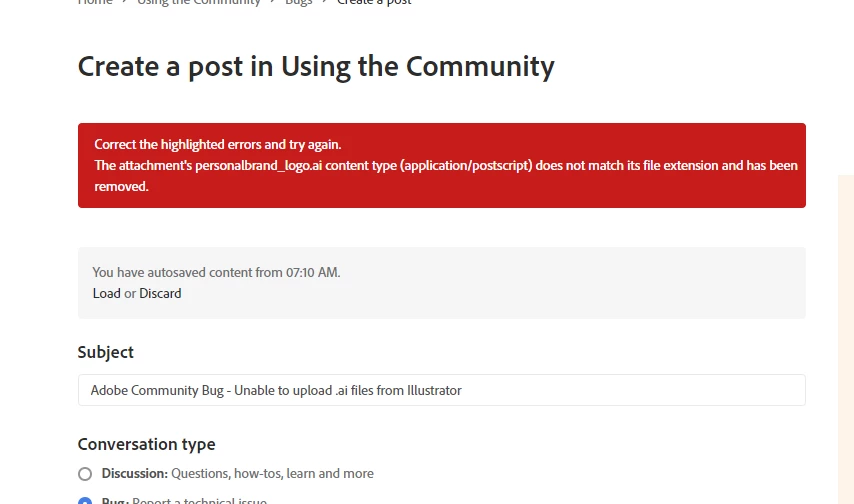
Adobe Community Bug - Unable to upload .ai files from Illustrator

  • May 8, 2024
  • 4 replies
  • 343 views

When attempting to upload a .ai file alongside a post, it gives an error that the file extension does not match the content, and the file is automatically deleted. The file used was last saved in Adobe Illustrator v28.5, on the latest update as of this post's creation.


This topic has been closed for replies.

4 replies

Abambo
Community Expert
Community Expert
May 27, 2024

Ai files do not work on this forum. You need to save as an Adobe PDF file (include the Ai data) or just rename the extension to pdf. 


I wouldn't use an external link to DropBox, some participants, me included, don't click external links as ling as they don't know that the files are safe.

ABAMBO | Hard- and Software Engineer | Photographer
Nancy OShea
Community Expert
Community Expert
May 8, 2024

Attach a screenshot in .jpg, .gif, or .png file type.

This community forum platform doesn't accept unsupported files other than those listed above.


Nancy O'Shea— Product User & Community Expert
Peru Bob
Community Expert
Community Expert
May 8, 2024

Upload the file to a file sharing service like Dropbox and post a link to the file.

kglad
Community Expert
Community Expert
May 8, 2024

there's no file (other than bitmaps) attachment option for adobe forums.  what are you seeing that makes you think threre is?

Participant
May 8, 2024

When making a post, this is at the bottom. If this isn't an option to attach files, what is it?


kglad
Community Expert
Community Expert
May 8, 2024

photo attachment.