
Inspiring
November 29, 2020
Answered

Adobe stopped sending email notifications?

  • November 29, 2020
  • 4 replies
  • 940 views

Not sure which catergory to post this.

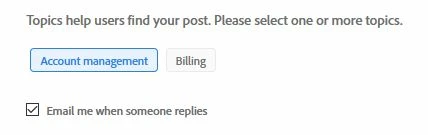
Has Adobe stopped sending email notifications of responses to posts in the Adobe Support Community? I have "Email me when someone replies" tick box checked. I never get an email. I have to log in to the site to find out if anyone responded to any of my posts.


I tried using the chat with Adobe feature to get an answer to this. The virtual robot eventually connected me to an Adobe representative who after a lengthy chat of questions and answers informed me that he works in the billing department and cannot help me.


I'll be checking in from time to time since Adobe won't send me an email.


This topic has been closed for replies.
Correct answer John T Smith

You also need to check your profile settings

Click your avatar picture at the upper right
Click Account Settings
Click Notifications
Change the email settings to what you want
Click SAVE

4 replies

Sil.C
Community Manager
Community Manager
November 30, 2020

We have an issue logged for not receiving email notifications. The issue is intermittent and affects users or particular threads at random. Unfortunately, I have no ETA on a potential fix, but our team is aware of this and working towards a resolution.

pixelforAuthor
Inspiring
December 7, 2020

If the first reply to this question is the fix your problem might be that some people aren't aware they have to have particular settings several pages into the account setting. Long ago I might have visited that and turned everything off in hopes of reducing the deluge of junk, emnail advertising I get from websites and the sale of my email address to companies who want to overload my email inbox with bloat. I don't know.

Just Shoot Me
Legend
December 7, 2020

Not several pages down. Right there in the section for Notifications.


And anyway IIRC by Default, Standard settings for a new user when their profile is created, is they are turned on.


Just Shoot Me
Legend
November 29, 2020

Did you get any email notifications for the 3 posts made to this conversation??????

The one from @John T Smith , @Peru Bob  or Me JSM.

pixelforAuthor
Inspiring
December 7, 2020

No, I didn't. But, I'm hoping the first reply is the answer. I never knew I had to search through my account section to set things up in the first place. Most things of anything dealing with the internet don't include a user's guide, are written for IT experts or a level or two below, and Adobe is no different.

Peru Bob
Community Expert
Community Expert
November 29, 2020

I've moved this to the Using the Community forum.

pixelforAuthor
Inspiring
December 7, 2020

Thanks, I never know all of the places that exist in this web-site. Most of the time it's a couple of minutes just navigating on the computer just to find the community. Not like there'd be a community support button on a quick drop down on my icon or a community support tab on a navigation bar on top of the home page that would bring me right away to community support. Hope you don't mind me relying on kind people like yourself to take over after I find one of the doors to the support page.

John T Smith
Community Expert
John T SmithCommunity ExpertCorrect answer
Community Expert
November 29, 2020

You also need to check your profile settings

Click your avatar picture at the upper right
Click Account Settings
Click Notifications
Change the email settings to what you want
Click SAVE