Noel Carboni
Legend
June 27, 2012
Question

Bug: Can't attach an image to a post during edit

  • June 27, 2012
  • 2 replies
  • 6859 views

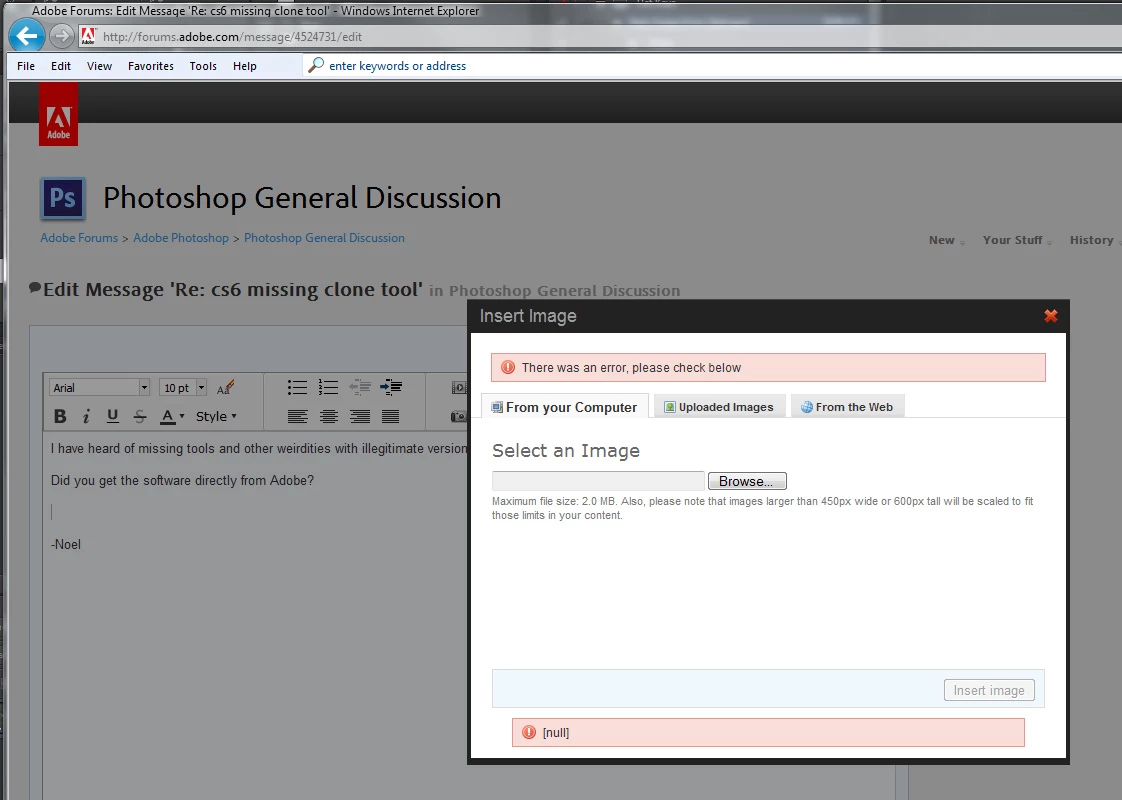
Edited a post I had just made:

  • Opened a couple of blank lines.
  • Hit the camera icon
  • Hit the [Browse...] button
  • Selected the file and had its path appear in the Insert Image dialog field.
  • Hit the [Insert Image] button.
  • Got this failure:

I couldn't attach the image to this post either, even though it's an under-200K JPEG saved from Photoshop CS6 at quality 10.  Here's a link that will take you to a copy of the file:

http://Noel.ProDigitalSoftware.com/temp/CloneAndPatternStamp.jpg

This is my second attempt to post this.  First time I typed in this post I got this message:
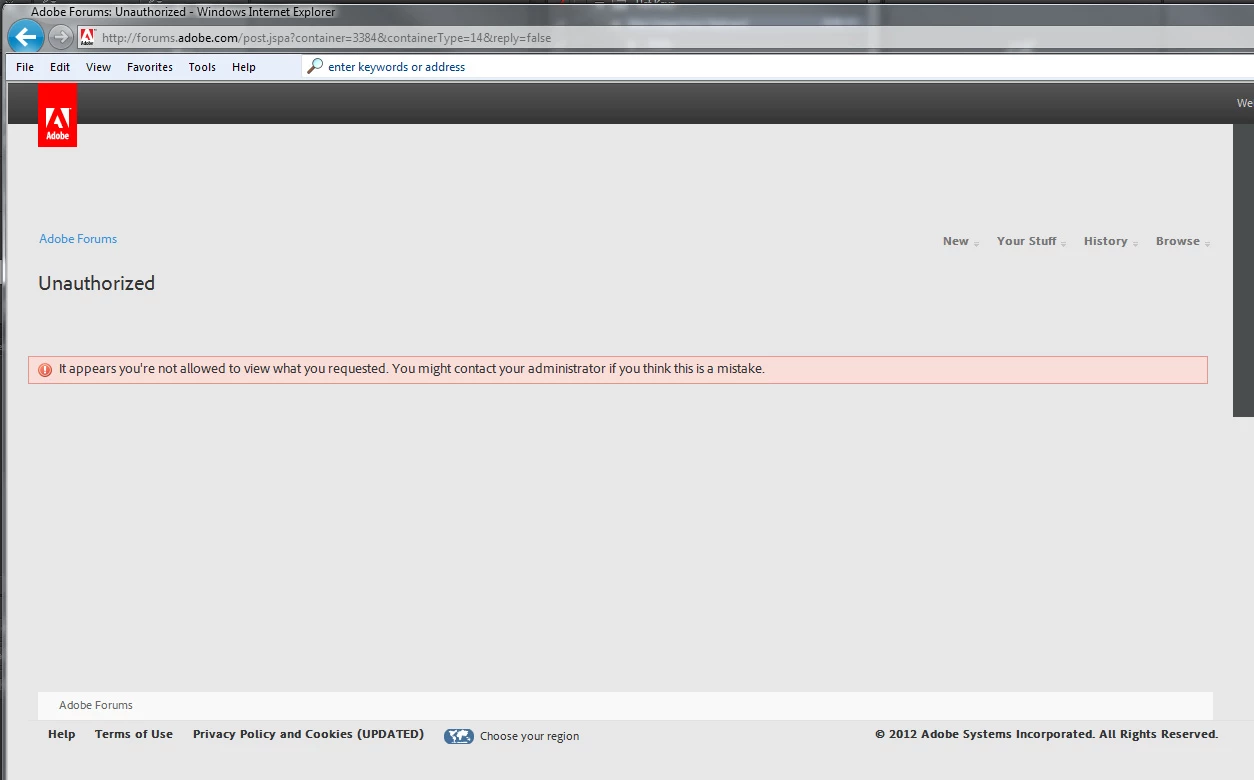
It's an interesting approach, making it particularly difficult to report bugs. 

-Noel

    This topic has been closed for replies.

    2 replies

    pwillener
    Legend
    June 28, 2012

    I don't see what the problem is -- all images are in the posts...?

    Partial image from the original post:

    Looks like that was a temporary "glitch".

    Claudio González
    Legend
    June 28, 2012

    Pat Willener wrote:

    I don't see what the problem is -- all images are in the posts...?

    ...

    Looks like that was a temporary "glitch".

    What do you see in post #1 in this thread?

    pwillener
    Legend
    June 28, 2012

    Right - I didn't read it enough carefully; the image that Noel attempted to post is not there.  Other images are.  Sorry!

    adobe-admin
    Legend
    June 27, 2012

    Adding a reply with no image. I will then edit the reply to add an image to test.

    Now adding an image:

    adobe-admin
    Legend
    June 27, 2012

    I haven't been able to recreate the error. I tried editing the post here. I also tried creating a new thread and editing that to add an image. Will continue testing with other accounts.

    station_two
    Inspiring
    June 27, 2012

    adobe-admin wrote:

    I haven't been able to recreate the error…

    Ah, but you did.  The image is missing in post #1.