

Buglet in the Insert Image Dialog - Except in FireFox
I wouldn't have noticed this, but for the fact that I decided to try out FireFox 4...
When trying to upload an image in Internet Explorer, there is no way to type in a filename in the Upload Image: field, shown below. The insertion point cursor can be put in there, but nothing can be typed. The [Browse...] button, of course, works fine.
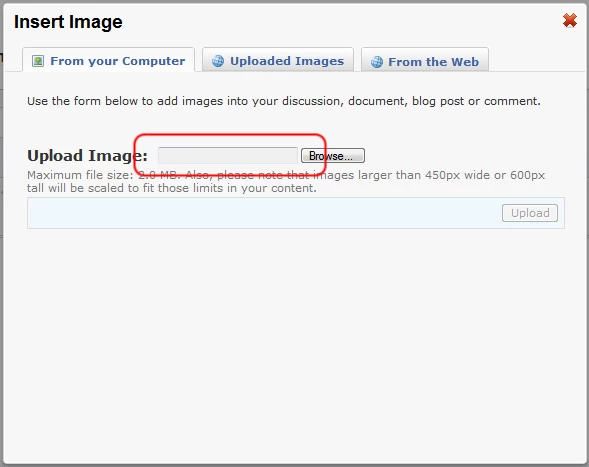
Just because I needed to check some web work I happened to have FireFox 4 open, and I don't know why I tried, but lo and behold I could actually type something in there. After the first character FireFox just popped up a file selection dialog, where I finished typing the filename.
The field is even grayed-out in IE, whereas it's white in FireFox.
Is this forum software particularly well optimized for FireFox then?
-Noel


 AdChoices