


Participating Frequently
February 18, 2023
Question

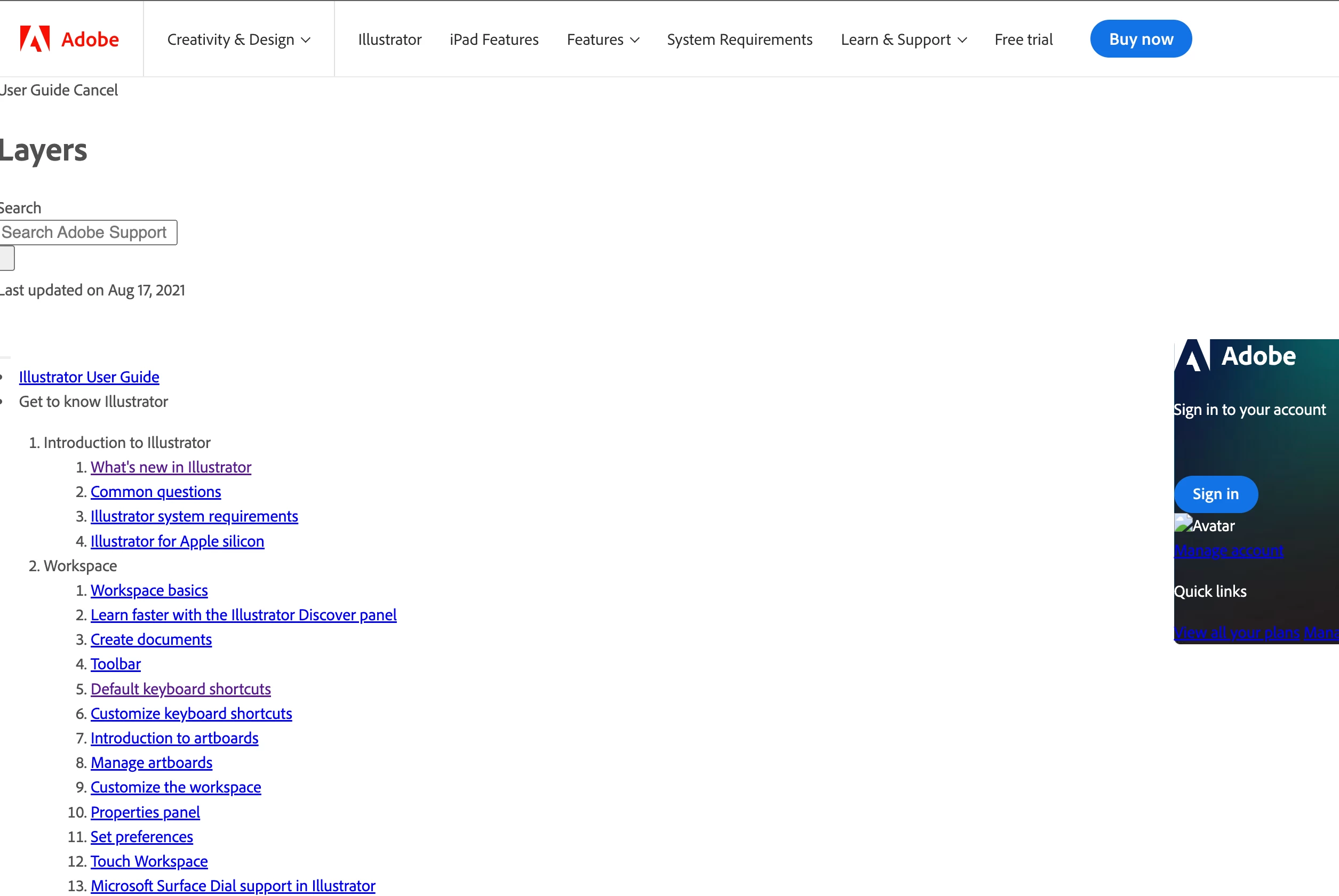
BUGS in Help and User Guides. Having problem with display [Topic edited for clarity]

  • February 18, 2023
  • 4 replies
  • 2451 views

Hi,

It's probably not the place to post it, but I have no clue where I could do it.


So, since a month, I simply can't access to all help center pages for all softwares. It looks like the CSS doesn't load correctly and it's impossible to see any content. I have the same problem of Chrome, Safari and Firefox. Same problem on my Imac, my MacBook pro, my iPad and my iPhone. So I just wonder why is that. Am I alone?

I joined a screen capture to show it.


Txs


This topic has been closed for replies.

4 replies

Peru Bob
Community Expert
Community Expert
February 19, 2023

It's been happening to me intermittently for the past week.

jane-e
Community Expert
Community Expert
February 19, 2023
quote

It looks like the CSS doesn't load correctly and it's impossible to see any content. I have the same problem of Chrome, Safari and Firefox. Same problem on my Imac, my MacBook pro, my iPad and my iPhone. So I just wonder why is that.


Am I alone?


By @Patrick24986680wxc9


This issue was reported on January 18 in a back area and a couple of Community Experts have experienced it. Some have been successful with reloading the page, and one said it is intermittent. I posted there and linked to this thread.


You did thorough testing before reporting the issue here. I can't solve it for you, but I can assure you that you are not alone and I will contact Adobe staff to report it. 


Jane


kglad
Community Expert
Community Expert
February 19, 2023

reload the page. you're seeing the page before the css loads.


in the future, to find the best place to post your message, use the list here, https://community.adobe.com/


p.s. i don't think the adobe website, and forums in particular, are easy to navigate, so don't spend a lot of time searching that forum list. do your best and we'll move the post if it helps you get responses.


<moved from using the community>

Participating Frequently
February 19, 2023

Txs,


Yeah, I figure that the css isn't loaded. But whatever I do, if I reload the page, it doesn't change anything.
Frustrating since I'm using the help center regularly for my students. 

I also had a look on the list you mentionned. But there is no forum about the Adobe website by itself. And again, I'm still wondering why it happens on every browser and on every device I have (they aren't synchronized together btw).

kglad
Community Expert
Community Expert
February 19, 2023

try your mobile browser. it's unlikely to the problematic extension your computer browser(s) has/have

Nancy OShea
Community Expert
Community Expert
February 18, 2023

Yes you are alone.


Evidently, your browsers are blocking scripts to CSS styles.  

Disable Ad-ons and Script Blockers. 

Clear browser's cached data and history.


Nancy O'Shea— Product User & Community Expert
Participating Frequently
February 19, 2023

Txs for your anwser but I can say that's not the solution,

I figured it at first: I cleared my caches/history and disabled every extension I had. Nothing changed.

If had that blocking CSS problem, shouldn't it occur on every site? I mean, it doesn't make sense that I experience it only one Adobe help center. Moreover on all my devices and browsers. 

It still strange to me.