Participating Frequently
Sep 3, 2016 8:50 PM UTC
Answered

Can you *please* allow us to browse all of the old posts

Over in the Animate CC forums, there is much frustration about our inability to see anything other than the 20 most recent postings. We would like to be able to move backward through the archive of messages to browse and catch up on what people are talking about. This has been a basic feature of asynchronous messaging since USENET and the first bulletin board systems. Denying us the ability to read through old postings makes little sense and it is gutting what is left of Adobe's Animate CC community.

I realize that use Jive for your forum solution, but this isn't a "new feature" request. It is something that is user configurable. Just unlock the archives.

I have loved Adobe products for more than two decades, but the past six months have really tried my patience. Please, please, please, just unlock the forums so your users can use them.

This topic is closed to new replies. Start a new post to keep the conversation going.
mytaxsite
mytaxsiteCorrect answer
Inspiring
Sep 4, 2016 12:17 AM UTC

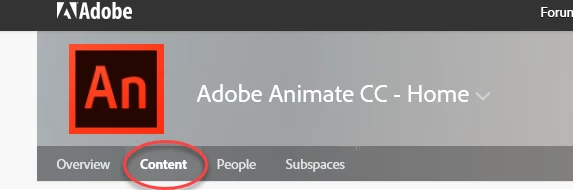
There is no problem to see 1000 posts at any one time.  Did you click on Content tab at the top?  See this picture:

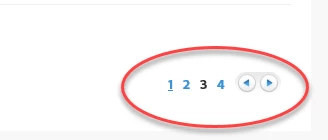
After clicking on the Content tab you need to click on the numbered buttons on the right corner at the bottom of the list.  See this picture:

On the front page you'll see something like this:

Hope this helps.

6 replies

Participating Frequently
Sep 25, 2016 5:23 PM UTC

I agree! I think the original interface design was somewhat bizarre, but this is very helpful.

Translate
Sep 25, 2016 4:58 PM UTC

thank you for this solution, it's excelent

Translate
adrianw42266539
Participant
Sep 12, 2016 8:46 PM UTC

Das war wirklich sehr hilfreich. Danke!

Translate
mytaxsite
mytaxsiteCorrect answer
Inspiring
Sep 4, 2016 12:17 AM UTC

There is no problem to see 1000 posts at any one time.  Did you click on Content tab at the top?  See this picture:

After clicking on the Content tab you need to click on the numbered buttons on the right corner at the bottom of the list.  See this picture:

On the front page you'll see something like this:

Hope this helps.

Translate
Participating Frequently
Sep 4, 2016 1:04 AM UTC

This is exactly what I needed. Thanks.

Translate