
Forum problems logging in and creating discussion
It's been a while since I logged in and when I tried in Firefox 45 ESR it wouldn't let me login. I went to forums.adobe.com/welcome and clicked sign in and it redirected me to
https://adobeid-na1.services.adobe.com/renga-idprovider/pages/login?client_redirect=https%3A%2F%2Fims-na1.adobelogin.com%2Fims%2Fredirect%2Fforums2%3Fclient_redirect%3Dhttps%3A%2F%2Fforums.adobe.com%2Fadobe_login&client_id=forums2&scope=AdobeID%2Copenid%2Cadditional_info.screen_name%2Cupdate_profile.screen_name&display=web_v2&denied_callback=https%3A%2F%2Fims-na1.adobelogin.com%2Fims%2Fdenied%2Fforums2%3Fredirect_uri%3Dhttps%3A%2F%2Fforums.adobe.com%2Fadobe_login&flow_type=token&dc=false&callback=https%3A%2F%2Fims-na1.adobelogin.com%2Fims%2Fadobeid%2Fforums2%2FAdobeID%2Ftoken%3Fredirect_uri%3Dhttps%3A%2F%2Fforums.adobe.com%2Fadobe_login%3Freferer%3Dhttps%3A%2F%2Fforums.adobe.com%2Fwelcome&locale=en
So I attempt to login it gives me a download for login.do:
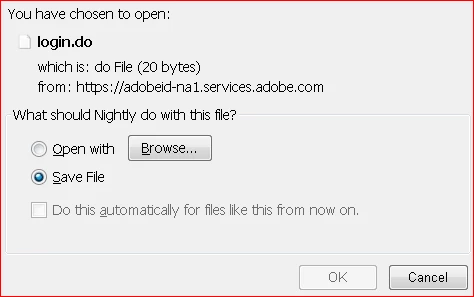
It's reproducible, I tried several times. Next I tried the latest Chrome, and there I was able to login with no problem. Then I wanted to start a discussion in the flash player community so I clicked the 'Start a new discussion' link but that link is nothing but a link to the same flash player community page. I click it and it brings me right back:
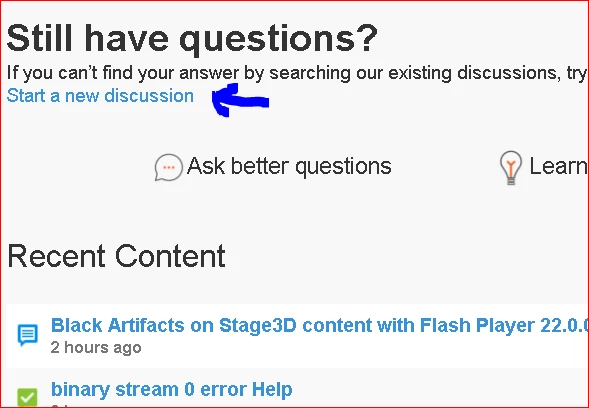
There's only one working 'start a new discussion' link, and it's at the bottom of the page.
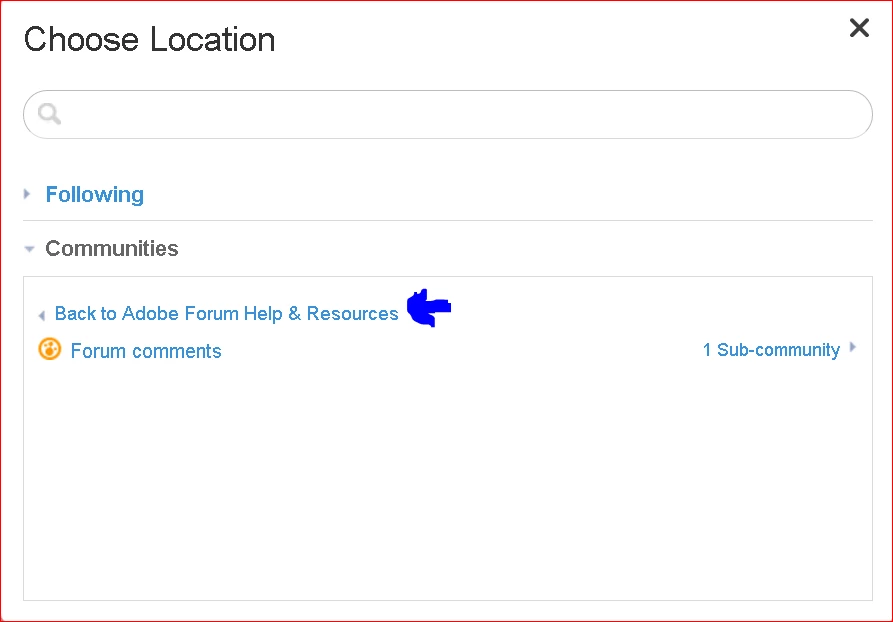
Finally, finding just where I should post these technical issues to took way too long. Adobe has a myriad of forums and it didn't help that every time I went to view what sub-forums were available, and clicked the 'Back to xxxx' link it just reset the list and put me back at the top, and the content has to be re-downloaded dynamically again.


 AdChoices