

Claudio González
Legend
March 28, 2013
Question

Help, I'm getting a blank window...

  • March 28, 2013
  • 4 replies
  • 3921 views

Some minutes ago, I tried to take a look at this thread in the Testing forum:

'"><img src=x onerror=alert(/xss/)>

but all I got was a nearly blank window. Not I'm getting the same thing when I try visit any of these forums, following my bookmarks or copying/pasting their URLs from Safari:
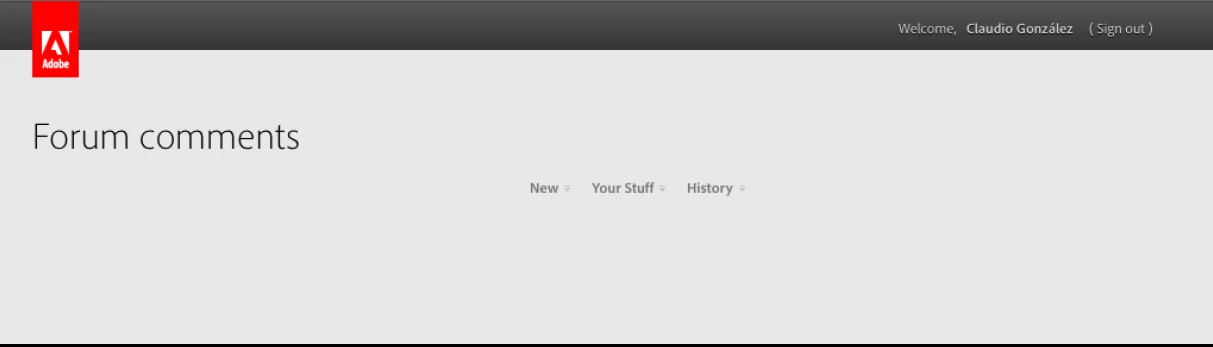
This happened in Firefox 19 under Mac OS 10.6.8. I have cleared my browser cache, restarted Firefox, and restarted my Mac to no avail. The problem does not appear in Safari/Mac, Explorer/Win or Safari/Win; and I can visit other sites using Firefox/Mac Can anyone give me a helping hand? I am completely at a loss.

    This topic has been closed for replies.

    4 replies

    the_wine_snob
    Inspiring
    March 30, 2013

    Claudio,

    After clicking on that link in your OP, the same thing happened to me in Chrome. Clearing my cache and cookies fixed it.

    Question: where did that particular link come from?

    Where is that link supposed to take one?

    Obviously, something in that link kills the display of the Adobe Forums, at least it did for me.

    Hunt

    Claudio González
    Legend
    March 30, 2013

    Bill, now it's three of us. Unfortunately, your questions are not for me to answer, but I would certainly like to know their answers.

    Jacob Bugge
    Community Expert
    Community Expert
    March 30, 2013

    Claudio,

    The thread has been removed, so I believe we shall never know (exactly what hit us).

    Jacob Bugge
    Community Expert
    Community Expert
    March 29, 2013

    Claudio, and whoever may need this:

    John helped me back by suggesting this solution:

    Remove all adobe.com and forums.adobe.com cookies.

    Thank you very much, John.

    Claudio González
    Legend
    March 29, 2013

    Funny. In my case, the problem disappeared by itself. I did not remove cookies.

    I think that the link mentioned in my OP deserves being investigated, as it produced the same "blanking" in two cases.

    Jacob Bugge
    Community Expert
    Community Expert
    March 29, 2013

    I wonder whether it was related to some forum change.

    In any case, the forums have been much faster after the incident, at least here and with Firefox.

    Jacob Bugge
    Community Expert
    Community Expert
    March 29, 2013

    John or whoever can do anything about it,

    Some time after 3PM PST, between the OP and the first post of this thread, I was struck by the same issue, and it persists.

    I have followed the instruction to Clear Cache in Firefox in this thread:

    http://forums.adobe.com/message/4436929#4436929

    and I have also tried to open a new Firefox session, but whatever I do, I only get the almost blank page in any Forum, including the:

    http://forums.adobe.com/community/general/forum_comments

    and the Private Message page:

    http://forums.adobe.com/pm.jspa

    I am logged in.

    I am posting this in IE which seems to work normally, also with the old illustrator forum URL (double illustrator in the URL):

    http://forums.adobe.com/community/illustrator/illustrator_general?view =discussions#/?per_page=100

    What to do?

    Please save those of us still in some Firefox black hole.

    Claudio González
    Legend
    March 28, 2013

    I have changed nothing since I posted my message above from Safari, but when I tried now to view this forum using Firefox, I did manage to get in, although after an unusually long time, perhaps some 20-30 seconds, and found that I had been logged out. I logged in and everything seems to be back to normal now, even after closing and reopening Firefox. A stray neutrino, perhaps ?