Participant
Feb 1, 2022 3:21 AM UTC
Answered

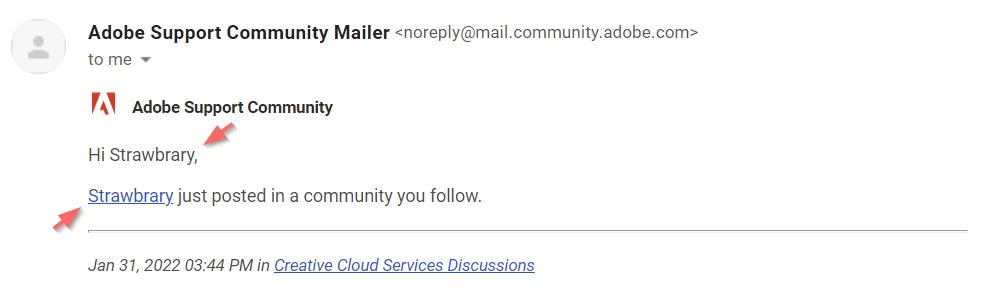
Hi Strawbrary, Strawbrary just posted in a community you follow

Hello, how do you do fellow humans?


Why am I receiving an e-mail notification about me myself having posted something? I mean... I know I did that.



This topic is closed to new replies. Start a new post to keep the conversation going.
Sil.C
Sil.CCorrect answer
Community Manager
Feb 2, 2022 10:20 AM UTC

There is no way to differentiate your own email notifications vs other users' at this time. It's feedback we've shared before. In my case, I'd rather not even have an option and just not receive mine at all, for example. I know I posted, why would I want to be notified about it?
At this time it's a limitation of the software, it's not a change that's possible to implement from our side. Hopefully, this will change someday!

4 replies

John T Smith
Community Expert
Community Expert
Feb 1, 2022 3:15 PM UTC

YOU control emails
Click your avatar picture at the upper right
Click Account Settings
Click Notifications
Change the email settings to what you want
Click SAVE

Translate
Participant
Feb 1, 2022 4:07 PM UTC

Okay, here's my gripe. You responded to my email - I got a notification. That's cool.


I responded in my own topic - I got a notification. That's mentally deficient.


Here are the settings available to me:


I don't see a way to disable "self"-notifications here.

Translate
Sil.C
Community Manager
Sil.CCommunity ManagerCorrect answer
Community Manager
Feb 2, 2022 10:20 AM UTC

There is no way to differentiate your own email notifications vs other users' at this time. It's feedback we've shared before. In my case, I'd rather not even have an option and just not receive mine at all, for example. I know I posted, why would I want to be notified about it?
At this time it's a limitation of the software, it's not a change that's possible to implement from our side. Hopefully, this will change someday!

Translate