

LinSims
Community Expert
Community Expert
November 11, 2019
Answered

Need to delete single private messsage

  • November 11, 2019
  • 2 replies
  • 797 views

I think the sender is a scammer, but  I'm not about to try opening the message to find out. There doesn't appear to be anyway to mark the PM as spam or report it or delete it without opening it, though.


This feature needs to be added. We shouldn't have to risk damage to our computers by the possible injection of malware just by looking at a message.


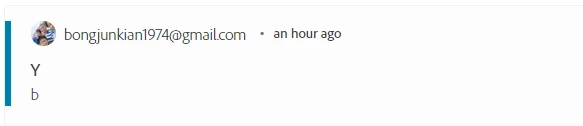
This is what it looks like. This user is new, hasn't posted anywhere, and their user name is, shall we say, not reassuring. The preview of the message isn't, either. 


Meantime, how do I report the user and get this message deleted out of my mailbox without deleting ALL of them?
 

This topic has been closed for replies.
Correct answer LinSims

Figured it out.

  1. Go to Private Messages > Inbox
  2. At the top right of the page, click Options
  3. From the drop-down, click Turn on Batch Processing. This enables checkbox selection of individual messages.
  4. Select the message(s) you want to delete
  5. Click Options (again)
  6. Click Delete Checked
  7. Click Confirm on the Confirmation page.

2 replies

LinSims
Community Expert
LinSimsCommunity ExpertAuthorCorrect answer
Community Expert
November 12, 2019

Figured it out.

  1. Go to Private Messages > Inbox
  2. At the top right of the page, click Options
  3. From the drop-down, click Turn on Batch Processing. This enables checkbox selection of individual messages.
  4. Select the message(s) you want to delete
  5. Click Options (again)
  6. Click Delete Checked
  7. Click Confirm on the Confirmation page.
LinSims
Community Expert
LinSimsCommunity ExpertAuthor
Community Expert
November 11, 2019

NM about the contents of this particular message. I forgot the first line in a PM is a link to the actual PM, so having that as a screenshot does no one any good that I know of.