

PDFMaker in Outlook - can't make changes to portfolio of emails
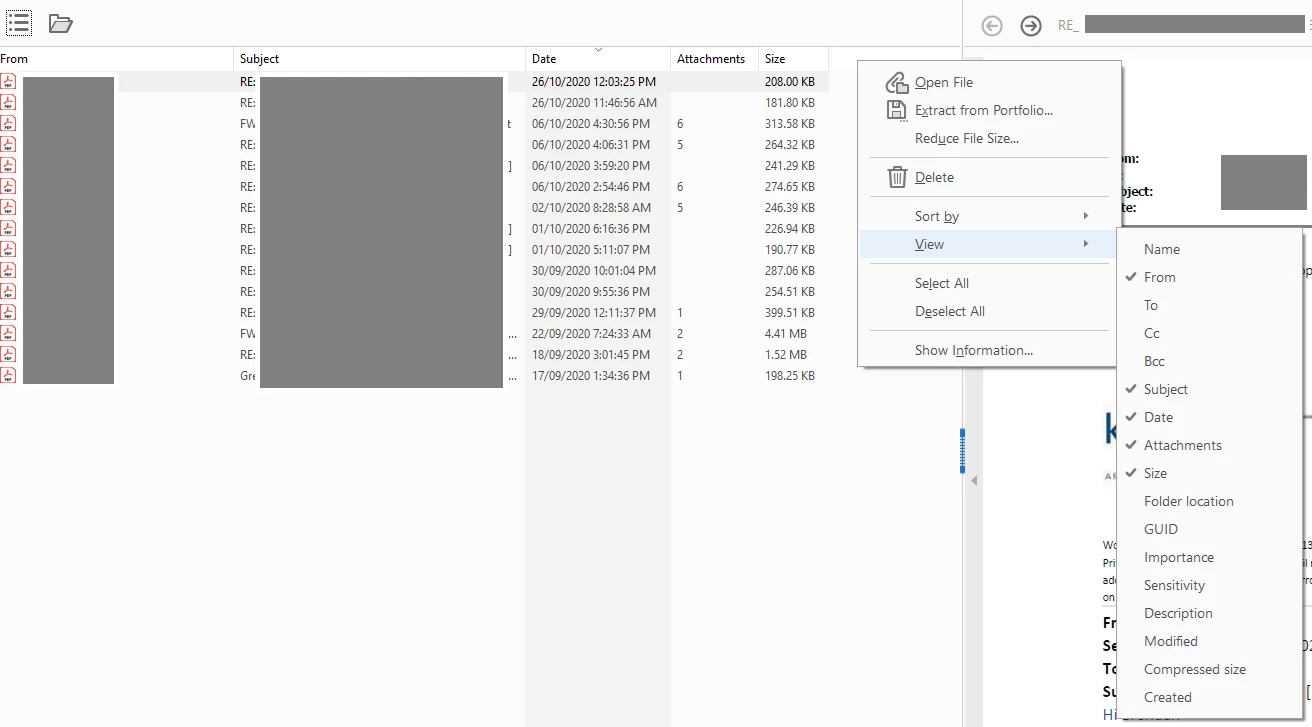
I’ve just upgraded from Acrobat Pro 2020 (perpetual licence) to the 3-year 2024/Classic track equivalent on Windows 11. One of my primary uses for Acrobat is compiling portfolios of emails in Outlook 365. Previously in the 2020 version I could export the emails, then open the portfolio and make minor changes (set a horizontal/vertical window split view and add a “To” column to mimic an inbox).
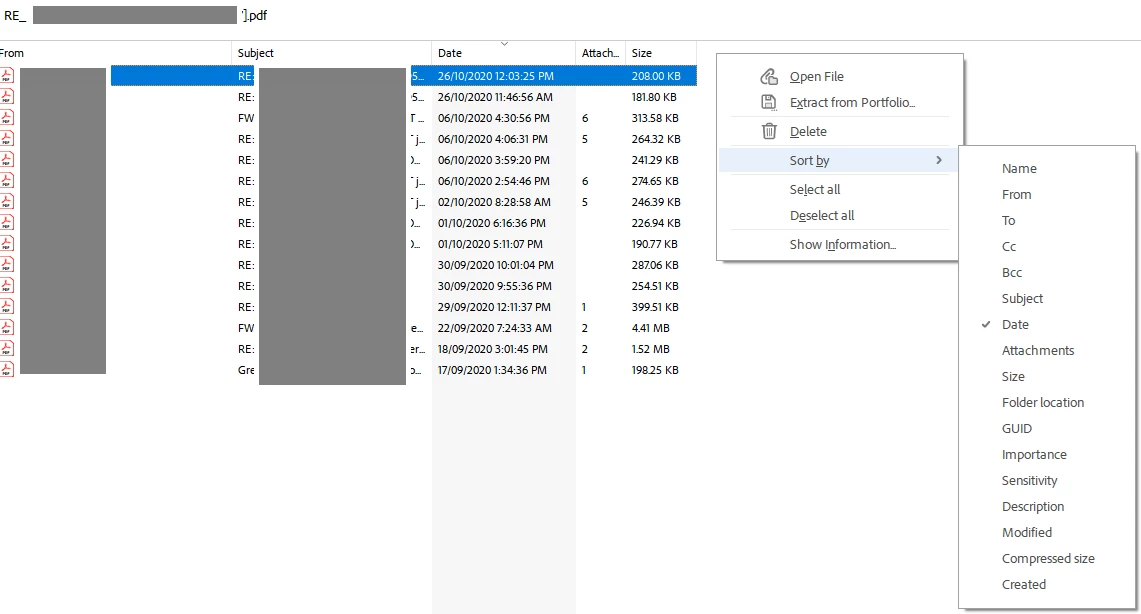
These functions are no longer available in Pro 2024/Classic. An entire right-click context/submenu is missing when the portfolio file is open.
Screenshots below: 1) 2020, showing the availability of the “View” context menu to make changes to columns and the use of a vertical screen split and 2) 2024, showing the lack of this menu.
The lack of functionality is appalling. I also attempted to contact support via the website chat and my query was terminated without ever speaking to anyone. Customer service is nonexistent.
Any assistance would be appreciated as this functionality is critical to my workflow.
 AdChoices