
August 13, 2012
Answered

Photoshop Forum jumps to page bottom every time

  • August 13, 2012
  • 1 reply
  • 3710 views

When I visit the Photoshop Forum and click on a post, any post, the page that loads is scrolled to the bottom.

http://forums.adobe.com/community/photoshop/general

I am on an early 2008 Mac Pro, with 10 GB RAM, running Mountain Lion, browser is Safari 6.0, but this also happened in Safari 5. This also happened under LIon. No matter which post I open, I land at the bottom of the page instead of the top. This only happens in Adobe Forums, no other sites.

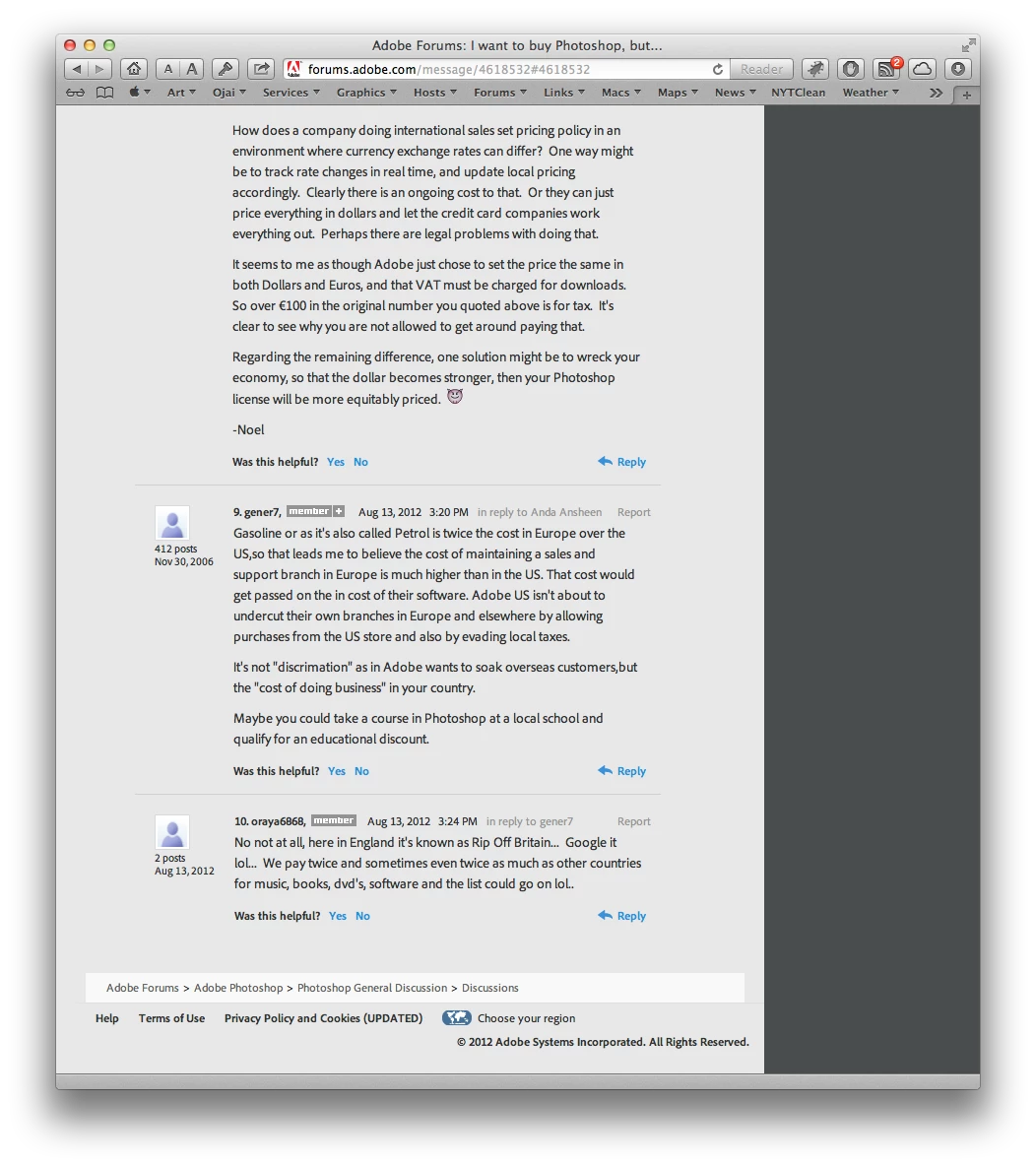
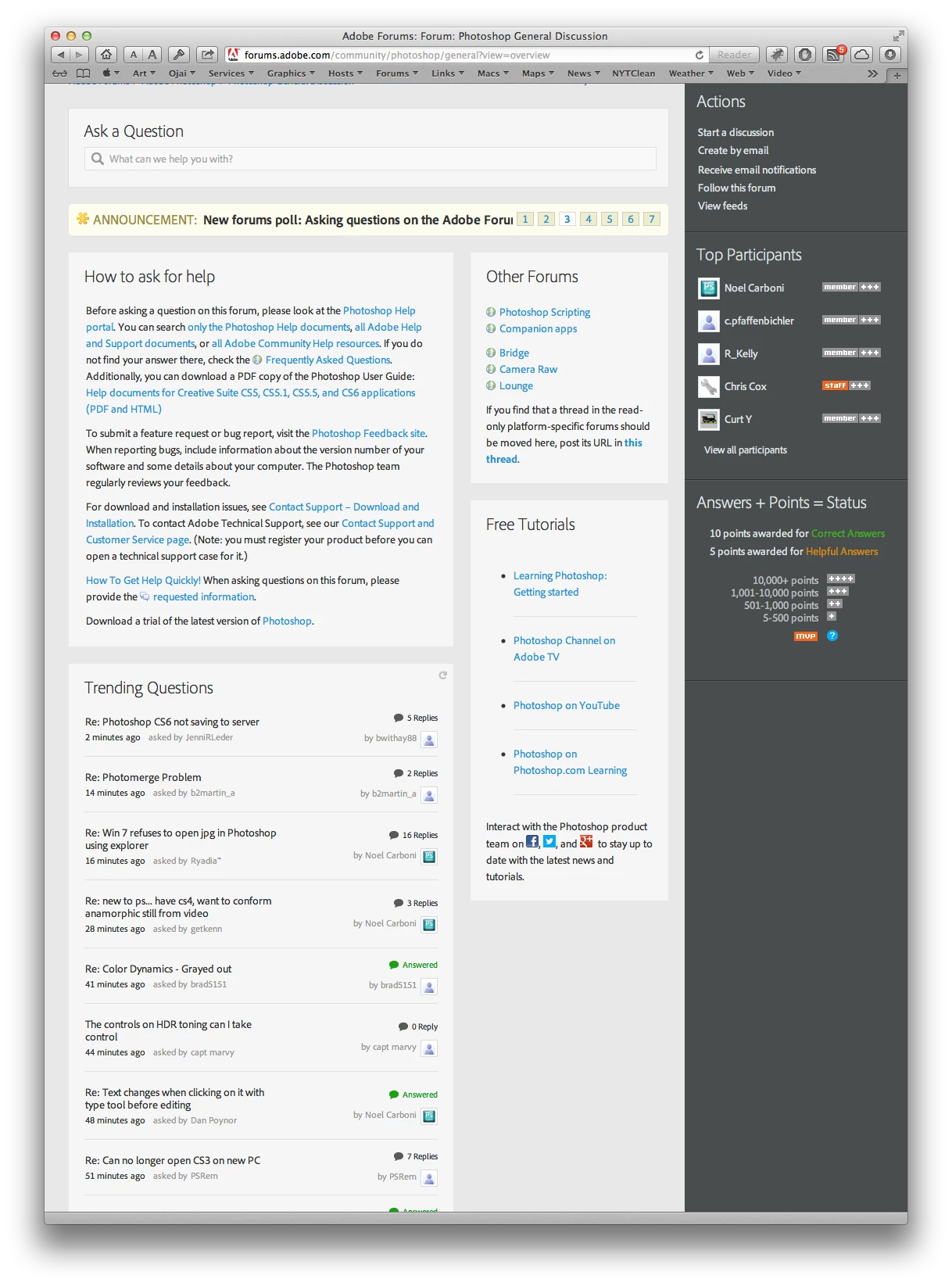
Here is a screen shot, for what it may be worth (not much, I'll wager), of a freshly loaded forum post. Note that I did not scroll to the bottom. The page loaded that way:
    This topic has been closed for replies.
    Correct answer John Waller

    There is nothing on my forum page that even looks like Pat's screen shots above. The Photoshop Forum looks like this. There is no place to click but the post titles. When I click on one, the page that opens is scrolled to the bottom of the page, even though the link pointed to the top. That is all:


    You're in view=overview mode in the forums.

    That is, you're visiting http://forums.adobe.com/community/photoshop/general?view=overview

    Every link shown in that view is the most recent post in that thread (shown by the page anchor fragment in the URL - the bit after the hash # symbol). Clicking on each link jumps to the most recent post (usually but not always at the bottom of each page - hence the jump you're seeing every time you click a link).

    http://forums.adobe.com/message/4624317#4624317

    Overview mode has never appealed to me.

    Try the view=discussions mode of the forum (every link ends with the ?tstart=0 fragment)

    That is, visit http://forums.adobe.com/community/photoshop/general?view=discussions

    I only ever use the view=discussions URL to visit every Adobe forum and that's what I have bookmarked in my browsers.

    When I specifically want to go directly to the most recent post in a thread then I click the "xx minutes/hours ago" link in "Last Post" column.

    1 reply

    pwillener
    Legend
    August 14, 2012

    I can see the link on your screenshot: http://forums.adobe.com/message/4618532#4618532

    As opposed to http://forums.adobe.com/thread/1048862

    It depends where you click:

    goes to the first post,

    goes to the last post.

    (At least this is so with Firefox 14 on Windows 7)

    August 14, 2012

    As I said, I simply clicked on the title of the post in the forum, and that is how the page loads. There is nowhere else to click. Am I holding it wrong?

    acresofgreen
    Inspiring
    August 14, 2012

    Gary Politzer schrieb:

    As I said, I simply clicked on the title of the post in the forum, and that is how the page loads. There is nowhere else to click. Am I holding it wrong?

    As Pat points out, the forum titles link to the top of the page - you can see that by the ?start=0 at the end of the URL, e.g. this thread:

    http://forums.adobe.com/thread/1048969?tstart=0

    Check again and look to see what URL your browser shows you when you mouse over the link.