



Premier Elements 2018 reinstall after Win11 and motherboard replacement says I must first deactivate old computer license but doesn't say how to do that. How do I do that?
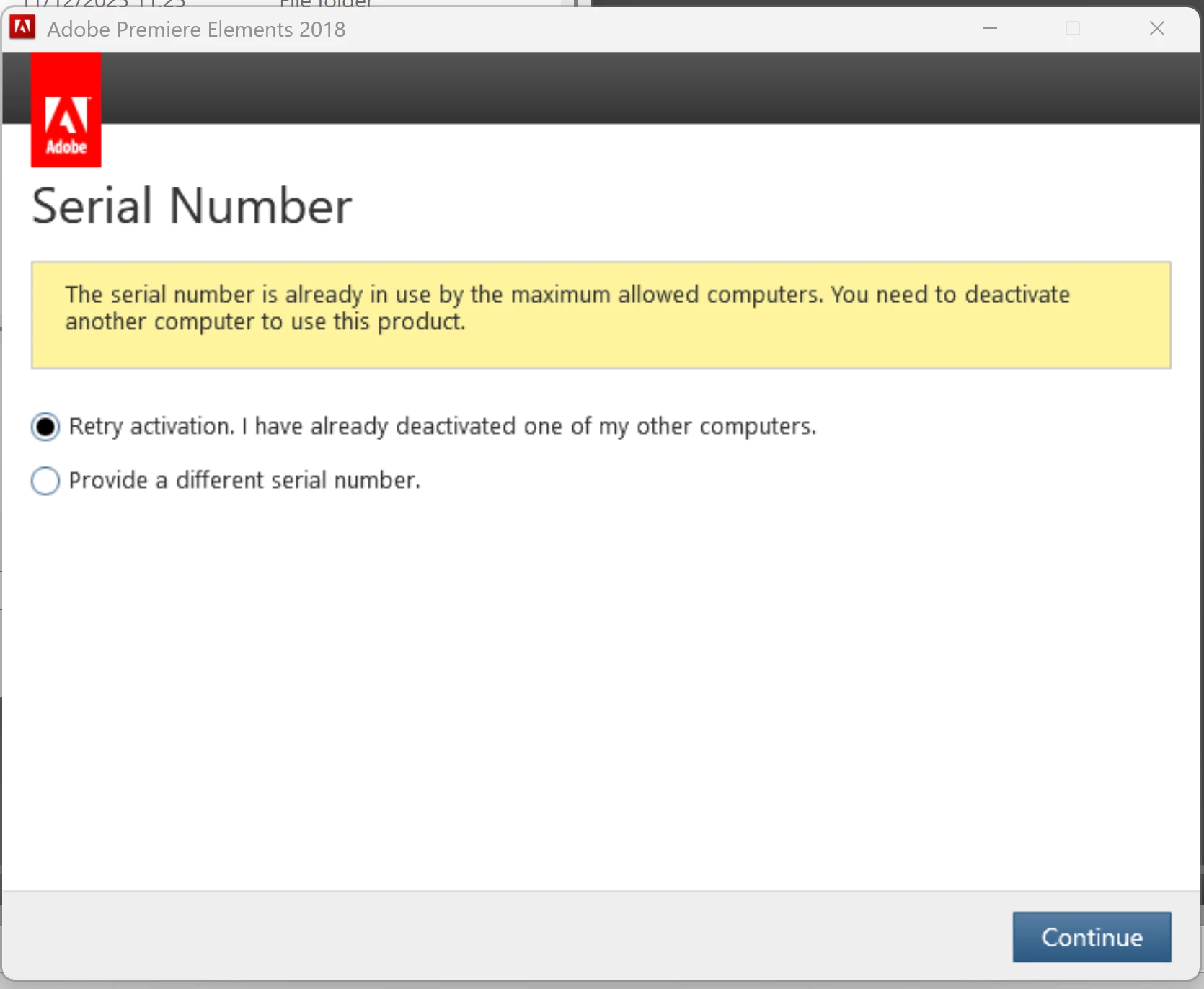
In addition to running Prem Elem 2018 on ONE older laptop (“Huawei2018”), I installed the program on a new Lenovo laptop (named “Lenovo2024”) in 2024. That all worked fine until I recently had to completely reinstall Win 11 and replace the motherboard on “Lenovo2024”. But now when I tried to reinstall A.P.E. on that laptop, I get the following error that says “The serial number is already in use by the maximum allowed computers. You need to deactivate another computer to use this product”.
But the message doesn’t give a clue on how to do this. The Adobe webpages don’t seem to show (as least from what I can find) a list of my current activated computers so that I can deactivate one of them.)
To be clear, I want to keep “Huawei2018” active, but want to deactivate any other instances of activation on any other computers, thus leaving room to activate the license on my recently rebuilt “Lenovo2024).
This shouldn’t be so hard to do!
Suggests would be welcome.
Thank you!
 AdChoices