
Ann Bens
Community Expert
Community Expert
October 10, 2020
Question

Saved photo's

  • October 10, 2020
  • 6 replies
  • 701 views

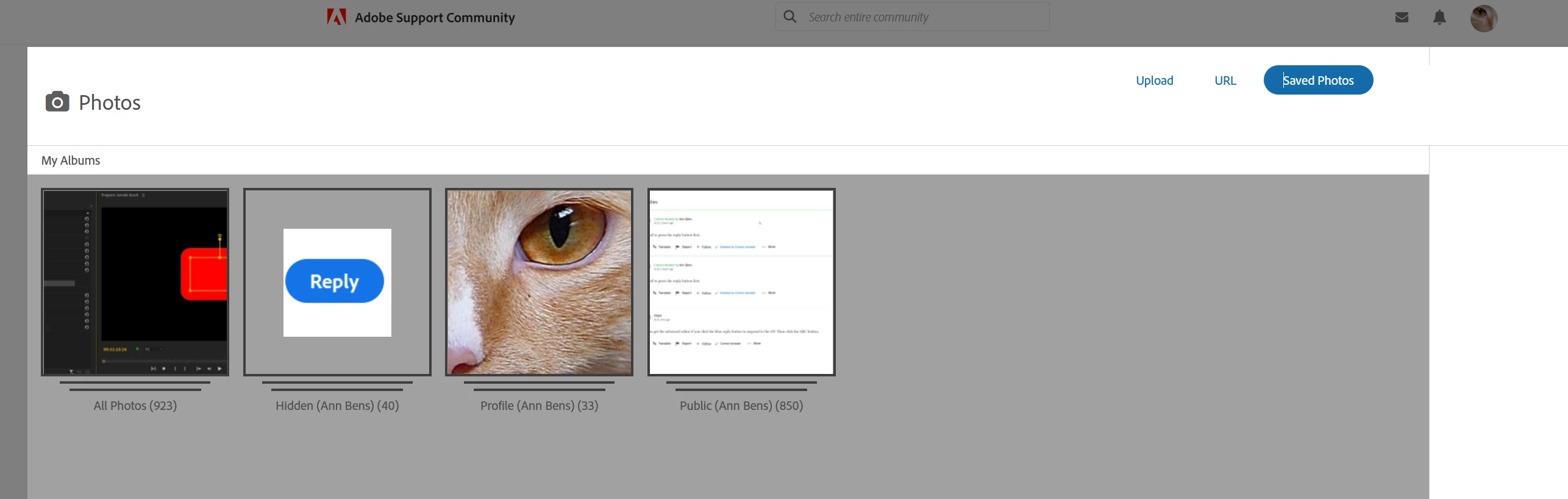
Any way to clean out Saved Photo's in the Insert Photos section.

I have over 900.
    This topic has been closed for replies.

    6 replies

    LinSims
    Community Expert
    Community Expert
    October 13, 2020

    Huh. There seems to be a fair bit of duplication between "Albums", too. It looks to me as if Khorus is just saving any picture you add to a post or a private message to random albums, with the All Photos having them all. I never looked at "Saved Pictures" before when adding a graphic to a post, so I didn't know they were there. 


    I'm not sure what good having them saved like this does any of us, but I also don't see that it does any harm. If you don't mind my asking, why do you want to delete them?

    Peru Bob
    Community Expert
    Community Expert
    October 13, 2020

    I would like to delete many of mine, as they are duplicates and can make it difficult to find the one I want, but I wouldn't delete them if they would disappear from existing posts.

    Ann Bens
    Community Expert
    Ann BensCommunity ExpertAuthor
    Community Expert
    October 14, 2020

    I agree with Bob.

    Peru Bob
    Community Expert
    Community Expert
    October 10, 2020

    Yes.

    Peru Bob
    Community Expert
    Community Expert
    October 10, 2020

    @ Peru Bob:

    That is akward> how am I suppose to know which particular photo is in which post. There must be at least 900 posts.....

    I agree.  I'm having the same problem and I only have a few hundred.


    Ann Bens
    Community Expert
    Ann BensCommunity ExpertAuthor
    Community Expert
    October 10, 2020

    So in short: we are stuck with this mess.

    Just Shoot Me
    Legend
    October 10, 2020

    Well personally I rarely use the saved photo store. I save the most used screen shots to a folder on my hard drive and call that up from the Insert Photos dialog to insert a screen shot I want for a post.


    About the only time I used the "Saved Photos" option it to include the screen shot I made for a Macro for Removing Attachments and including the image that the OP had Attached into the body of the post they made. Which Now the OPs can Edit their posts. So I change the wording of that macro slightly.


    MACRO:

    In the future, So people don't have to download the image you have attached, please use the Insert Photos icon found in the Tool Bar of the Post and Reply text entry dialog window as pictured below.
    If you can please Edit your post to remove the Attached screen shot and Include it in the body of the text of your post.

    You do that by Clicking the "More..." link at the bottom of your post, Selecting "Edit Message" and then use the "Insert Photos" icon in the tool bar at the top of the Post/Reply/Edit dialog box.
    If you can't edit your post please include the screen shot you attached to a new reply to this conversation.
    The Insert Photos icon is this one in the Tool Bar.


    Thank you.


    END MACRO:


    Other than that I could care less how much space I use up on the KHOROS (Adobe Support Forums) system.

    Serves them right for not including a system to delete those old Saved Photos.


    Again this place has been and IMHO will continue to be one of the worst user experieneces of any forum system I have ever participated in. The newer Apple support forums being another one that went from being OK to something even worse than this one.


    @Peru Bob 


    Did you need special Rights to use that link Tricia sent you?


    Peru Bob
    Community Expert
    Community Expert
    October 10, 2020

    When I asked Tricia a while back, I was given a link that she got from a forum administrator where you could go to delete them.  It was later discovered that doing that removed them from forum posts.


    I didn't save the link (or I just can't seem to find it - I'm still searching for it).   I posted the link in a reply to a thread by Rick Gerard.  Rick discovered that it deleted post content and replied so.  I think somebody removed the thread and/or its replies, as I can't seem to find that thread on the forum any longer.

    Sil.C
    Community Manager
    Community Manager
    October 12, 2020

    I believe that was me, and the conversation should be somewhere in your Community Feedback Tracker if I'm not wrong. Don't ask me which page, we have MANY 😮

    Peru Bob
    Community Expert
    Community Expert
    October 10, 2020

    There is a way, but if you delete them from saved photos, they get deleted from the posts in which they were placed.

    Just Shoot Me
    Legend
    October 10, 2020

    So what is the way? I could care less if they get deleted from 1-2-3-4-whatever time Days, Months, Years old conversations I have posted them in.


    Just Shoot Me
    Legend
    October 10, 2020

    Sorry to say it is not possible unless you go to every post you inserted an image to and Delete those images from those posts.


    [abuse removed by moderator]
