
Known Participant
November 6, 2019
Answered

Silly, but... how do I change the display name "BeautyfElle" to something else?

  • November 6, 2019
  • 2 replies
  • 2428 views

Hi there... I have no clue how to change that really, really REALLY old nickname "BeautyfElle" to something else. The screen name in my adobe ID is changed long ago to SensationElle but here it appears still to be the old BeautyfElle...


Account.adobe.com:
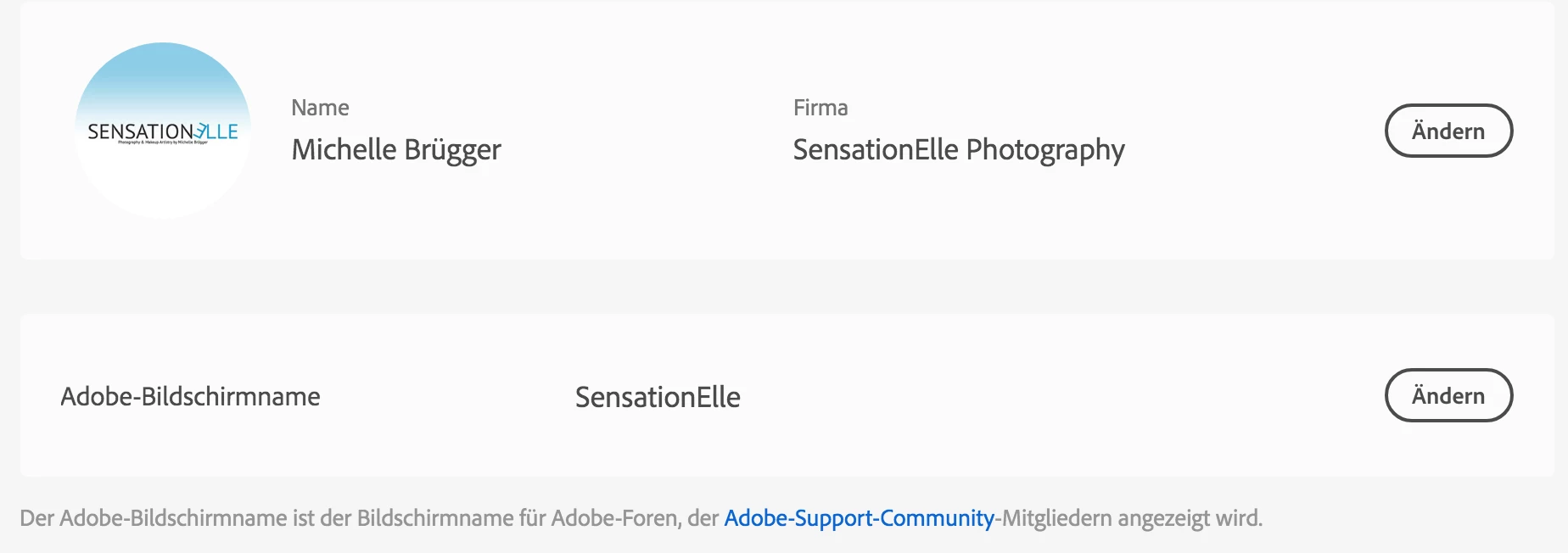
 

... what I see here 8-/ How and where do I change it for the Adobe Support Community as well?

This topic has been closed for replies.
Correct answer LinSims

It's broken at the moment. Adobe is aware of the issue and is trying to fix it but has no ETA. 

2 replies

LinSims
Community Expert
LinSimsCommunity ExpertCorrect answer
Community Expert
November 6, 2019

It's broken at the moment. Adobe is aware of the issue and is trying to fix it but has no ETA. 

Participating Frequently
February 11, 2020

Same necessity for me. @linsims could you please at least update it on my behalf until Adobe fix it? Inadvertently I have added my personal email to it and I need now to modify it as soon as possible. Thanks

LinSims
Community Expert
Community Expert
February 11, 2020

Let us know what name you want and I'll pass it on. 

John T Smith
Community Expert
Community Expert
November 6, 2019

Go to your Adobe account at https://account.adobe.com/


HOWEVER... I had read that a forum and/or account problem is not showing changes

Known Participant
November 6, 2019

ahm... did you read my post? I wrote, that I changed the scren name at account.adobe.com and put a printscreen in from acount.adobe.com that shows the screen name not being BeautyfElle and you suggest to go to acount.adobe.com?