


Answered
Unable to search for an item in my folders if I use the CTRL+D tool within InDesign
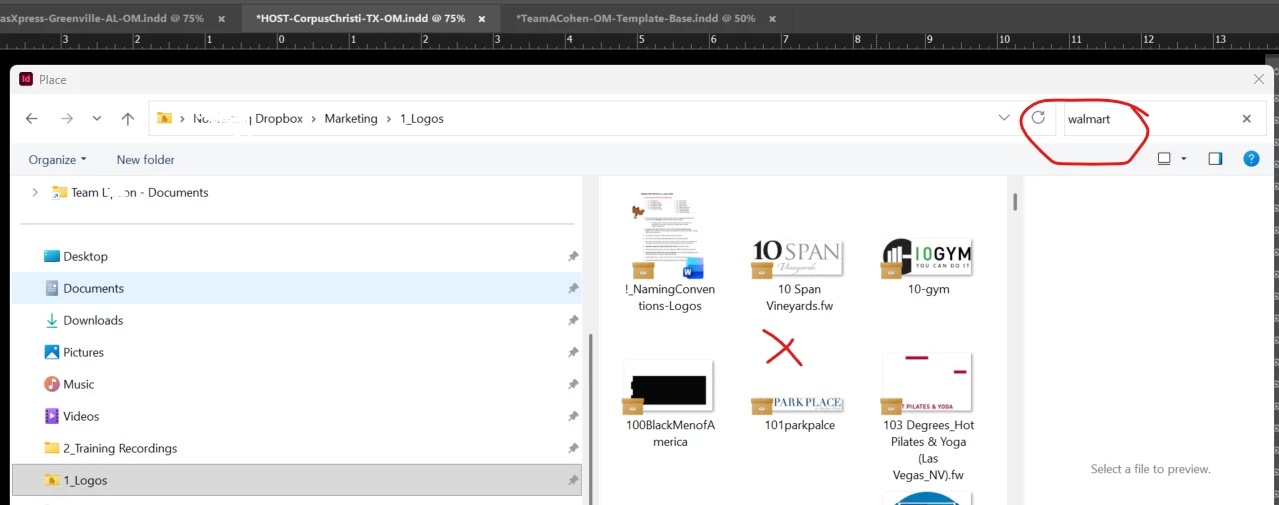
For some reason, the search bar no longer works within my folders, if I get there through the CTRL+D (place tool) through InDesign.
For instance, I am searching through our company logos, and typed in “Walmart” and it doesn’t search for our Walmart logos, when it should. Even when I click within the logo box and type W, nothing happens.
The only way for me to bypass this, is to open my windows folder separately (not within InDesign) and then drag it on to my InDesign file. This is super inconvenient, especially when working with effects.
Anyone know why my InDesign is having this glitch and how I can get my search bar to work again?

 AdChoices