

skillful_cause16B6
Inspiring
September 24, 2019
質問

Why so many loaded apps on Windows StartUp?

  • September 24, 2019
  • 返信数 1.
  • 2671 ビュー

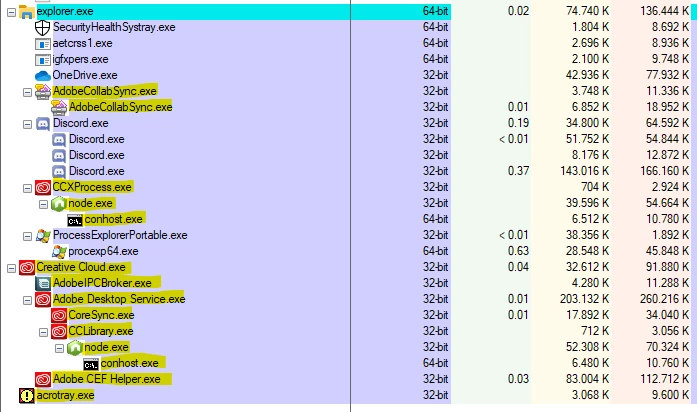
I installed Ceative Cloud to have Photoshop, Premiere, Acrobat, Audition, Illustrator and After Effects installed. For some reason, Adobe thinks thank I need 14 new processes loaded 24/7, note that we have more Adobe processes than any other  

app on startup. I also does not considered more 6 processes loaded as service or task manager under svchosts.exe.

Adobe, please fix it. It's ridiculous.
 

このトピックへの返信は締め切られました。

返信数 1

LucienSchilling
Known Participant
September 24, 2019

Adobe is not the only one "loading" a lot of processes:


There is nothing bad to that. Don't start CC (the app) at startup and you won't have all those CC processes.


Acrotray is a Distiller helper application. If you do not need it, you can stop it from running:

(https://community.adobe.com/t5/Acrobat/what-s-starting-acrotray-exe/td-p/7320935)

Jun 29, 2015

Hi Gary,


"acrotray.exe" is the Adobe Acrobat Distiller helper application. It is used as part of the full Adobe Acrobat product to convert documents into PDF files. Its runs in background as it provides your feature to convert files to files to PDF using other applications like MS office. However you can follow the steps mentioned by Rahul to stop it.


Regards,

Aadesh