
ShootingPixelsAndy
Inspiring
May 30, 2026
Answered

Soft proofing Monitor Gamut Warning is broken

  • May 30, 2026
  • 4 replies
  • 58 views

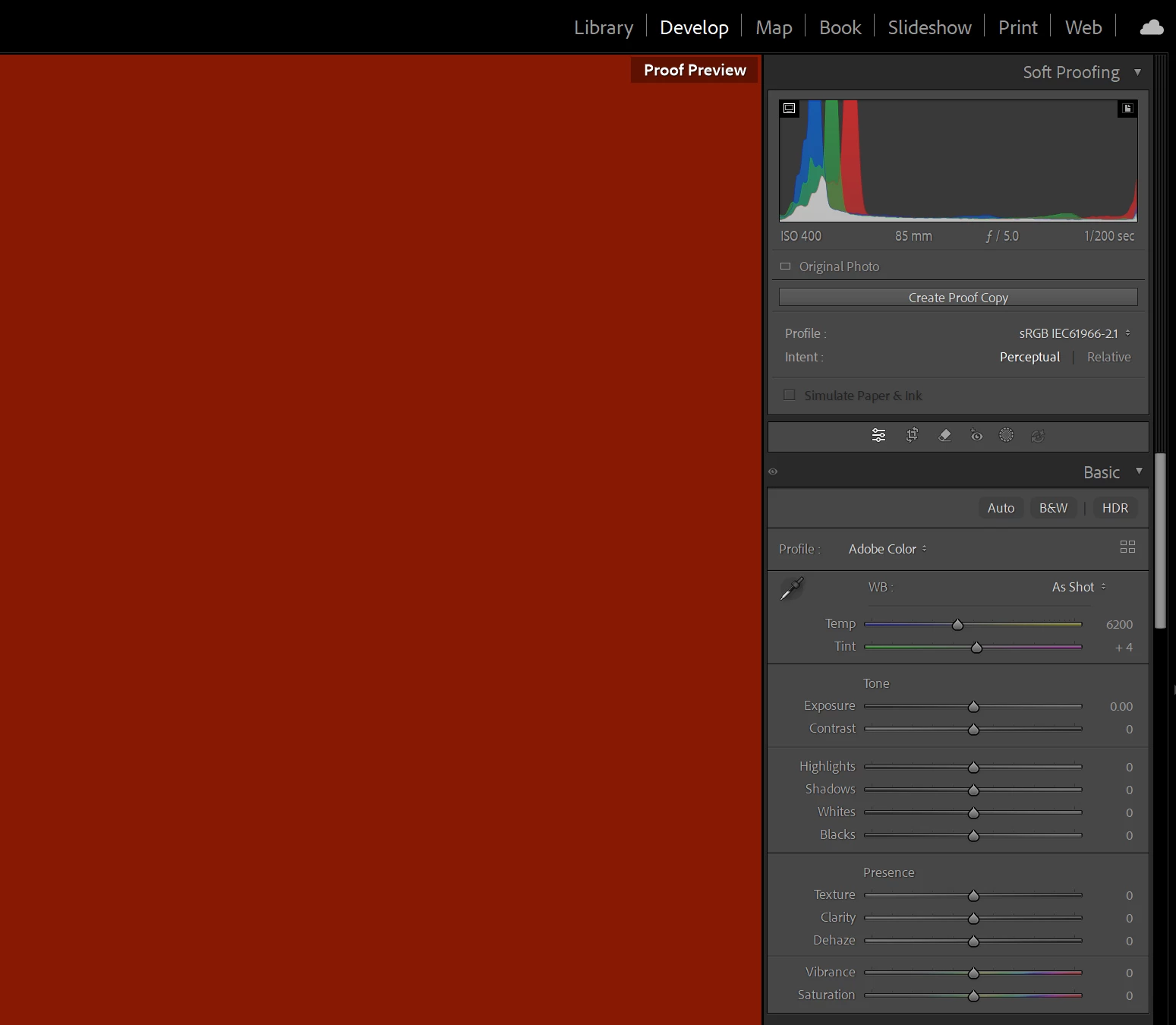
When Soft Proofing viewing the monitor gamut warning just change the entire display area to red. Note this also happened in 15.3. Destination gamut warning works correctly.


Windows 15.3.1 release, everything up to date.
 

    Correct answer ShootingPixelsAndy

    Culprit found. Windows Automatic Colour Management is silently turned on whenever the display is set to 10-bit. This clamps everything to sRGB and I guess upsets Lightroom in the process. Turning off ACM  via Settings > System > Display > Colour Management restores correct gamut warnings but the other issue I previously reported of the image getting slightly dark remains.

    4 replies

    ShootingPixelsAndy
    ShootingPixelsAndyAuthorCorrect answer
    Inspiring
    May 31, 2026

    Culprit found. Windows Automatic Colour Management is silently turned on whenever the display is set to 10-bit. This clamps everything to sRGB and I guess upsets Lightroom in the process. Turning off ACM  via Settings > System > Display > Colour Management restores correct gamut warnings but the other issue I previously reported of the image getting slightly dark remains.

    johnrellis
    Legend
    May 31, 2026

    [View this post in your web browser. It contains formatting and images that don't appear in email.]

    @ShootingPixelsAndy Profile was created using Calibrite Profiler and works fine in 8bit.

    If you set the profile to sRGB and use 10 bit, does the problem occur?

    ShootingPixelsAndy
    Inspiring
    May 31, 2026

    Yes.
    2 different machines
    2 different displays (desktop and laptop)
    2 different graphics cards
    10-bit always causes the issue.

    Does 10-bit work for you? Anyone else?

    Could it be related to a similar issue I reported 6 months ago with Soft Proofing?


    johnrellis
    Legend
    May 30, 2026

    Quickly test if the ICC color profile assigned to your display is corrupted or incompatible with LR:

    https://www.lightroomqueen.com/how-do-i-change-my-monitor-profile-to-check-whether-its-corrupted/

    ShootingPixelsAndy
    Inspiring
    May 30, 2026

    Happens on two different machines. Profile was created using Calibrite Profiler and works fine in 8bit.


    Quickly test if it happens when you set your gfx card to 10bit John

    ShootingPixelsAndy
    Inspiring
    May 30, 2026

    Little update, this only happens when the GFX card is outputting 10-bit colour depth.