
Creating Template to re-use the same layout and crops of one clip
Sorry its a long question, but I prefer to be precise and provide context than have to specify later.
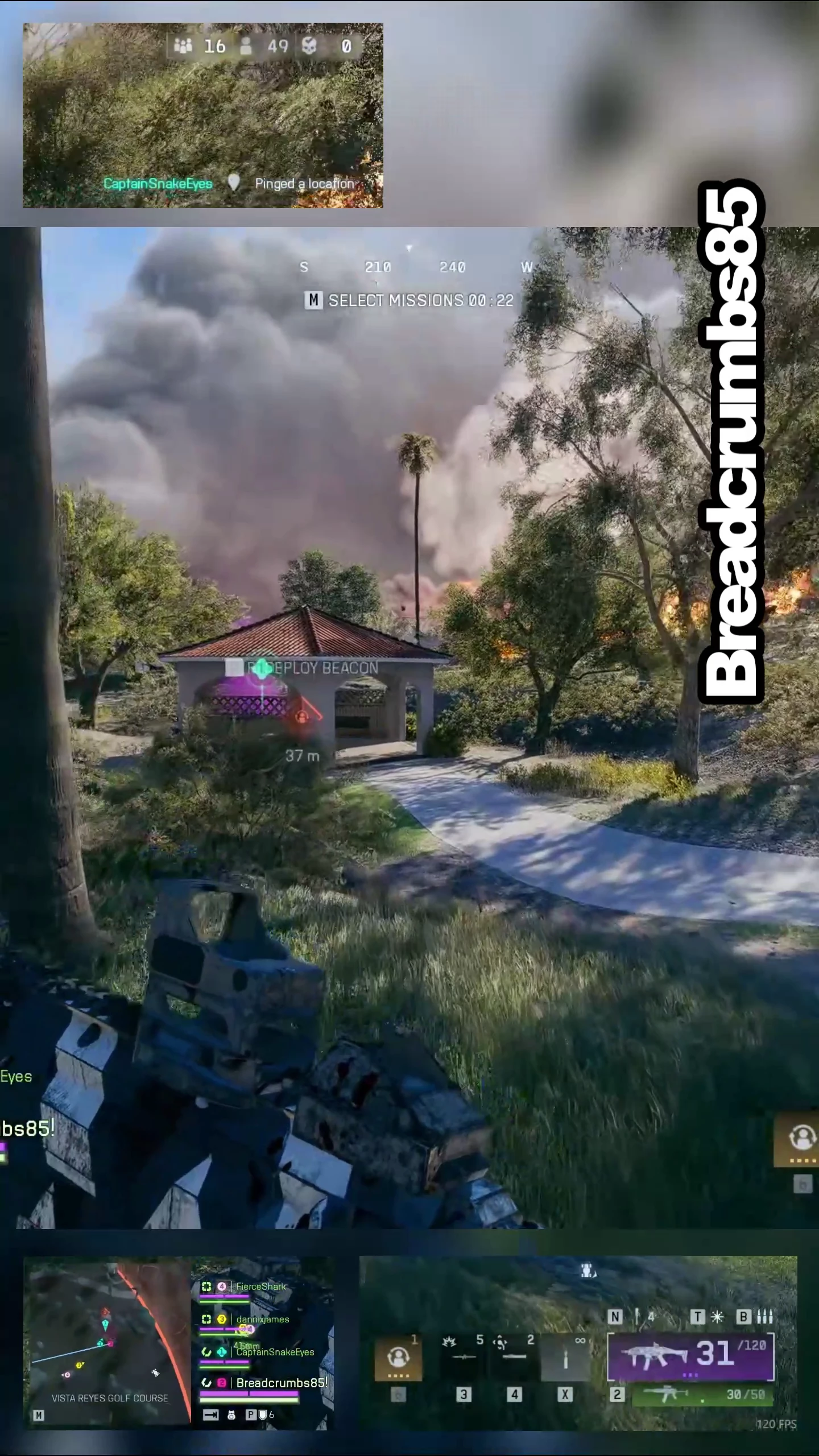
I am looking for a way to create a template, which crops the same clip into several smaller pieces that are arranged in a 9:16 vertical format from a 16:9 clip of video game footage. One cropped in on the centre which will sit centrally in the layout with a blurred version underneath to fill up the background space and then 3 more. One will show a cropped portion of the bottom left and another the bottom right, and finally, one will show the top left. There will also be a blurred version of the clip behind all these to fill up the space between.
I can achieve this effect manually, replacing all 4 clips and then finding the section I want to make a vertical clip with. However this is a bit slow and cumbersome and I feel as if I’m missing knowledge on how to automate this.
Ideally I want to make the layout and crops once, with guides to make sure everything is pixel perfect aligned and laid out how I want. Then just drag a new clip in and have it replace the original clip and feed into all the crops of it so I can just export that layout with several clips.
I have tried googling this myself but unfortunately works like “layout” and “template” or “crop” will always trigger a mountain of the same basic tutorial clips that people flood the platforms with which arent what I mean. I’m looking for a more complex answer, from people who know the software, which will help automate this process.
Below is the current layout I have made and this works fine but replacing all 5 each time is slow and tedious. This is sadly done in another software more catered to vertical social media content but I want to recreate this in Premier and do it properly moving forward. These are all crops of the same vertical clip, arranged so as to provide all the detail people appreciate in gaming moments etc. So I want to be able to plug a clip into a layout and have it spit this out for exporting if that’s possible ?
Thanks for taking the time to read my question and any suggestions are greatly appreciated :)
 AdChoices