
Dragoș Bucovală
Participant
June 2, 2026
Question

free trial in adobe for teams

  • June 2, 2026
  • 1 reply
  • 11 views

i use Photoshop in my company ( Primaria Constanta) plan Adobe for Teams.

i want to use a free trial of Premiere … 

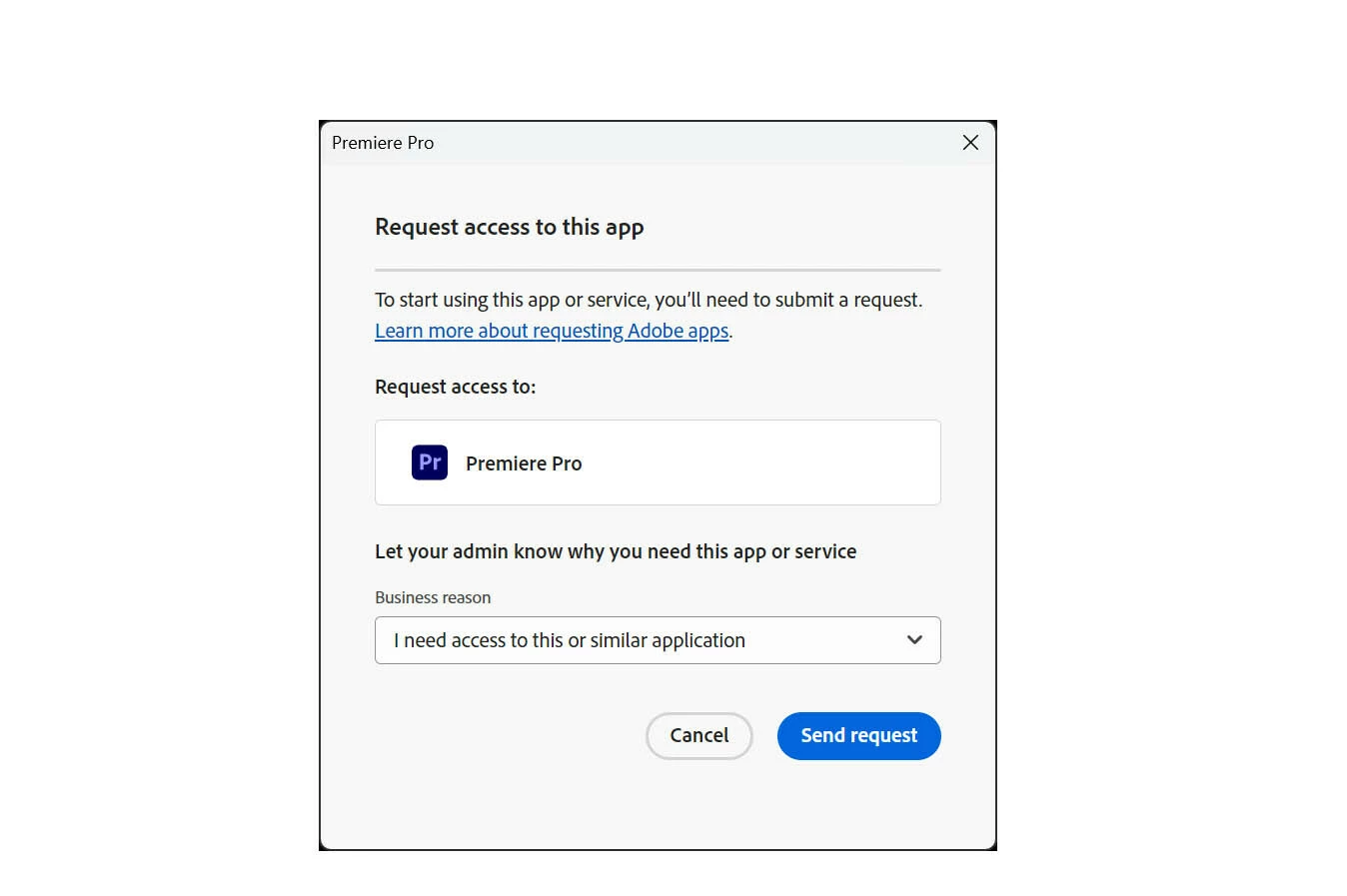
i sent a request to my supervisor for Premiere (we don't have Premiere licence … so she can only deny my request …  there is no option for free trial or accept)

i log out and loggend in again, but the option for free trial is opening an pop-up window with only option to request for new licence

is there an option to use a free trial of Premiere if my company plan includes only Photoshop ?
 

    1 reply

    Community Manager
    June 2, 2026

    Hi ​@Dragoș Bucovală,


    Thank you for reaching out. We understand it can be confusing when the free trial option in the app does not behave as expected.


    On the Creative Cloud for Teams plan, app access is managed through licenses assigned by your team's admin. The "Request Access" flow you described is the standard way for a Teams user to request a product they don't currently have, and the request goes to your admin (your supervisor).

    Since your organization's plan does not include Premiere Pro, your supervisor does not have a Premiere Pro license available to assign, which is why approval is not an option on her side.

    A couple of paths forward:

    • Add a Premiere Pro license to your team's plan. Creative Cloud for teams offers both All Apps (Creative Cloud Pro) and Single App plans, so your organization can add a single Premiere Pro license without changing the rest of the team's setup. You or your supervisor can compare options here: https://adobe.ly/4vh4eW6. The admin can add the license directly from Admin Console > Overview > Manage Plan.

    • Try Premiere Pro on a personal Adobe ID. If you would like to evaluate Premiere Pro before your organization decides whether to add a license, you can start a 7-day free trial using a separate personal Adobe ID at https://adobe.ly/4vp0UbA. Please make sure to sign out of your company profile first, since the trial flow is not available from within a Teams business profile.


    Please let us know if you have any further questions.


    Thanks,
    ^BS