sbn85
Known Participant
June 17, 2026
Question

P: PS v27.8 new home screen

  • June 17, 2026
  • 20 replies
  • 273 views

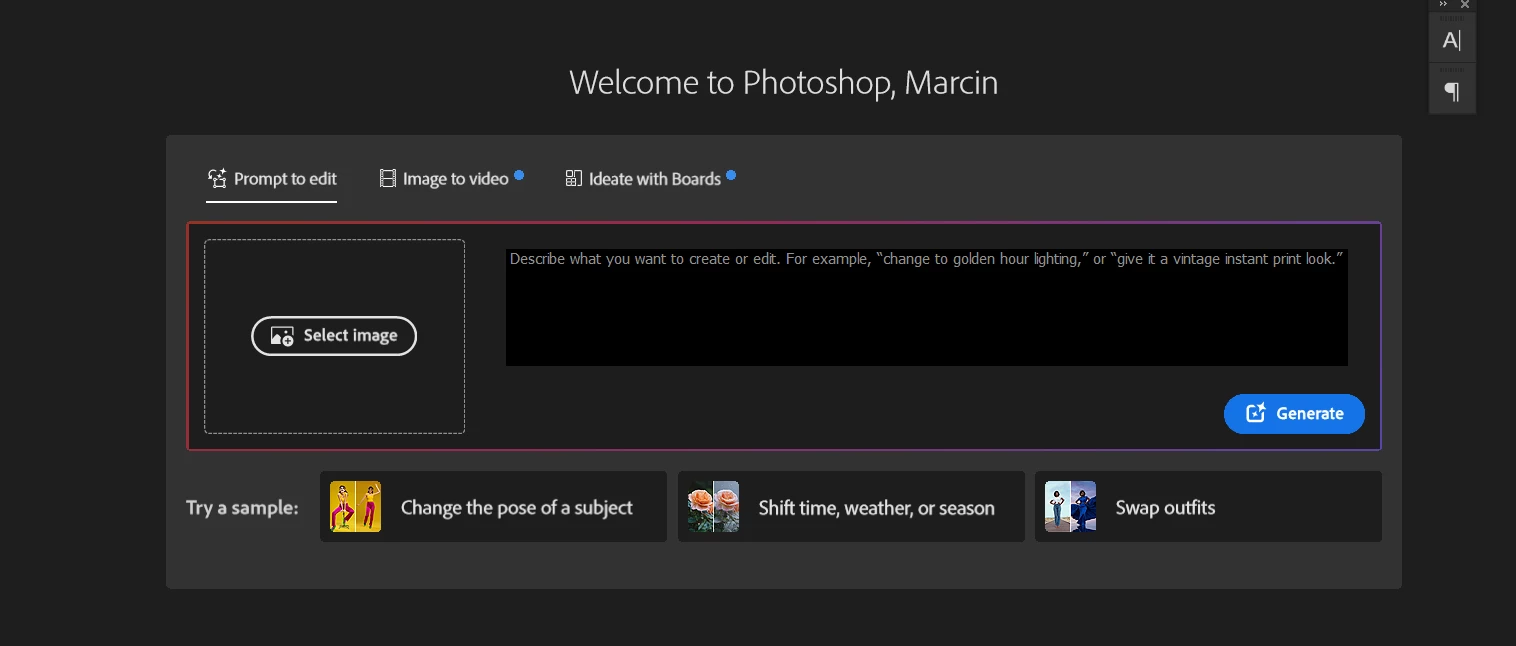
How to disable/hide this thing in home screen of photoshop?
 

    20 replies

    RG631971
    Known Participant
    June 18, 2026

    Updated Photoshop and now when the program opens the first thing I see is a huge Firefly prompt and a number of "featured" stuff from Adobe. No interest in any of it. Is there any way to get back to simply having my recent files displayed?  I know Adobe is heavily invested in selling credits but why does that necessitate further alienating so many users?

    Participating Frequently
    June 18, 2026

    Previous versions were able to hide this element, seems AI needs to be pushed more to bring in the bucks.

    Ged_Traynor
    Community Expert
    Community Expert
    June 18, 2026

    @Nathan30553855xfmk you can upvote this thread


    RG631971
    Known Participant
    June 18, 2026

    PS v27.8 new home screen sucks.

    Trevor.Dennis
    Community Expert
    Community Expert
    June 18, 2026

    Hide Suggestions


    Participating Frequently
    June 18, 2026

    This isn’t available any more on my version. (27 release, MacOS Tahoe). Same with removing the Featured bar. Used to there in previous versions.

    Nathan30553855xfmk
    Participant
    June 18, 2026

    I use my home screen to quickly navigate to recent files. However, now with this nonsense, I cannot do that. I want: 

    A: The ability to turn this off via preferences. 
    B: A dedicated Recent page that does not have anything else on it. 

    Legend
    June 17, 2026

    “Permanent” revert:

    Settings>General>check Use Legacy “New Document” Interface

    Temporary/on-the-fly:

    Click the toggle.

    With the new, irritating interface open, click the Ps icon.

    With the old interface open, click the ‘house’ icon to get the new interface back.


    Larry
    sbn85
    sbn85Author
    Known Participant
    June 17, 2026

    did it suppose to remove it ?

    jane-e
    Community Expert
    Community Expert
    June 17, 2026

    I’ve upvoted the original post. I also want a way to disable it.


    Jane


    Ged_Traynor
    Community Expert
    Community Expert
    June 17, 2026

    @Kapture benoit you’re not the only one that doesn’t like it


    Known Participant
    June 17, 2026

    Photoshop 26.11.5

    Usually the only thing I saw on the home screen are the pics I'm working on ...

    This morning when I lunch PS, the home screen is different,

    Why ?

    is it permanent or can we modify it ?


    Thanks

    benoit

    benoit Kapture foto
    Ged_Traynor
    Community Expert
    Community Expert
    June 17, 2026

    @sbn85 I don’t think you can, I have never used the home screen since it became a thing back in the day, and I don’t miss it.

    sbn85
    sbn85Author
    Known Participant
    June 17, 2026

    it was usefull because it shows your recent files, but right now you have giant box with some not needed ai randomizer at your face and you have to scroll down for recent files, there SHOULD be option to hide it for people who don't care about it

    Ged_Traynor
    Community Expert
    Community Expert
    June 17, 2026

    It is a bit of an eyesore alright, I do agree there should be an option to hide it
