



해결됨
I am trying to use the the wingding tick, cross and bulls eye in a drop down list.
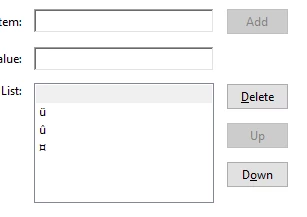
To create these I'm use the character codes 0252, 0251 and 0164.
When I do that the following characters are placed in the list
When I preview the Form I see this in the drop down:
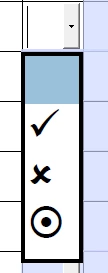
However when I send the form to a mobile phone running IOS 10 and Acrobat they see the Characters that were used to create the dropdown box, namely

When they choose the appropriate symbol the actual Tick, Cross or Bullseye is entered, it is just they would need to remember which symbol is what and I want this to be as simple as possible for the end users.
I need this form to work across multiple devices and operating systems
Any pointers would be much appreciated.
Regards
Steve Smith
 AdChoices