
Participant
January 30, 2018
Answered

Adobe Sign Sharepoint Installation

  • January 30, 2018
  • 4 replies
  • 3075 views

I have installed Adobe Sign (Trial version) on my company Sharepoint development environment. However, every time I try to utilize the “Send for Signature” function or try to create a template using the “Library Template” function within Sharepoint, I get an error like the image shown below. I have followed the instructions for installing this provided here explicitly:

https://helpx.adobe.com/sign/help/adobesign_sharepoint_ol_install.html
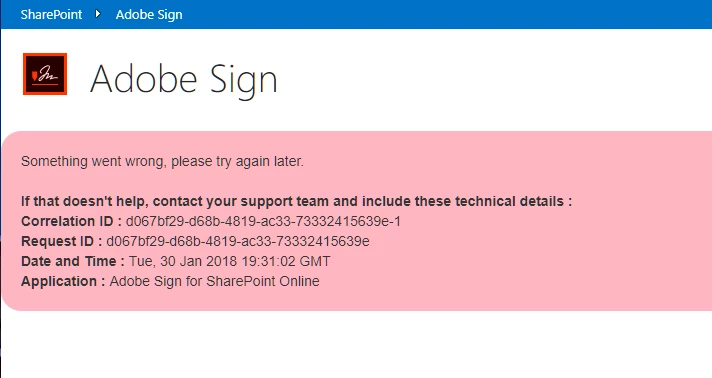
My pre-sales guy told me to go to support. I went to support and they told me this:

As you are currently evaluating Adobe Sign as a trial user. We would recommend you to try the Adobe Sign forums and communities for any assistance related to your Adobe Sign trial account.

This is not very helpful in any way. I need to do a demo of this software for my boss and now my trial only has 8 days left on it.

This topic has been closed for replies.
Correct answer Meenakshi Negi

Hi Russellg,

Sorry to inform you that it is not possible to use Adobe Sign trial on Sharepoint.

Adobe Sign trial consists of the all the features in Enterprise account except the integration feature.

You can use Adobe Sign trial account here Sign In — e-signature and e-sign Software Solution — Adobe Sign

Let us know if you have any questions.

Regards,

Meenakshi

4 replies

Participant
April 14, 2020

I am getting the same issue and it's clear that this matter has been on-going for some time. Very bemused that Adobe have failed to give clear and accurate instructions and to make it worse their 'Support' is non-existent. I think this concludes my trial with Adobe!

Participant
March 29, 2019

Hello, is this still valid? I've the same error and I'm using a trial account with Document Cloud Free plan. Very inconvenient I cannot showcase the potential of Adobe Sign in SharePoint Online for our decision takers...

Participant
March 27, 2018

Hi, I cannot believe that we have to speak to a pre-sale team to test the SharePoint 2013 Adobe Sign!  Why did Adobe sale point that out clearly before we run the installation!

Meenakshi Negi
Community Manager
Meenakshi NegiCommunity ManagerCorrect answer
Community Manager
January 31, 2018

Hi Russellg,

Sorry to inform you that it is not possible to use Adobe Sign trial on Sharepoint.

Adobe Sign trial consists of the all the features in Enterprise account except the integration feature.

You can use Adobe Sign trial account here Sign In — e-signature and e-sign Software Solution — Adobe Sign

Let us know if you have any questions.

Regards,

Meenakshi

Participant
January 31, 2018

Well this is helpful. Is it possible to change my account to a developer account? I need this to demo functionality to our organization. We are trying to assess feasibility in replacing an existing system.

Participant
February 5, 2018

I would suggest you contact support directly to get detailed information on this.

I will be sending you a private message. Please check your inbox and refer the steps as suggested there.

Feel free to update this thread if you need any further assistance from us.

Regards,

Meenakshi


Meenakshi,

You are the only person in the entire organization that has offered anything of substance. I did exactly as you recommended and contacted support about the integration key and all they did was direct me right back here. Even though I outlined specifically all of my communication that I did first in the forums. It really is insane!

Russell