Answered
How do I keep vectors sharp as zoom in
I thought this icon would keep vectors sharp as I zoom in but they seem to pixelate?
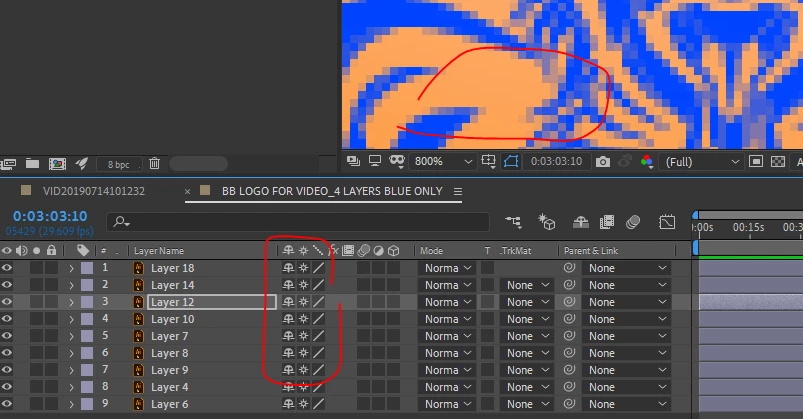

I thought this icon would keep vectors sharp as I zoom in but they seem to pixelate?
You have zoomed your preview window to 800%. The preview is rendered pixels, so any preview scale above 100% will pixelate, because that's simply how many pixels are in your composition.
The point of turning on Continuous Rasterisation for your vector layers is that they are rendered at any LAYER scale. So, if you scale your vector layer to 800% in the transform properties of the layer, and set your preview window's zoom level to 100%, the edges of the vector object should look beautifully clean and clear. Not so with a pixel-based layer like a PSD or video footage. At 800% these will look pixelated and awful.
Already have an account? Login
Enter your E-mail address. We'll send you an e-mail with instructions to reset your password.
 AdChoices