
Stuck with this 'keyframes to checkbox controls' script I'm writing
Hi, I started a thread here about the project I'm working on: https://forums.adobe.com/thread/2398912
As Dan Ebberts suggested, I should create a script out of what I was trying to achieve. My project structure looks like this.
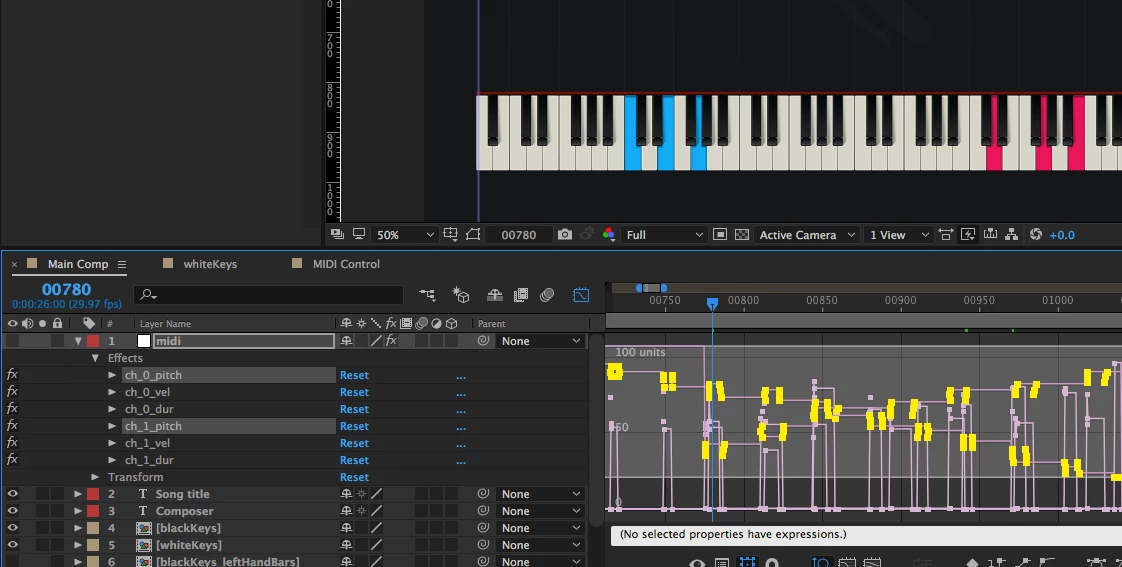
Main Comp (which is the active comp):
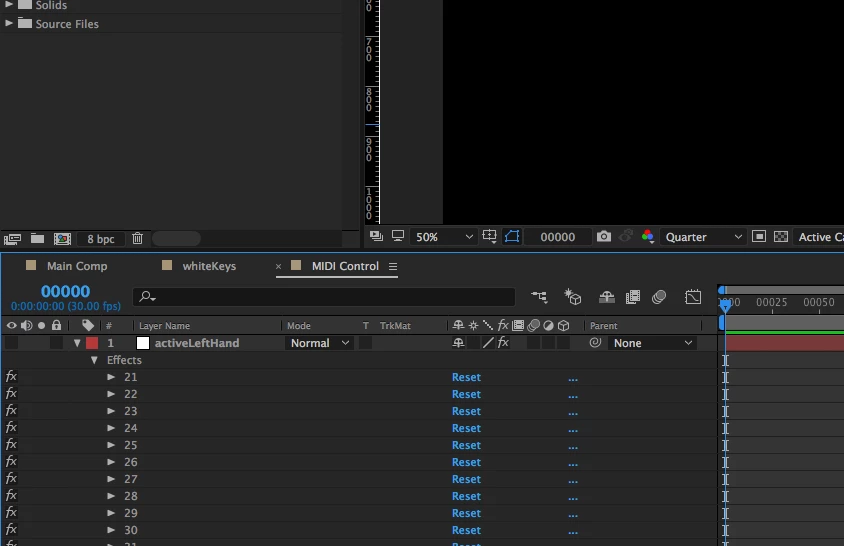
MIDI Control comp:
Here's the expression I was using on each individual checkbox control for activeLeftHand and activeRightHand layers if it's of any use. Also modified from something Dan Ebberts helped me out with a while back:
midiNote = comp('Main comp').layer( 'midi' ).effect( 'ch_0_pitch' )( 'Slider' );
midiNum = thisProperty.propertyGroup(1).name;
n = 0;
for (i = 1; i <= midiNote.numKeys; i++){
if (midiNote.key(i).time > time) break;
if (midiNote.key(i).value == midiNum) n++;
}
if (n%2) 1 else 0
I've got this far but need to complete the section for lines 26-27:
var proj = app.project; // The Application Object is at the top level followed by the Project Object.
var comp = proj.activeItem; // Set the comp variable to the active composition.
var midiLayer = comp.layer("midi"); // Set the 'midi' layer of the active composition to a variable.
var leftHandKeys = midiLayer.effect("ch_0_pitch")("Slider"); // Get channel_0_pitch values - used for left hand notes.
var rightHandKeys = midiLayer.effect("ch_1_pitch")("Slider"); // Get channel_1_pitch values - used for right hand notes.
var midiControlComp = comp.layer("MIDI Control").source; // Set the 'MIDI Control' composition to a variable.
var leftHandController = midiControlComp.layer("activeLeftHand"); // Get the checkbox control layer for the left hand.
var rightHandController = midiControlComp.layer("activeRightHand"); // Get the checkbox control layer for the right hand.
// TODO: At the end use the following to run the function.
// midiDataToControlComp( leftHandKeys, leftHandController );
// midiDataToControlComp( rightHandKeys, rightHandController );
function midiDataToControlComp(channelPitchSlider, checkBoxControlLayerName) {
// If there are keyframes available, continue.
if (channelPitchSlider.numKeys > 0) {
for (k = 1; k <= channelPitchSlider.numKeys; k++) {
// Break loop if the keyframe's time more than the current time.
if (channelPitchSlider.key(i).time > app.project.activeItem.time) break;
// TODO: Get keyframe(s) value and assign it to the corresponding checkbox(es) on the checkBoxControlLayerName layer.
// IMPORTANT NOTE: There may be MIDI chord data at a given time which means there will be multiple keyframes stacked. Get all values out.
}
// If there are no keyframes availble, display an error alert.
} else {
alert("There are no keyframes in " + channelPitchSlider + " within the midi layer.");
} // End if statement.
} // End midiDataToControlComp() function.
Not sure if line 24 is also doing its job too.
If anyone can help me out here that would be brilliant.
Thanks!

 AdChoices