



Erroneous sharpening and noise reduction in Camera RAW and Lightroom
When exporting down-sampled images, I noticed that images created using Adobe Camera RAW version 9.1.1 through 9.10 are very noisy, lack much detail and micro contrast, far from preview the application shows. The same applies to Lightroom CC, which, however, cannot be forced to show precisely down-sampled previews of exported images during the development process at all.
Images which I have originally found the issue with were long-exposure night-time photos involving blurred branches and quite a lot of noise, both of which can be gotten rid of (to some reasonable extent) by down-sampling the image. By resizing the image, setting noise reduction and a bit more aggressive sharpening, I was able to sharpen blurred branches and gain a good amount of detail whilst removing unwanted noise in ACR. The produced images did not match this preview at all, even though additional sharpening was disabled in export settings (results in dramatically more noise). It was then that I realized I probably had the same issue with my previous concert photos. Since I primarily publish my photos on the Internet where they are seldom viewed in original sizes (in low-light situations they are not even viewable), it is rather much more important that they are perfectly clean and sharp in lower resolutions. I developed the images the same way in ACR but had to withdraw them once published and reedit again due to excessive noise, which I did not notice during development.
EDIT: Since both images lost quality on Adobe Forums, I uploaded them on an external service here http://imgur.com/kwbZrAF and here http://imgur.com/O0KiaCl respectively.
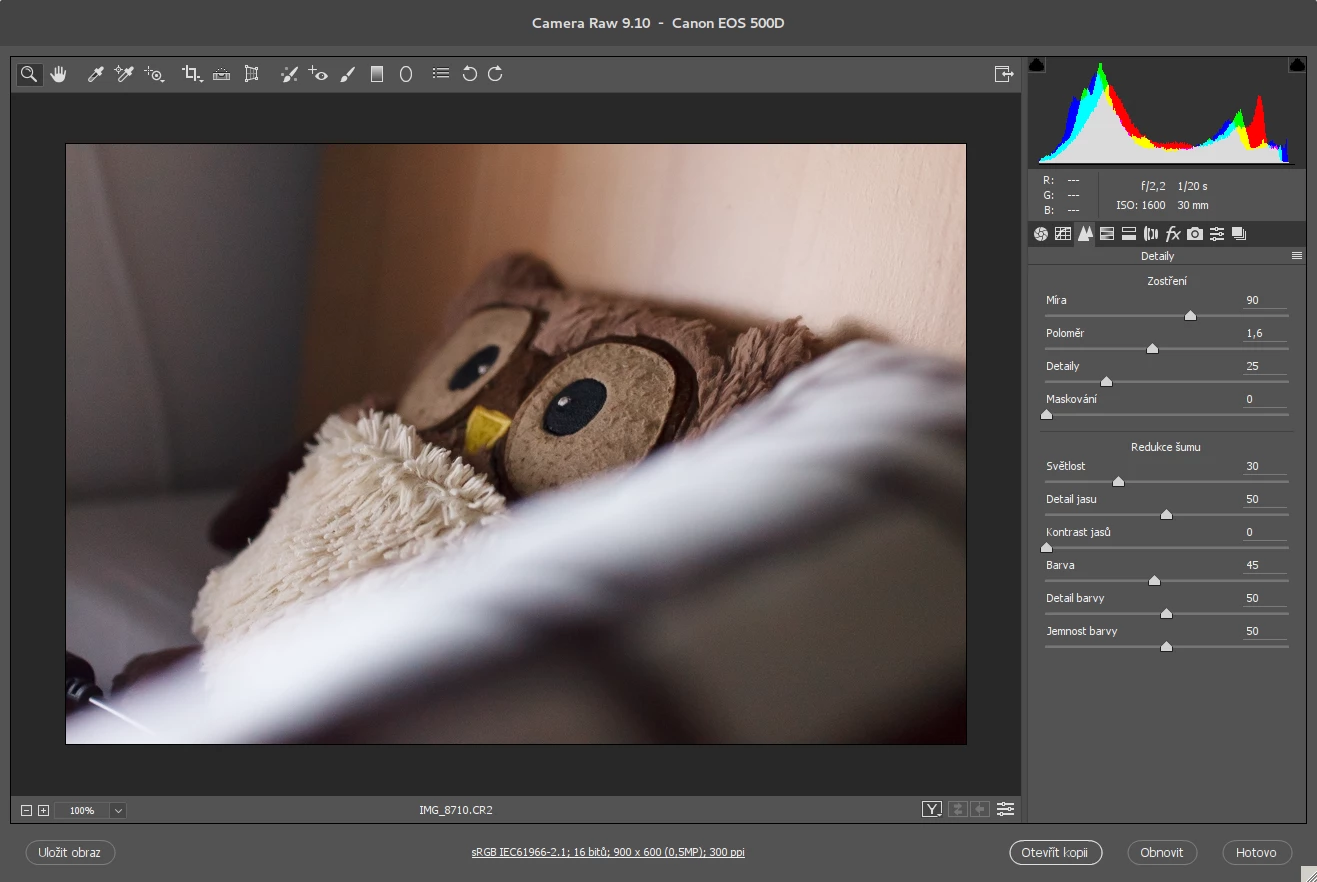
(Example image with similar Sharpening/NR settings in ACR 9.10, displayed 100% preview is sharp and completely clean of noise.)

(The output image without additional sharpening set in export options. Photo shows excessive amount of noise arranged in moiré pattern in this particular case. Note that the lack of detail is not evident in this image but is visible in other shots.)
The same happens when the image is pushed to Photoshop or developed in Lightroom CC. Lightroom preview looks very similar to the one seen in ACR even though the application lacks 100%-magnified preview of the down-sampled image to be exported. I consider it a major flaw in image editing software since having precise preview of what I am about to publish is crucial in development and pixel-peeping at original image sizes does not say anything about the final image when resizing photos right away. Other than that, it is necessary that the picture preview and the actually saved image do match, which is not the case.
Old posts from Adobe Forums which are probably related:
Speckly image after ACR import back to PS CC 2015
 AdChoices