



Calibrated monitor, after that Lightroom preview different then PS. Need help!
OK, I will write this step by step and hopfully it will be simple to understand.
Today I calibrated my monitor with x-rite i1 display pro. I did everything right and at the end I got this new profile, that I marked it with date, so I will know in the future, when it was made.
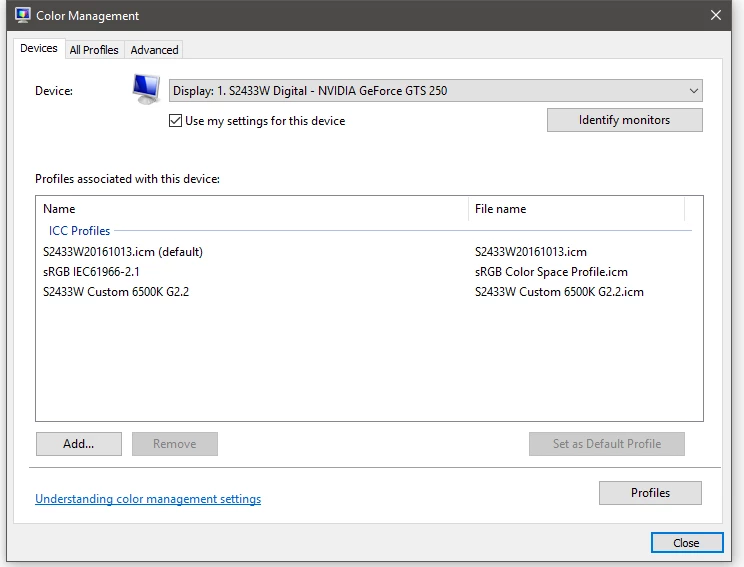
After that, I went to my WIN 10 coior manegement and assign this new profile as Default (previously it was sRGB IEC61966-2.1). See image:
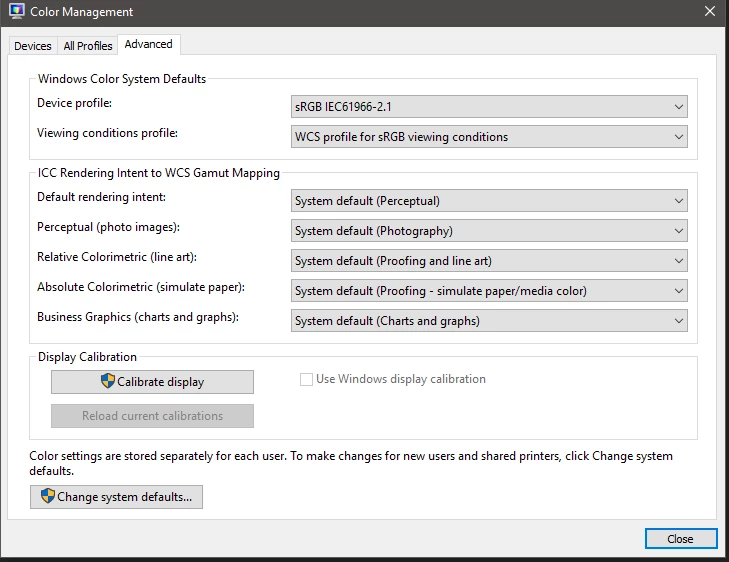
And in Advanced options, I have this default settings:
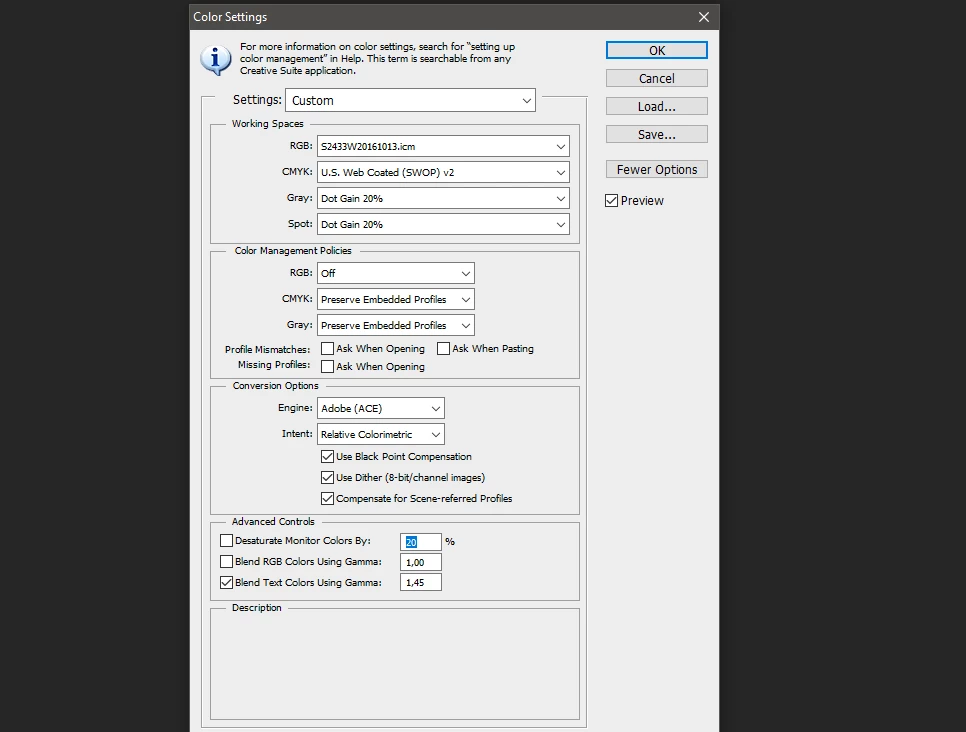
In Photoshop, I also changed Color settings to this new profile:
Now, images in windows photo viewer and in Photoshop, they all look ok and the same. But in LR, previews are dull, no colors, different than in Photoshop.
If I export image from LR to JPG and than upload to PS, image looks ok.
How can I fix the look of the image in LR? I have sRGB chosen there. I guess it should be "this new profile" but in LR I can not find any Color settings like in PS.
What am I doing wrong?
Were my steps of calibrating process OK?
Any help would be aprishiated.
 AdChoices