
Participating Frequently
February 7, 2019
Question

Is anyone else suddenly getting locked out with "Membership Expired" but your account is paid-up?

  • February 7, 2019
  • 1 reply
  • 2231 views

This first happened to me on Tuesday night. I was using photoshop and when I tried to do a quick export nothing happened. I kept trying and eventually saved everything and restarted the software. Upon opening the software I got a window that said:

Membership Expired

You no longer have access to Creative Cloud. Please contact your Administrator to renew your membership and continue using Creative Cloud.
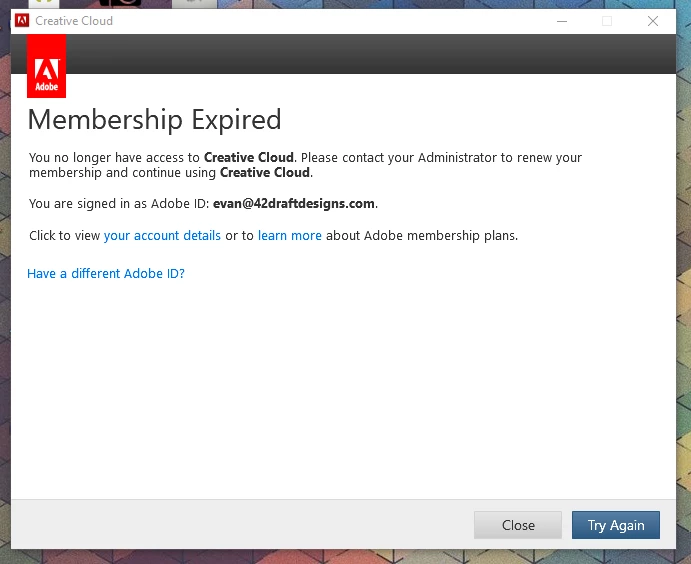
My membership is fine. The last payment went through on 1/29. I am the administrator. When I log into my account there is nothing anywhere that says that my account expired or any money is due.

I contacted Adobe via chat and was told this is a back-end issue and that it would take 2-3 days to resolve. I have an open ticket but there hasn't been any response. I was told I didn't do anything wrong, but what is going on? I already missed two $$ deadlines because I can't use any of my software...

Is this happening to anyone else?

Evan

    This topic has been closed for replies.

    1 reply

    Kevin Stohlmeyer
    Community Expert
    Community Expert
    February 7, 2019

    Have you checked out this help page?

    Stop Adobe Creative Cloud from opening in trial mode after purchase

    Before you say "this isnt related to my issue" or "I've logged out an in" - be sure to go through each step.

    This may get you back sooner than waiting for a ticket to be resolved.

    Participating Frequently
    February 7, 2019

    Actually I have read that page.

    Make sure your subscription is active

    I followed the instructions for this portion on Tuesday night and I did not see the message outlined in an orange box: Your plan has expired So, I figured my account has not expired and contacted Adobe via chat and they agreed.

    I just ran through it again. Here's my account screen:

    Note that it's telling me to designate a license to myself. This happened AFTER the adobe representative removed me from my own account. I don't know what this action was, because I am listed as a user and there's no way to change that. I feel like this problem was a true WTF then after they removed me from my own account that broke it even more. This is the email that I got.

    The support ticket is titled "SMB escalations" and the status is "In Process With Agent" Does anyone know what SMB is?

    Sign out and then sign in to Creative Cloud desktop app

    I just did this on my desktop (never tried it on my laptop where the problem was originally found). I logged in and got the following message:

    I started a free trial, so I can at least use the software for the next 7 days while they figure this out...

    Check for Creative Cloud desktop app updates

    I did this on Tuesday night on my laptop and nothing changed. It updated Bridge and Photoshop.

    Remove Adobe-related entries in the hosts file

    I will mess with this now...

    Evan

    Participating Frequently
    February 7, 2019

    Remove Adobe-related entries in the hosts file

    I followed these instructions: How to resolve connection errors with Adobe Creative Cloud and Creative Suite applications

    Step 1.1

    I get the dual logos after clicking the link

    Step 1.2

    Here's what I get from the two links:

    so I moved on to the hosts file.

    Step 2

    There are no Adobe entries in my host file.

    Step 3

    I can access secure sites.

    Step 4

    GlobalSign Root CA certificate is installed an enabled