

Adobe Creative Cloud no abre, dice que no se encuentra o está dañado, sin embargo, ya lo he instalado muchas veces pero sigue sin abrir
Saludos a todos
Tengo un problema desde el año pasado al intentar instalar Adobe Creative Cloud, tras ejecutar "CreativeCloudSet-Up" dice que se está instalando, el porcentaje corre hasta llegar a 100% y justo cuando termina sale el siguiente aviso:
Se necesita Adobe Creative Cloud para resolver este programa. Sin embargo, no se encuentrao está dañado. Descargue e instale una nueva copia de Creative Cloud de "http://www.adobe.com/go/adobecreativecloudapp".
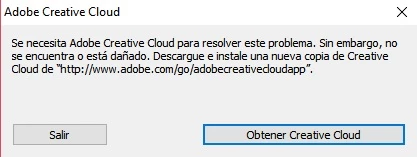
Lo he instalado ya muchas veces nuevamente y sigue apareciendo el mismo aviso tras la instalación.
También he probado desinstalando desde el Panel de Control pero no se ejecuta ningún programa de desinstalación.
Probé desinstalando forzosamente con la herramienta IObit Uninstaller y luego vuelvo a instalar y sigue apareciendo lo mismo.
También probé con AdobeCreativeCloudCleanerTool, y no sirvió de nada.
Qué anda mal? Cuál es la solución? Qué otra cosa puedo intentar? La verdad es que ya no sé qué hacer.
Agradezco de antemano la ayuda que me puedan brindar.
 AdChoices