
Participant
November 12, 2016
Answered

Authorization Revoked

  • November 12, 2016
  • 2 replies
  • 792 views

Have had CS5.5 Design Premium for quite a while. I just reformatted and rebuilt my iMac and now cannot seem to get the installer to work. I have downloaded it from the Adobe website and when I launch it I get a message saying "'Install' can't be opened. You should eject the disk image." Viewing the help on this it indicates that the App's certificate has been revoked and I cannot open it.

How do I open the image so I can reinstall CS5.5?
    This topic has been closed for replies.
    Correct answer kglad

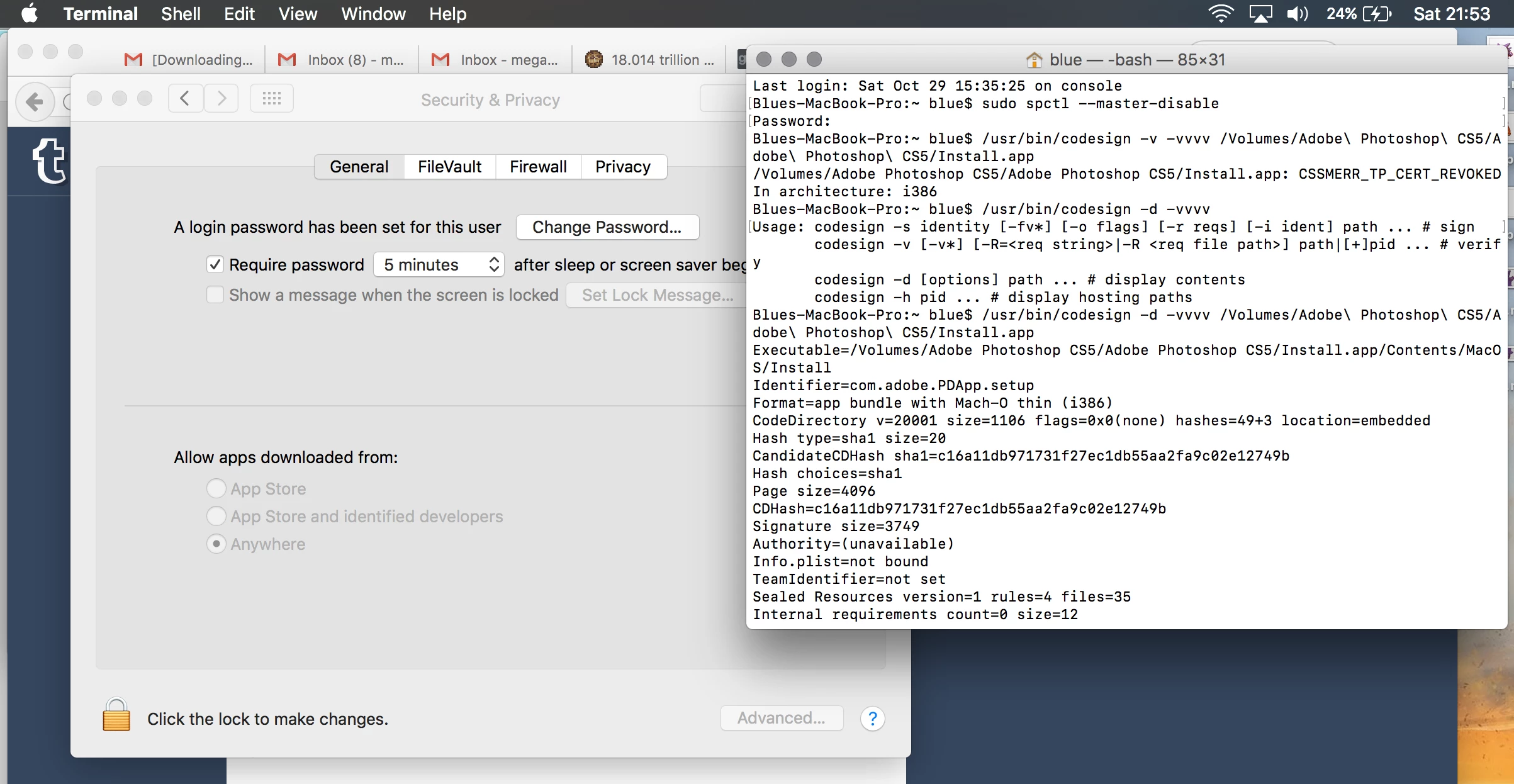
    I also ran a digital signature verification per the instructions here​ - you'll notice, it still says the certification is revoked, and the authority is unavailable, despite this being an install package downloaded directly from Adobe.


    see if you can install it manually:

    Installing Creative Suite on macOS 10.12 (Sierra)

    2 replies

    November 12, 2016

    I have the same problem - and the problem is not solved by turning off Gatekeeper from the command line to allow apps from anywhere.

    kglad
    Community Expert
    Community Expert
    November 13, 2016

    attach a screenshot showing you've set gatekeeper to allow installs from anywhere.

    kglad
    Community Expert
    kgladCommunity ExpertCorrect answer
    Community Expert
    November 13, 2016

    I also ran a digital signature verification per the instructions here​ - you'll notice, it still says the certification is revoked, and the authority is unavailable, despite this being an install package downloaded directly from Adobe.


    see if you can install it manually:

    Installing Creative Suite on macOS 10.12 (Sierra)

    kglad
    Community Expert
    Community Expert
    November 12, 2016