
Colin Flashman
Community Expert
Community Expert
November 16, 2018
Question

Exporting a PDF with Opentype SVG fonts - errors

  • November 16, 2018
  • 2 replies
  • 1314 views

Thought I'd give the new opentype SVG font feature in InDesign CC 2019 (on my Mac running High Sierra) a go and made a new text box with one character in it that was the apple color emoji smiley face, only to be greeted with this unwelcome dialog when the PDF was created:
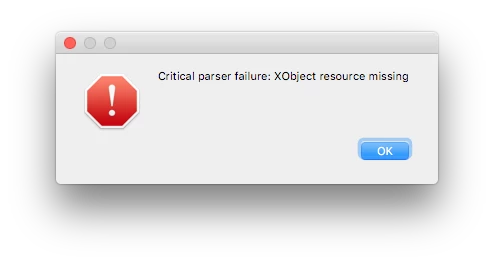
A test with another opentype svg font - Trajan Color - yields the same results. However, the opentype svg font EmojiOne was fine and did not error.

Does this happen to anyone else? If so, I'll be happy to report it as a bug. I note that on the IDCC2019 release notes page (New and enhanced features | Latest release of InDesign CC ), it says opentype svg fonts are supported, but on the actual page for opentype svg fonts (Typekit Help | OpenType-SVG color fonts ), InDesign is not an application listed as supporting the fonts:

I'm testing this now as I expect to see more artwork created with these fonts, and as a prepress operator who is largely exporting PDFs with the intention of offset print output, I have to know if the fonts will be CMYK or RGB, and what other hurdles our RIP may face.

This topic has been closed for replies.

2 replies

Colin Flashman
Community Expert
Community Expert
November 17, 2018

@Steve Werner

Unfortunately, we are comparing apples and oranges.

I'm running IDCC2019 (but NOT the pre-release beta version) in High Sierra 10.13.6

I've been able to replicate my fault on my machine at work running the same specs, and my home machine that I'm writing this post from.

Using my identical specs - can others replicate this fault?

If the answer wasn't in my post, perhaps it might be on my blog at colecandoo!
Steve Werner
Community Expert
Community Expert
November 17, 2018

It's not fixed in the latest prerelease because it was working in earlier CC 2019 versions during Prerelease in Mojave. I have no way of backward testing in High Sierra so it could be specific to your OS version.

Steve Werner
Community Expert
Community Expert
November 16, 2018

Colin,

What PDF preset did you use when testing the OpenType SVG fonts? I did a quick test and it worked when I was preparing my InDesign Magazine.

Colin Flashman
Community Expert
Community Expert
November 16, 2018

I've tried all the default PDF export settings, and it was able to reproduce the error on the following settings:

  • [high quality print]
  • [pdf/x-4:2008]
  • [press quality]
  • [smallest file size]

It was also able to reproduce this result when exporting to an interactive PDF.

There were two default export options that did not produce the result, and they're obviously the remaining ones:

  • [pdf/x-1a:2001]
  • [pdf/x-3:2002]
If the answer wasn't in my post, perhaps it might be on my blog at colecandoo!
Steve Werner
Community Expert
Community Expert
November 17, 2018

No errors for me. I'm running CC 2019.0.1.209 (the latest beta build). In in macOS X 10.14.1 (Mojave).

(1) Here is the test file I originally created during CC 2019 Prerelease which I just tested again:

(2) Here's my PDF exported as HQP (High Quality Print) preset (there is no error):

(3) Here's my PDF exported as PDF/X-4 (no error):

Of course, I have no idea why the PDF/X-4 are on a black background.