Participating Frequently
January 30, 2019
Question

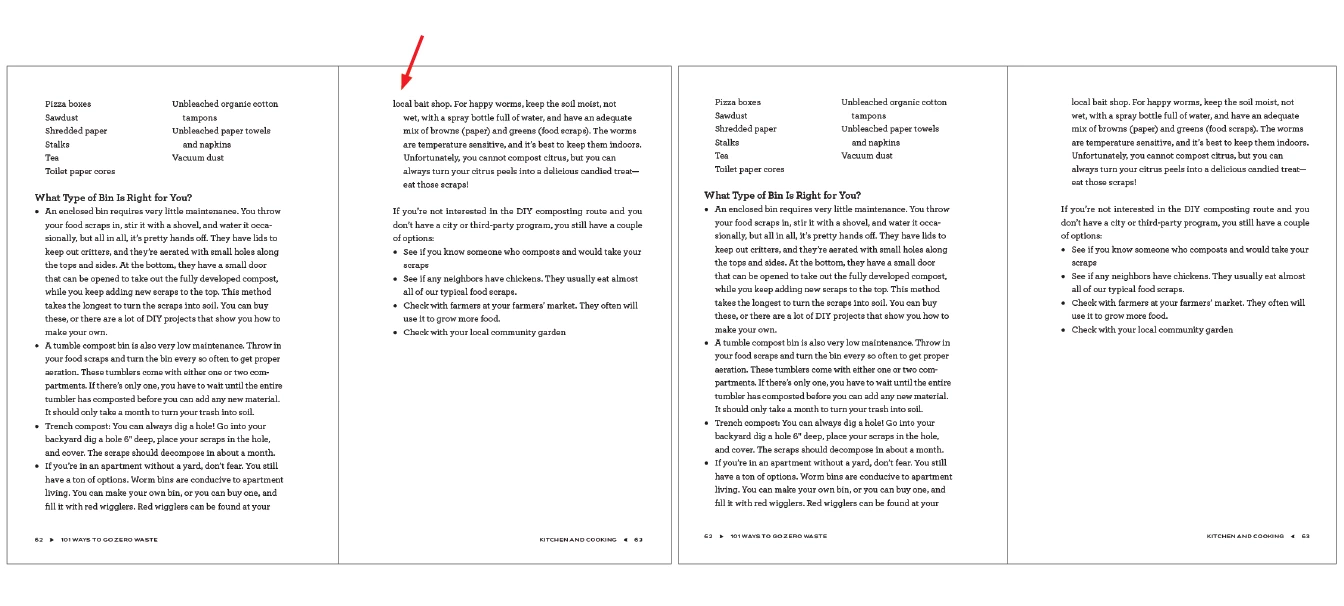
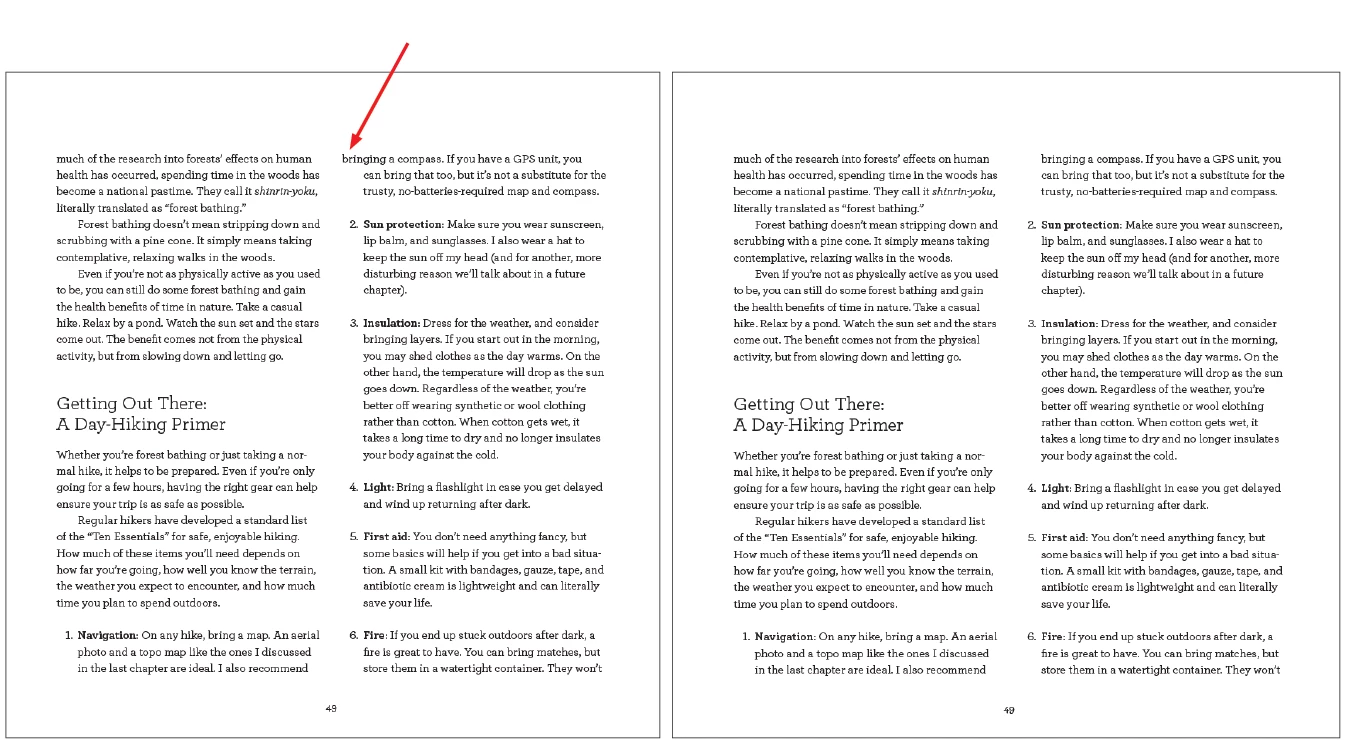
Hanging text loses indent when paragraph flows to next page or column

  • January 30, 2019
  • 2 replies
  • 846 views

For years I have been seeing this bug pop up randomly where when hanging text flows to a new page or a new column, the first line on the new page/column will lose its indent. If you manually toggle the indent setting and reset it to be correct again, it fixes it, but again the phenomenon is completely random and can happen anywhere and at any point in the life of the file. Has anyone come across this?

See screen shots.
This topic has been closed for replies.

2 replies

grudgemom
Known Participant
January 31, 2019

To me this looks like a repeat of this thread (current as of today): How do I stop indented text in threaded text box from floating at the top of a page?

Mike Witherell
Community Expert
Community Expert
January 31, 2019

How did you define your paragraph style?

Mike Witherell
kidguavaAuthor
Participating Frequently
January 31, 2019

What exactly do you mean by "define"?

These screen shots are actually quite old, though I do have the ID file for the first example.

The hang in this instance is set up with positive left and negative first indents. Single column text in a 2-column frame.

This particular example is not an InDesign numbered list function, but I am positive I have seen this happen when that method is used as well. I can't speak for sure as to how it behaves when the paragraph style is set up for multi-column text—like I said, these specific examples are old and this occurs randomly and sporadically—but I imagine it is the same.

Could the align to grid have something to do with it? Personally, I rarely use "All Lines" when I set up files, but I know the person who worked on this particular file uses that method.

Mike Witherell
Community Expert
Community Expert
January 31, 2019

Can you also show your keep options? (I cannot imagine Baseline Grid being a factor here).

Mike Witherell