
Known Participant
August 15, 2019
Answered

InDesign fails to render glyphs in Khmer font -- that work in Microsoft Word

  • August 15, 2019
  • 3 replies
  • 7181 views

Have been asked to import text for the Cambodian translation of a fact sheet -- using the font Khmer OS_Content TTF.

Certain glyphs that do appear in Microsoft Word will NOT appear in Adobe InDesign CC 2015 for Windows or Adobe InDesign CC 2019 for Mac, They show up as dotted lines.

Have tried a number of paragraph and line import settings in Settings>Advanced Type>Default Composer including

  • Adobe World-Ready Single-line Composer
    Adobe World-Ready Paragraph Composer

Have also toggled off Missing Glyph Protection.

  • Protect While Typing
    Protect while applying fonts

to no avail.

Am pretty well stuck using INDD CC 2015 on a Windows machine using Windows 10 Enterprise.

Anyone know of a plugin or scripting routine  that would solve this problem, or a source for Khmer OS_Content that is compatible with Adobe applications?
    This topic has been closed for replies.
    Correct answer Nicole228651704m1l

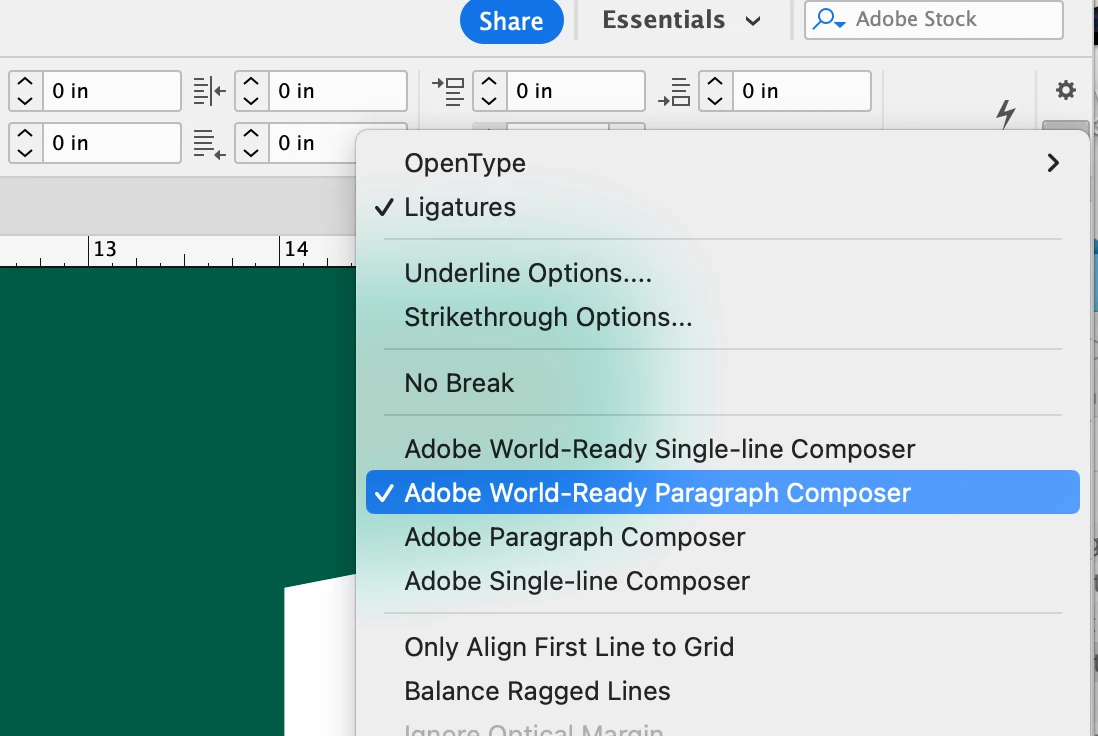
    If you select Adobe Wordpress Paragraph composer (top, far right where the icon of the three lines are), it should be able to fix the missing Khmer glyphs.


    3 replies

    Nicole228651704m1lCorrect answer
    New Participant
    November 21, 2023

    If you select Adobe Wordpress Paragraph composer (top, far right where the icon of the three lines are), it should be able to fix the missing Khmer glyphs.


    New Participant
    December 26, 2024

    Oops--I think my phone did auto correct. If you select "Adobe World-Ready Paragraph Composer," it will fix the issue. 

    Jongware
    Community Expert
    August 16, 2019

    InDesign started out as the flagship application for promoting and showcasing Adobe's new OpenType format (in collaboration with Microsoft). Sadly, this initial impetus and the driving knowledge has slowly bled from Adobe. Currently Microsoft is the leading company that drives the development of OpenType forward.

    If you want to get your Khmer text correctly in InDesign, save it as PDF from Word and place it as an image.

    Steve Werner
    Community Expert
    August 16, 2019

    In the InDesign UserVoice forum, it was reported by the product manager that better support for Khmer was "under review".

    Khmer script justification is broken – Adobe InDesign Feedback

    I believe you'll see this coming in the next release of InDesign. It requires the user of a software library called Harfbuzz:

    HarfBuzz - Wikipedia 

    Jongware
    Community Expert
    August 16, 2019

    Yes, proper Glyph Shaping is one thing. But "better support" is something else yet -- it is not as if including Harfbuzz will solve all of these problems automatically.

    These Khmer glyphs, for instance, probably go wrong because their specialized OpenType features do not work in InDesign. However, they are also only active under the language tag "Khmer". If Harfbuzz is to solve the shaping problem, you still need to be able to apply the correct language to the text as well.

    A similar thing is Harfbuzz' AAT support. Yes: it means that InDesign finally is able to support Apple's Advanced Typography features, such as the ligatures and kerning in Skia, and even its variable Weight and Width axes. (Yes folks, this is a 1994 precursor to the new promoted "Variable Font" type!)

    If such added features are not added to ID's interface, replacing the shaping engine is useless for all intents and purposes.

    Marvest
    Inspiring
    August 16, 2019

    Can you post a sample so we can try it. Just copy paste.