Participating Frequently
November 19, 2017
Answered

Creative Cloud is asking me to sign in repeatedly - can't open Lightroom or Photoshop

  • November 19, 2017
  • 3 replies
  • 9357 views

Hi,

As said in the topic title I can't launch any of my apps. Every time I try to launch Lightroom or Photoshop (I have the photography plan) the software prompts me to register over and over again and the app never launches.

I already tried uninstalling and reinstalling the creative cloud app and I payed my subscription fee.

Thanks in advance for your help.

Best,

Clément

    This topic has been closed for replies.
    Correct answer john beardsworth

    Sure thing, sorry for all the french :

    When I launch LR or PS I see this message asking me to log in :
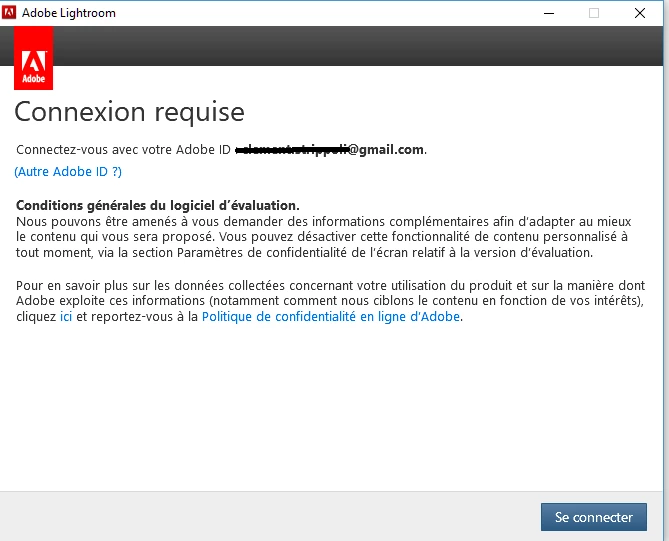
    I confirm that the email address that I've hidden is the one that is associated with the Adobe account that has the photography plan activated.

    So I click on "se connecter" which means connect.

    Then I see this :
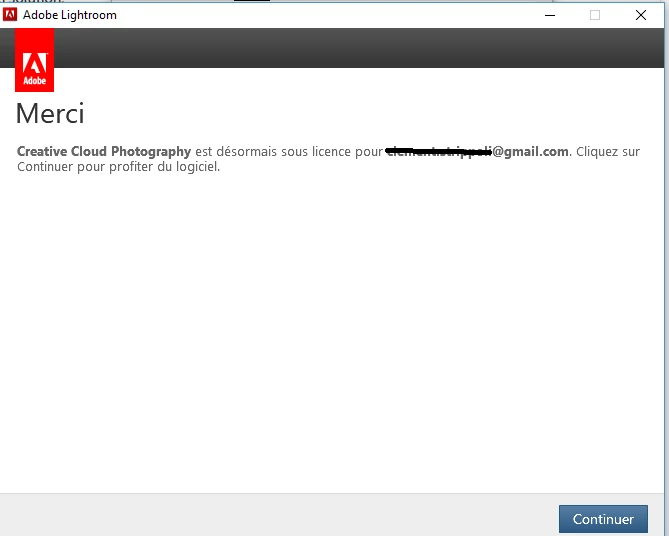
    Which basically means "thank you, creative cloud photography is now licensed under 'your email address' click on continue to enjoy the software". When I click on continue the software does not launch, the first message appears again. And this goes on and on and on...

    I already tried to uninstall and install again the Creative Cloud app and that didn't work...


    OK, thanks, that looping back to the first message is very similar. The problem is probably in the data that CC has stored locally, meaning that the re-installed applications are still referring to the bad information.

    So I would suggest that your next step is to try the Creative Cloud Cleaner Tool which wipes that data. See if it works for you. In my case, it didn't work and I had to contact Adobe support (go into "Account Issues" and look for "Show me my contact option" to get into Chat). I eventually needed to share my screen with the support guy, but I could follow his steps and I was happy with how the problem was resolved. Hopefully the CC Cleaner will do the job.


    3 replies

    Participant
    January 7, 2019

    I had this happen and the tips here didn't fix it.  For me, the issue turned out to be due to the fact that my work manages my computer.  The the semi-annual forced change of my institutional password didn't reset the keychain password to access the computer.  Resetting the keychain to match fixed it.  I then entered my ID and password once and the application then stayed open.   

    Participant
    January 10, 2018

    Why am I being asked to sign into CC continuously?

    Why do I need to sign in at all?

    Did Adobe mess up an update?

    john beardsworth
    Community Expert
    Community Expert
    January 11, 2018

    Have you tried the method shown in the correct answer above?

    Just Shoot Me
    Legend
    November 19, 2017

    Type of computer you are using?

    OS installed?

    Make sure you are Signed In with the same Adobe ID you used to purchase the Photographers Plan in the Creative Cloud Desktop App (Human bust icon in upper right hand corner of the CC DTA window).

    Participating Frequently
    November 19, 2017

    Thanks for your answer. I'm using a custom built desktop computer running Windows 10 Family. I'm sure that I'm signed in in the Creative Cloud Desktop with the same account that was used to purchase the photography plan.

    Just Shoot Me
    Legend
    November 19, 2017

    Sign Out, Reboot your system then sign back in and test.

    If that fails Uninstall both PS and LR and reinstall.