
Participant
July 21, 2019
Beantwortet

Lightroom Classic CC 8.3.1 - Profile Problem

  • July 21, 2019
  • 1 Antwort
  • 425 Ansichten

Ok here is my problem. I've created a profile by camera raw.

I've saved them in a group called Alex's Profile.
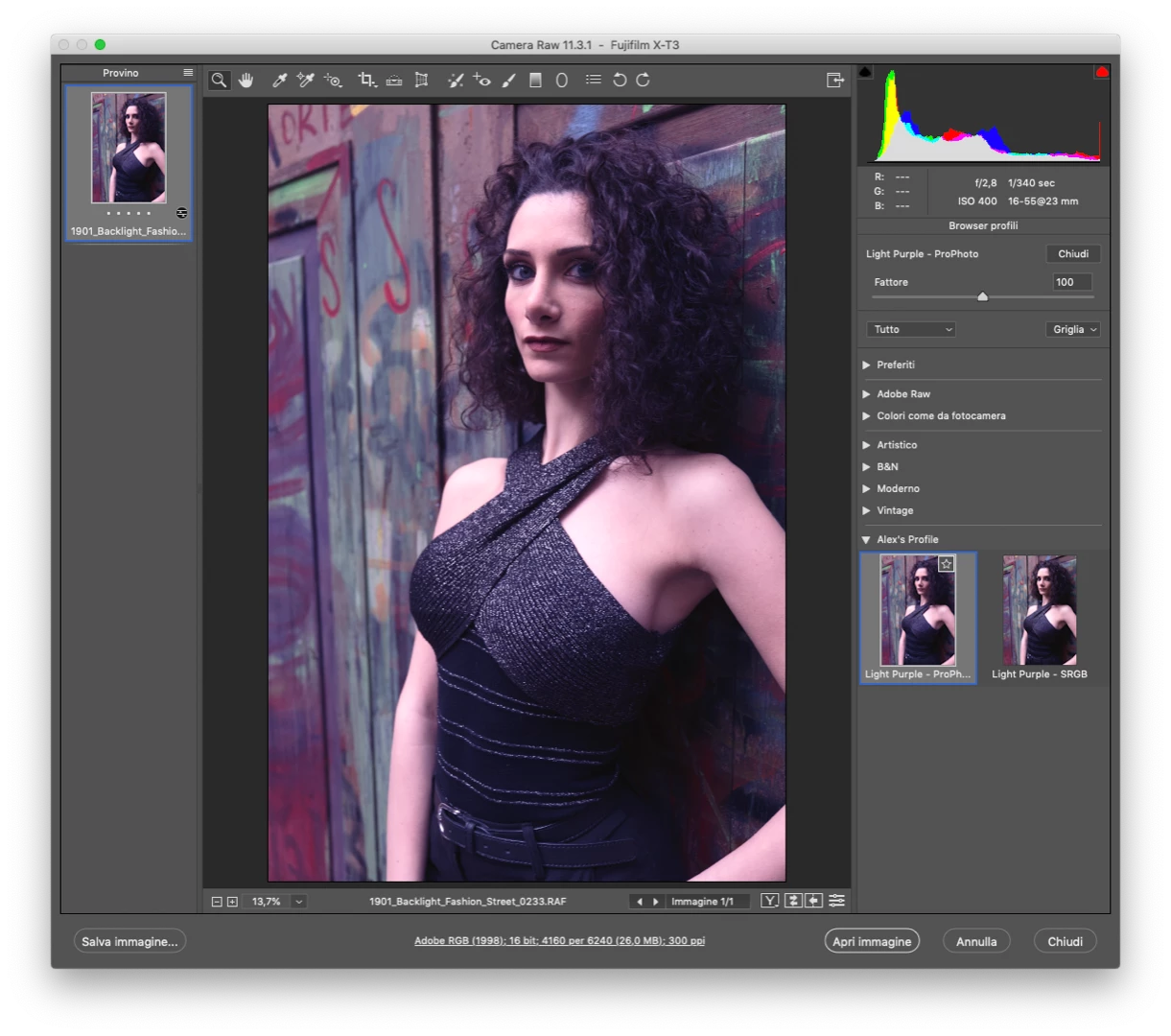
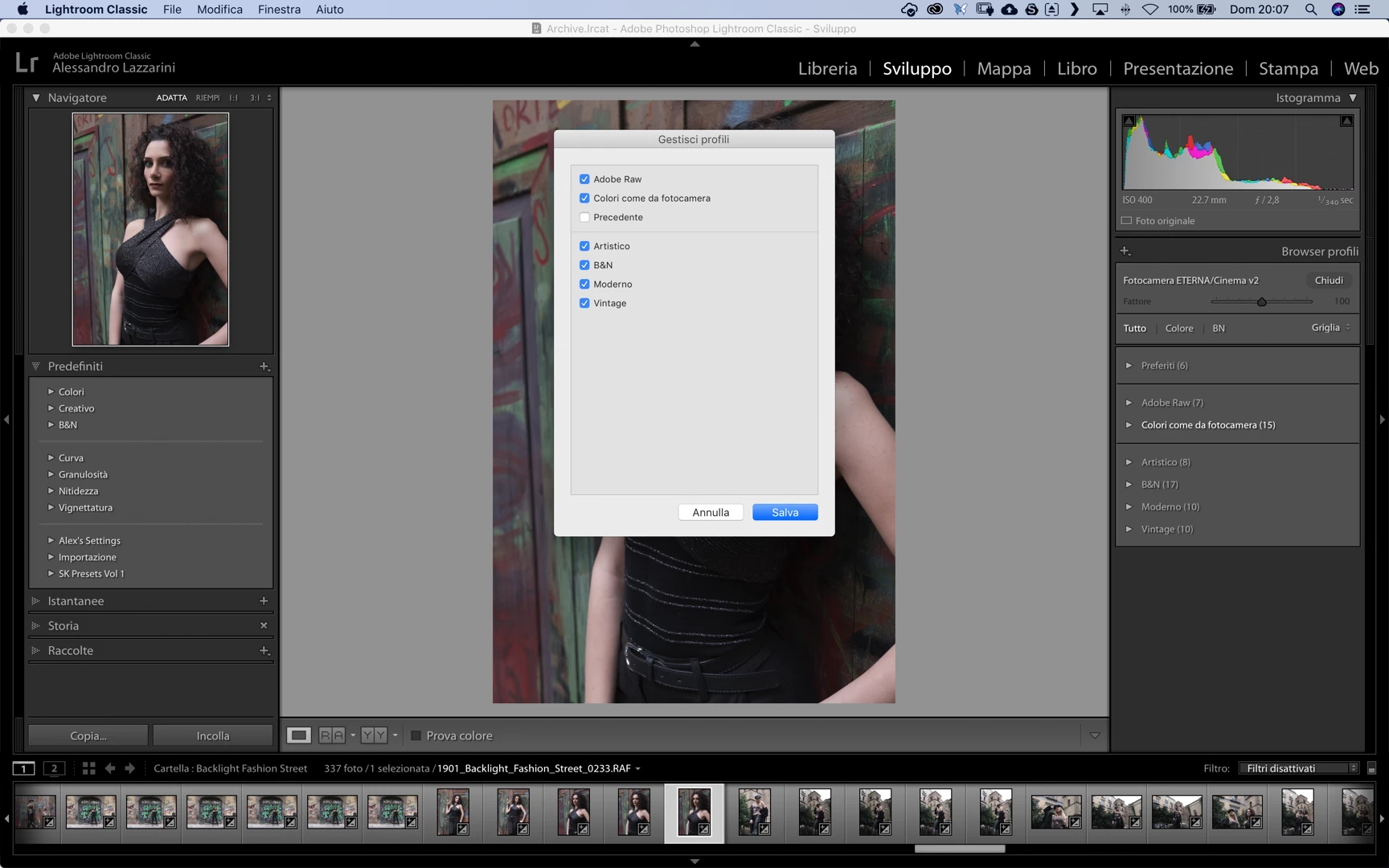
Now I cannot find them in my Lightroom
If I go to finder I can see them in ~/Library/Application Support/Adobe/CameraRaw/Settings
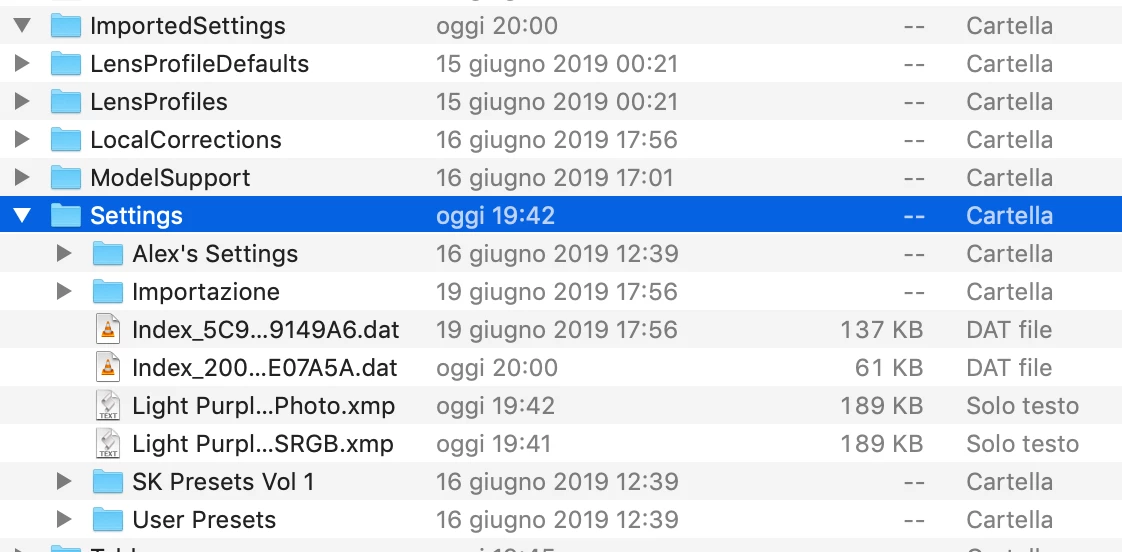
If I copy them on my desktop and then import into Lightroom I can see them and into the finder I'll find them into ~/Library/Application Support/Adobe/CameraRaw/ImportedSettings.

Is normal not see into Lightroom and needed of reimport them?

Thanks

Alessandro

Dieses Thema wurde für Antworten geschlossen.
Beste Antwort von GoldingD

Have you accidentally clicked on Store Presets with this Catalog?

https://improvephotography.com/53757/how-to-make-your-own-camera-raw-profiles-for-lightroom-and-camera-raw/

Oh and did you accomplish step 3 in that above link, so a profile was created, not a preset.?

1 Antwort

GoldingD
GoldingDAntwort
Legend
July 21, 2019

Have you accidentally clicked on Store Presets with this Catalog?

https://improvephotography.com/53757/how-to-make-your-own-camera-raw-profiles-for-lightroom-and-camera-raw/

Oh and did you accomplish step 3 in that above link, so a profile was created, not a preset.?

Participant
July 21, 2019

You are right, so if store preset with this catalog, is flagged, no custom profile show at least you reimport them!