
Participant
January 5, 2019
Question

Why I can't install any Adobe product in a new and clean HP desktop with win10?

  • January 5, 2019
  • 6 replies
  • 1515 views

Tried with Lightroom Classic, CC and the Creative Cloud.

Firewall turned off

Downloaded the direct link of the Creative Cloud App.

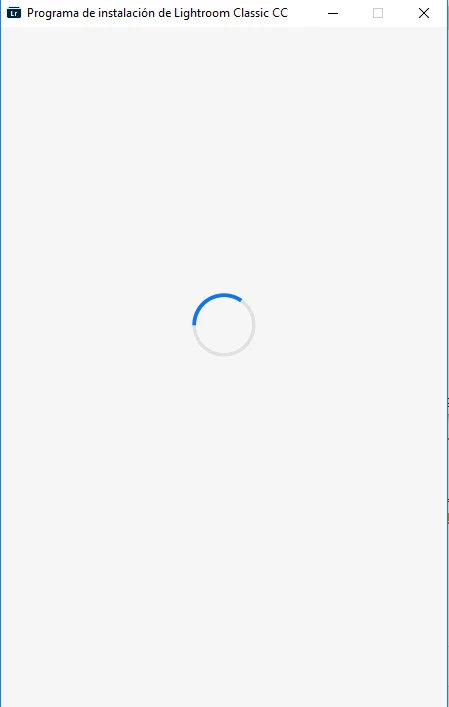
When trying to install the screen shows the circle moving and then all dissapear. I have tried a lot of the options in the forum an din the web with no succes.

I only could find one of the logs and it say nothin else than:

01/04/19 19:09:29:618 | [INFO] |  | ASU | OPM | OPM |  |  | 2012 | Build Version - 10.0.0.99

01/04/19 19:09:29:618 | [INFO] |  | ASU | OPM | OPM |  |  | 2012 | Logging Level verbosity Set  to 4

01/04/19 19:09:29:621 | [INFO] |  | ASU | OPM | OPM |  |  | 2012 | Schema version and schema compatibility version are same or greater than current

01/04/19 19:09:29:825 | [INFO] |  | ASU | OPM | OPM |  |  | 2012 | _opm_handle_OPDReturnedStatus called with opdStatus as:0

01/04/19 19:09:29:825 | [INFO] |  | ASU | OPM | OPM |  |  | 2012 | No Record found for the input fields in opm_getValueForKey

My screen:
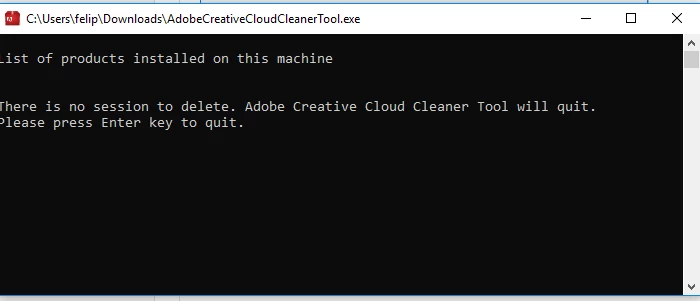
The CC Cleaner doesn't find any app installed
BTW, I could install the app in my laptop without any issues. My lightroom account is on trial yet.

Thanks in advance.

    This topic has been closed for replies.

    6 replies

    PhillixAuthor
    Participant
    January 6, 2019

    Could this help? I found it in a archive called WAM under AppData/Local/Temp/CreativeCloud.

    I see an error code almost at the end of the log:

    :s

    Timeout: 30

    Compression: false

    01/05/19 01:32:48:742 | [INFO] |  | Admin | WAMB | ViewMediatorUI |  | ProcessUtils | 4892 | In changeThreadContextToExplorerContext.explorer process ID: 13296.

    01/05/19 01:32:48:742 | [INFO] |  | Admin | WAMB | ViewMediatorUI |  | ProcessUtils | 4892 | In changeThreadContextToExplorerContext. Success in changingContext.

    01/05/19 01:32:48:744 | [INFO] |  | Admin | WAMB | ViewMediatorUI |  | HTTPConnector | 4892 | Proxy detected: WPAD

    01/05/19 01:32:48:744 | [WARN] |  | Admin | WAMB | ViewMediatorUI |  | HTTPConnector | 4892 | GetIEProxyInfo - Failed to get proxy for the url, error:12180

    01/05/19 01:32:48:744 | [INFO] |  | Admin | WAMB | ViewMediatorUI |  | HTTPConnector | 4892 | No default proxy present on the user machine

    01/05/19 01:32:48:744 | [INFO] |  | Admin | WAMB | ViewMediatorUI |  | ProcessUtils | 4892 | In revertThreadContextToProcessContext. Success in RevertToSelf.

    01/05/19 01:32:48:748 | [INFO] |  | Admin | WAMB | ViewMediatorUI |  | ProcessUtils | 4892 | In changeThreadContextToExplorerContext.explorer process ID: 13296.

    01/05/19 01:32:48:748 | [INFO] |  | Admin | WAMB | ViewMediatorUI |  | ProcessUtils | 4892 | In changeThreadContextToExplorerContext. Success in changingContext.

    01/05/19 01:32:48:748 | [INFO] |  | Admin | WAMB | ViewMediatorUI |  | ProcessUtils | 4892 | In revertThreadContextToProcessContext. Success in RevertToSelf.

    GoldingD
    Legend
    January 6, 2019

    Ok, googling on creative cloud error 12180

    Go to

    The windows error code is - 12180

    and that indicates going to

    Resolve connection errors with Adobe Creative Cloud and Creative Suite applications

    and this one

    Adobe CC Errors 201,  204, DML.log 12180,12150

    leads to

    Troubleshoot Adobe Creative Cloud download and install issues

    part 6 talks about proxy’s

    by the way, do you use a proxy?

    and read this one

    Re: Creative Cloud Installation Error

    which sends you to

    How to download Creative Cloud desktop app

    Apparently going to a a different website with different download can help (you will need to expand links on the Adobe pages),

    GoldingD
    Legend
    January 5, 2019

    In the link: How to fix the issue of Adobe Creative Cloud desktop app not opening or showing a spinning progress wheel

    did you try the steps under “Delete the contents of the OOBE folder and relaunch Creative Cloud desktop app”

    dj_paige
    Legend
    January 5, 2019

    Tell us the exact version NUMBER of your Windows 10. Please do not use words like "latest" or "up-to-date".

    GoldingD
    Legend
    January 5, 2019

    And a previous similar thread : https://forums.adobe.com/thread/2266914

    PhillixAuthor
    Participant
    January 5, 2019

    Thank you very much.

    Yes, I tried all of that. Turned off Firewall, Antivirus, used the Creative Cloud Cleaner, looked for the logs, downloaded the direct link for Creative Cloud, logged off and on. I even reinstalled the whole windows, and nothing happens.

    When trying to install the CCloud App, once it shows the login options (Adobe ID, Facebook or Google) the window just dissapear.

    Thanks for your time.

    PhillixAuthor
    Participant
    January 6, 2019

    Do you try the installation as a Administrator or an user with Admin rights?

    Did you Notebook matches the systemrequirements? -> Adobe Creative Cloud system requirements

    Especially the version of Windows 10? CC doesnt support older Windows 10 versions (Windows 10 versions 1511 and 1607)


    Thank you Alex, dj_paige:

    Yes, I tried to install it as Admin without results.

    My PC is compatible: (Intel 17 8th Gen; 8Ram, Win 10; 1T HDD)

    And yes David, I already tried deleting the OOBE folder contents and restarting (actually I also deleted the whole windows install in another try, as well without results.

    GoldingD
    Legend
    January 5, 2019

    If we are talking the subscription pay model, Adobe Creative Cloud, the Adobe Photoshop Lightroom Classic Cc, The Adobe Photosop CC, and perhaps the Lightroom CC, then you must install the Adobe Creative a Cloud Desktop Application first.

    After the Adobe Creative Cloud Desktop Application is running, you will sign in, and can install the actual programs, one at a time. thru the Adobe Creative Cloud Desktop application.

    Now on to the spinning issue. You may have come across this in your searching, revisit it:

    Troubleshoot Adobe Creative Cloud download and install issues

    most of that is about the app nit working after the install.

    oh, and you mentioned your firewall, note that your antivirus might foul things up as well (mentioned in link). Most antivirus do not foul this up, some can get over aggressive. Of course, get that firewall and antivirus back up and running afterwords.

    Also, as you at least attempted to install this app, an uninstall solution is available, and you may need to run it:

    Uninstall the Adobe Creative Cloud desktop application

    GoldingD
    Legend
    January 5, 2019

    First off some clarity.

    Are you trying to install the Adobe Creative Cloud Desktop application? Or is that already installed?

    Download Adobe Creative Cloud apps | Free Adobe Creative Cloud trial

    That must be installed first.

    PhillixAuthor
    Participant
    January 5, 2019

    Thanks.

    No, I can't install Creative Cloud neither.

    I tried to install Lightroom Classic, and then Creative Cloud and the problem is the same.

    I even restore the whole computer, reinstalled windows, but the issue is the same in the clean environment. The screen opens and then dissapear after some seconds.