


8 Channel MXF preset I made suddenly only outputting to first two tracks
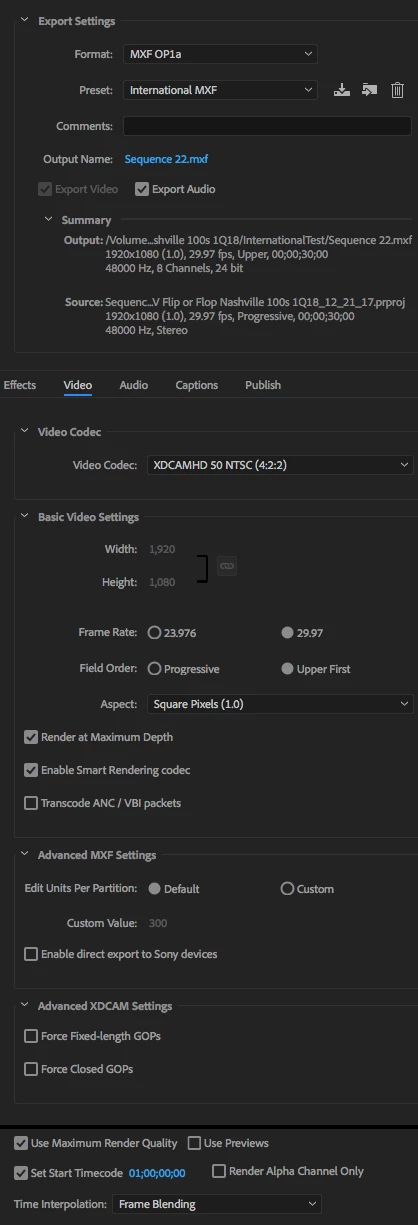
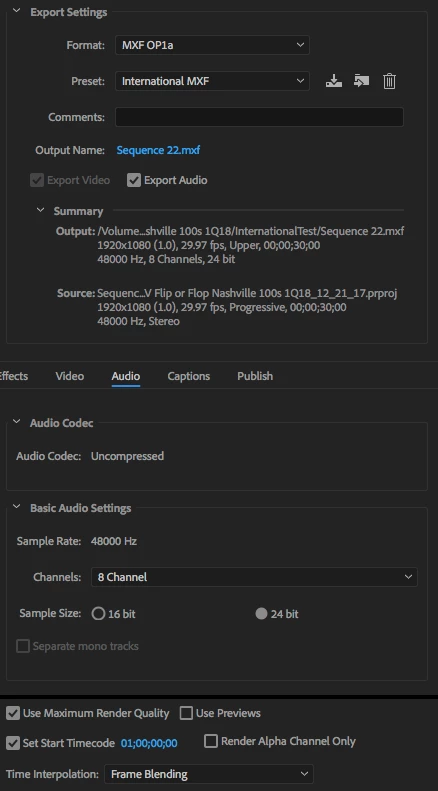
I made this preset last June to output 8 channel MXFs of my spots per our International team's specs so, they can use the audio tracks that make sense for whichever market they happen to be repackaging my spots for:
(video)
(audio)
That used to work fine with the sequence settings I created in Premiere for my International deliverables:
(pic. 1 - general)

(pic. 2 - general)
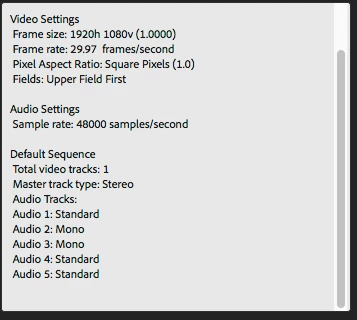
(settings)
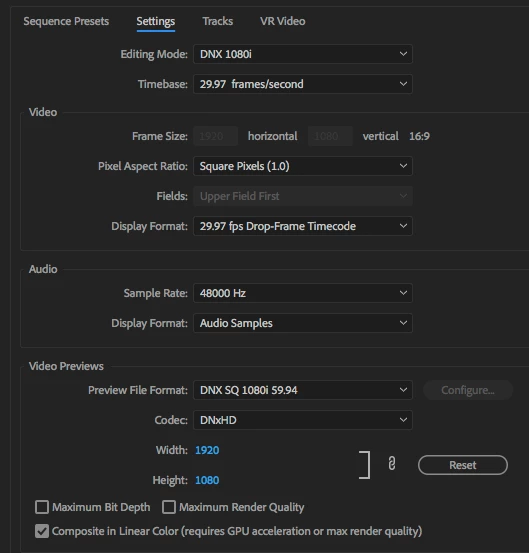
(tracks)
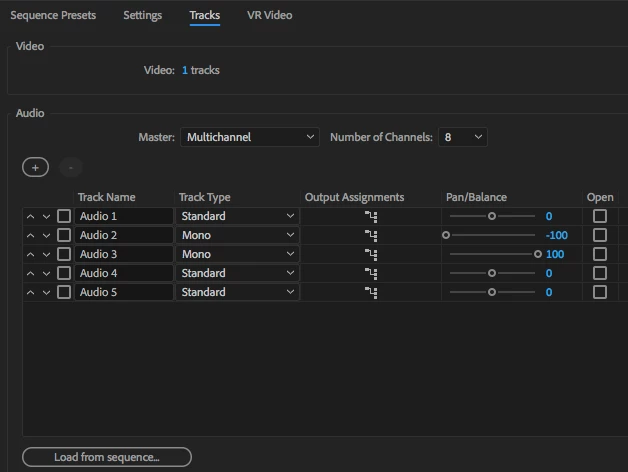
This worked great until my latest International output, last week. I got a call from International today to say, the MXFs I delivered only had the stereo mixes with no split tracks. I pulled them in, sure enough, they had 8 channels but only channels 1 & 2 had audio.
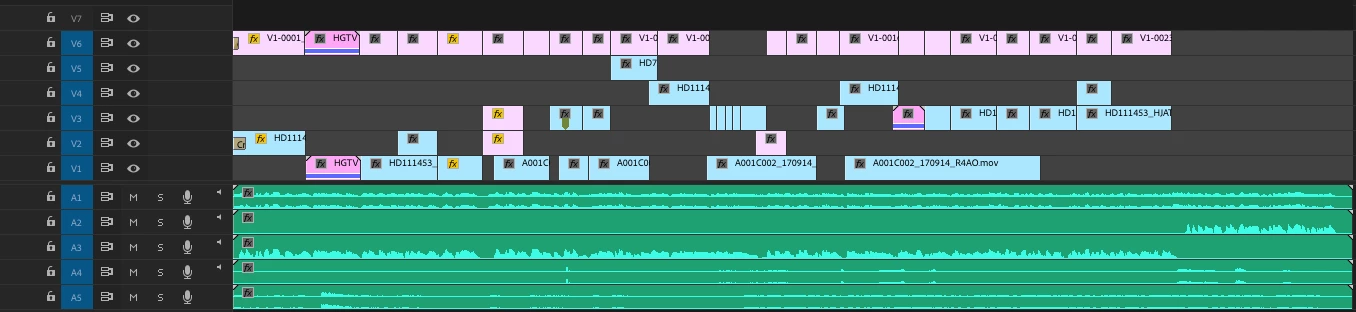
Here's what the sequence looks like when I output from Premiere to Media Encoder:
(output sequence)
Here's what it looks like when I import the MXFs I create with the above settings back into Premiere; creating a new sequence from the imported clip):
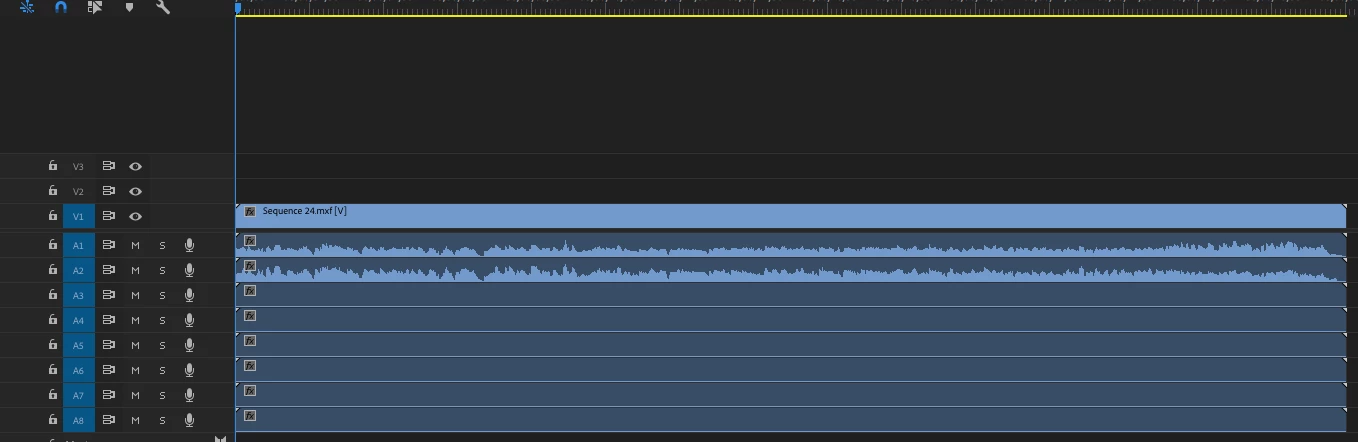
As you can see the split audio is there on the output sequence but only channels 1 & 2 have audio in the MXFs I created using the above method. What baffles me is that this worked fine until my last output.
For the life of me, I can't seem to figure out what changed and how to fix this.
Any thoughts?
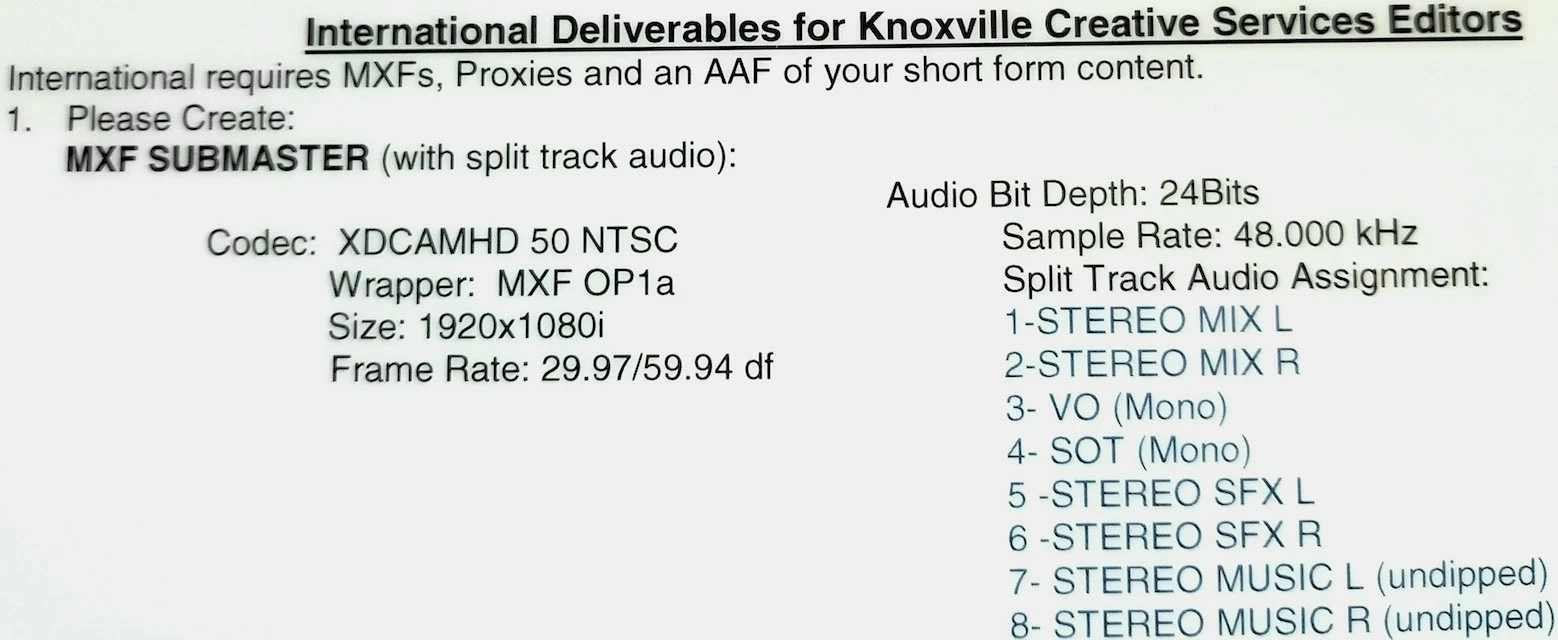
Oh, and here are the specs required by our International team:
(specs)
Thanks!
~ART~
P.S. I cross posted this in the Premiere forum
 AdChoices