reginam77302867
Participant
October 27, 2018
Answered

Filter Gallery

  • October 27, 2018
  • 1 reply
  • 1797 views

Photoshop CC 2019
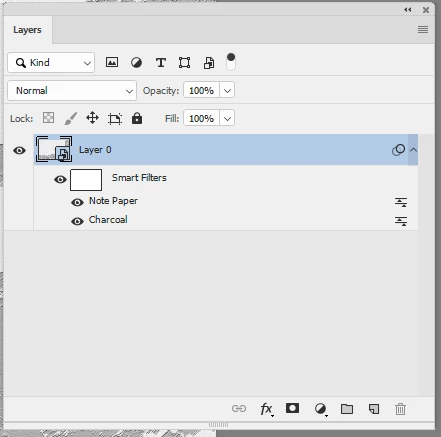
When I convert an image to smartfilter and use a filter or more than one filter from the filter gallery it only shows Filter Gallery in the layers. In Photoshop CC 2018 it was shown which one I used - for example Dry brush and then Cutout. Now it only shows Filter Gallery and Filter Gallery..... Any idea how I could change it?

    This topic has been closed for replies.
    Correct answer davescm

    Hi

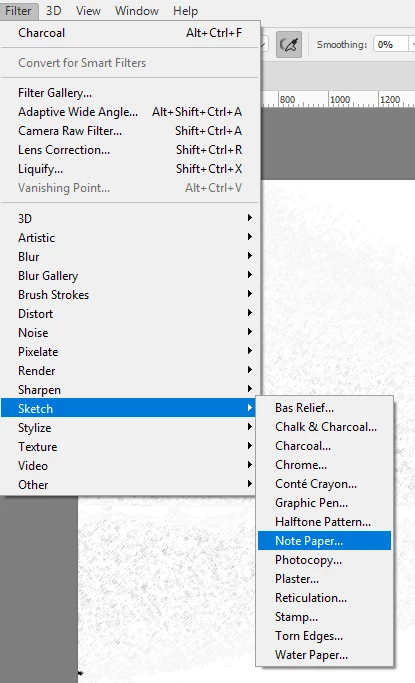
    Go to Edit > Preferences >Plug Ins and check Show all Filter Gallery Groups and Names then restart Photoshop

    That adds the Filter gallery filter names to the main filter menu. Applying the filters from the menu directly (rather than choosing the Filter Gallery item)  will show the individual  names in the Layer panel

    Dave

    1 reply

    October 27, 2018

    Hi

    This is from CC 2018 and has the same behavior as CC 2019

    reginam77302867
    Participant
    October 27, 2018

    No it isn't - I'm sorry.

    Here a screenshot from a layer by using Photoshop CC 2018

    using Photoshop CC 2019

    reginam77302867
    Participant
    October 27, 2018

    in English - Artistic -> Poster Edges and then Stylize


    Thank you for your answers - I found it.

    If I choose Filter -> Filter Gallery and pick my filter from there it is only shown as "filter gallery". If I choose Filter and then for example Artistic -> Poster Edgnes it will be shown correct. My apologize for all the circumstances. Never noticed this before.