To be very honest.... you should just download an app to your mobile device that does this.
Only issue... when you do this and then post individual pictures after... the order sometimes can later become messed up. So there are cons to doing this.
If you do this then I would do this every time.
But like I said... just download an app. Doing it Photoshop is too time consuming.
Now if you are creating images that end up becoming one big image on Instagram, then I would use Photoshop. There are two or three companies on Instagram that have an item from the previous multi post that bleed into the next multi post. One is a sock company (forget the name). Now this takes planning and skills. But can be done. So they have one element that is cropped out of each multicast so that it looks like one ever growing image.
If I can think of the sock company I will let you know. But man oh man... do they plan ahead and who ever their social person/designer is... well they are top notch.
Let's connect on LinkedIn. https://www.linkedin.com/in/kshinabery/
There is a real issue for professional photographers to post from their phones or tablets.
1.) All images may reside on external media or servers.
2.) All processing is done on their main computer of choice and image files may be quite large when they are supplied to clients.
3.) Files must be transferred to then deleted from phones or tablets.
All in all, not a great workflow. Sounds like a scripted solution is the best one for now until developers decide there's a market on the desktop computers.
ICC programmer and developer, Photographer, artist and color management expert, Print standards and process expert.
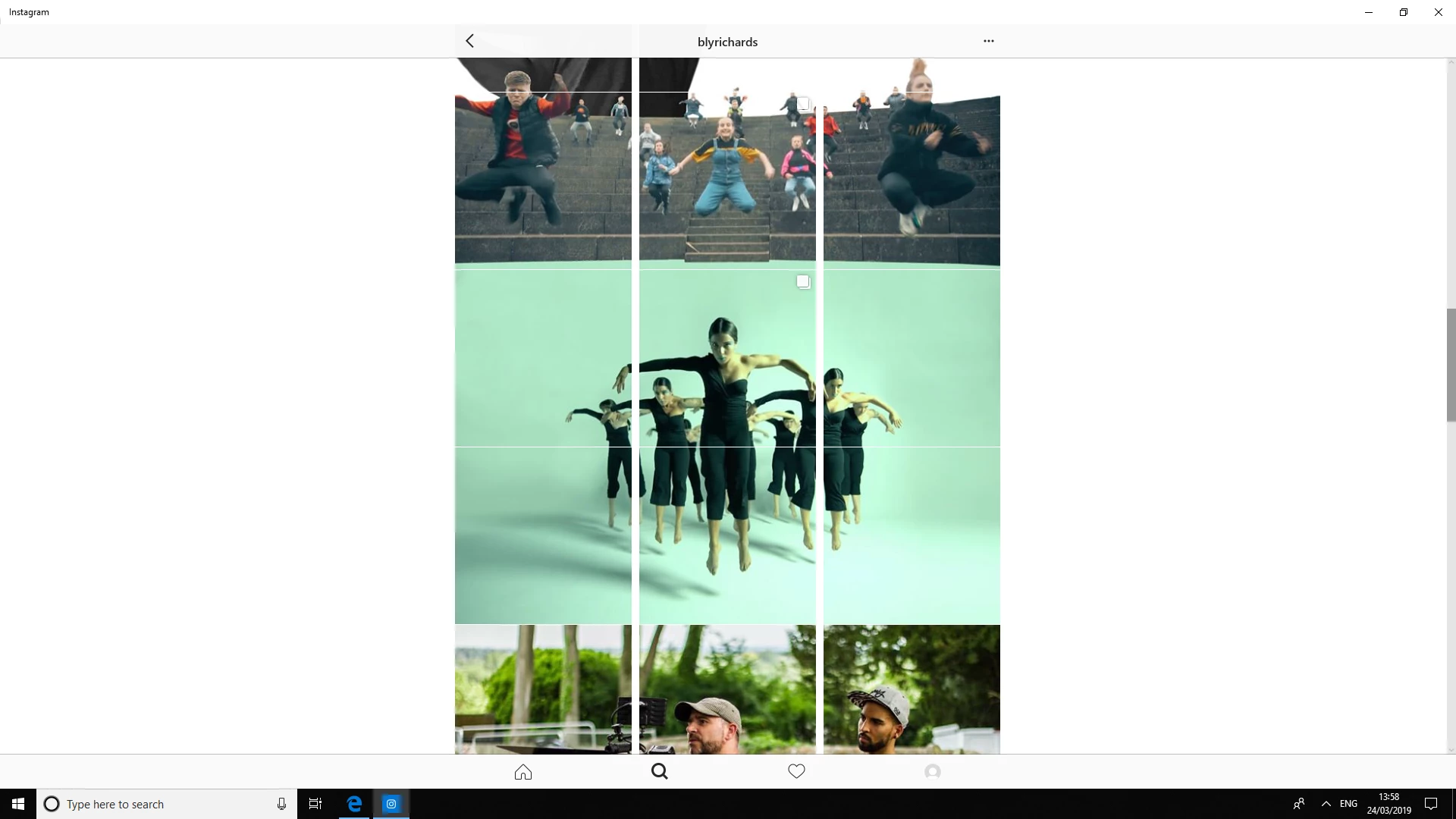
What the apps do essentially, is cut a large image into 9 squares, and then they are exported and posted in groups of three. For example: open an image, crop into a square. Use View > New Guide Layout to divide the square into a grid:
From there you can select each square, jump it to a new layer (Ctrl/Cmd J), and the export each layer as a jpg or png. Post in groups of three from the bottom, up.
There are Photoshop Scripts that can set guide line to devide an image into 9 parts they will only be square if the image is square. There are also Photoshop scripts that will dice image to the guide sectios they will a create layers for each grid section.
Considering that Instagram is a mobile centric service (Though I can access my feed on my desktop, I can't post from my desktop) I'm not entirely sure there's a desktop solution for what you need


 AdChoices