
Photoshop CC 2019 causes BSODs on Windows 10 randomly and unpredictably
Whenever I'm using Adobe Photoshop CC 2019 (version 20.0.3), it will freeze unexpectedly. When Photoshop freezes, the system will slowly get unusable as other applications running in the background stop responding. The system will then no longer respond to my keyboard. Eventually, the system crashes and gives a Blue Screen of Death (BSOD).
The unexpected freezing can happen anytime. I've noticed that it happens when I opened a .svg file, accessing the "Performance" under "Preferences", closing an unsaved file and when making the "Rulers" visible. I'm not sure what other things will trigger such a crash, though I'm certain that it is not limited to what I've listed above.
So far the BSODs caused by Photoshop all give a stop code of 0x00000133 (DPC_WATCHDOG_VIOLATION) and 0x0000009F (DRIVER_POWER_STATE_FAILURE) (though the DRIVER_POWER_STATE_FAILURE might be caused by me plugging in power while Photoshop was unresponsive and causing that mayhem, resulting in the system unable to respond quickly).
Here are the images of the details available in the reliability history on those BSODs caused when the system stopped working when Photoshop was active:
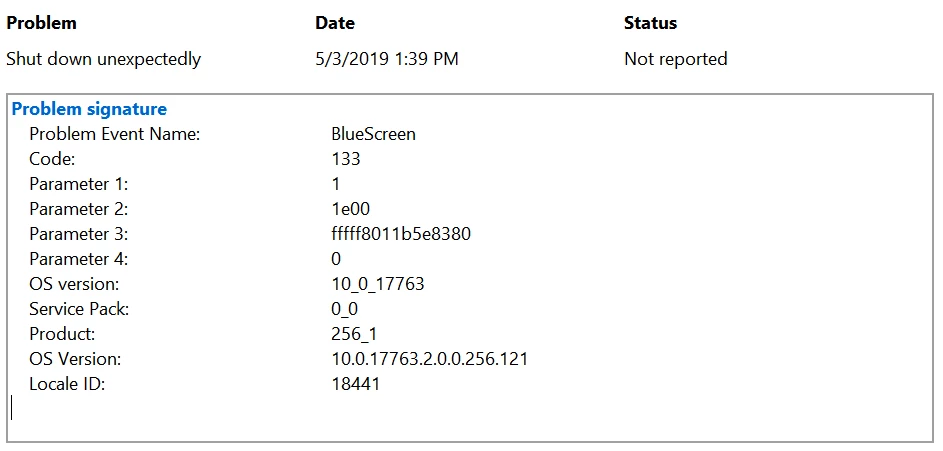
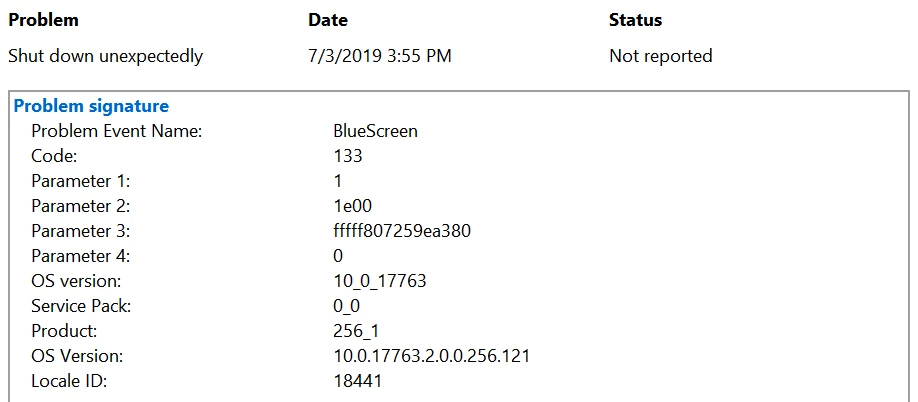
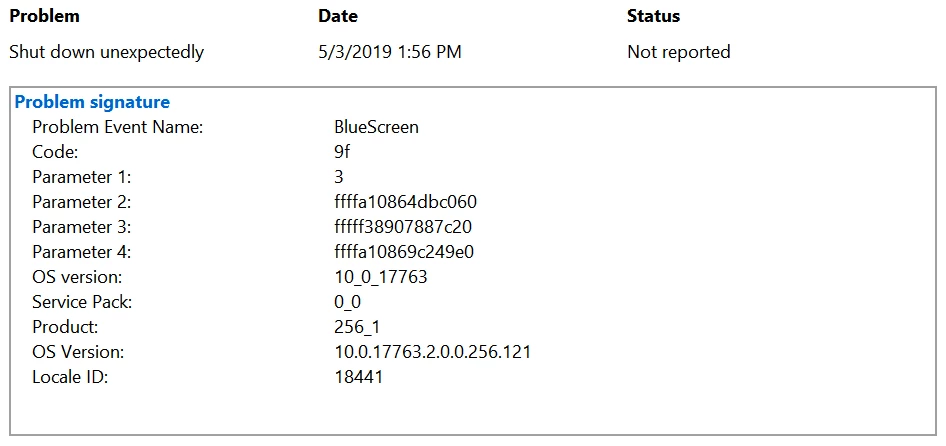
Such a problem didn't happen previous months ago (one to three months ago before this problem showed up), despite user preferences being changed to better suit me; it only happened recently, and even with default user preferences. The first time such a problem came up was when I opened a .svg file to edit it.
I tried uninstalling and reinstalling the latest version of Photoshop (without keeping user preferences) but it still caused those BSODs. Maybe it's because of the changes to the new versions?
I'm using a computer that meets the system requirements specified by Adobe for Photoshop. Here's are my specs:
- Processor: Intel Core i5-8250U @ 1.60 GHz (turbo boosts up to 3.40 GHz though it only reaches 3.38 GHz)
- Memory: 8 GB of RAM
- System type: 64-bit operating system, x64-based processor
- Operating system: Windows 10, Education Edition (1809), OS Build 17763.316
- Computer Model: Swift SF314-52G
- Integrated Graphics: Intel UHD 620
- Dedicated Graphics: NVIDIA GeForce MX150 (this is the graphics processor used for Photoshop)
I believe these are the specs that are within the scope of those problems. If you'd like to see other specs that you believe are part of the problem, feel free to reply.
Thanks a lot,
Brandon.
 AdChoices