
Participant
May 1, 2017
Answered

Adobe Premiere Pro CC 2017 cropped clip fade

  • May 1, 2017
  • 1 reply
  • 1084 views

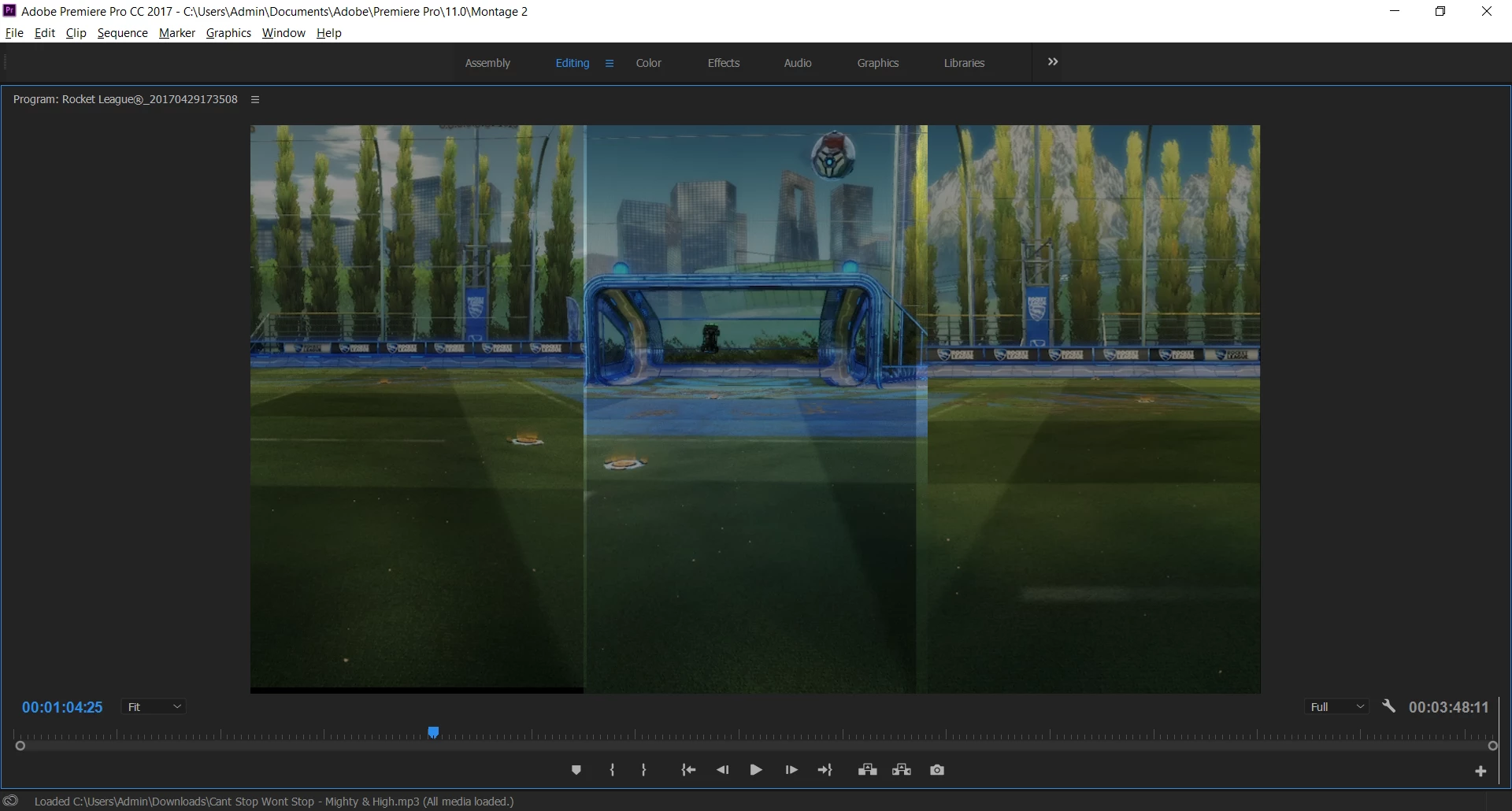
Hey guys, I'm editing a short film and I've got 3 different angles cropped and displaying on the screen at once, split vertically. each of these clips is set to fade out using the default transition, however the middle clip has a few millimetres either side where the fade seems to have no effect and the scene looks normal. I've tried redoing all the fades on that section bu it hasn't worked. I'm fairly new to Premiere so i apologise if this is a silly question, but any help would be much appreciated.

Thanks
This topic has been closed for replies.
Correct answer David Arbor

I'm not sure if I'm following, but are you saying that when all three clips fade out at the same time and with the same fade duration it still doesn't look like the middle clip is fading correctly? If so then you can select all three clips and nest them in a new timeline, which you can access by double clicking, and then fade that single clip. This will composite all three items together, make managing the group easier, and fix your fade issue.

1 reply

David ArborCorrect answer
Inspiring
May 1, 2017

I'm not sure if I'm following, but are you saying that when all three clips fade out at the same time and with the same fade duration it still doesn't look like the middle clip is fading correctly? If so then you can select all three clips and nest them in a new timeline, which you can access by double clicking, and then fade that single clip. This will composite all three items together, make managing the group easier, and fix your fade issue.

Participant
May 2, 2017

Can't believe I didn't think of that haha thanks, that worked a treat