
Participant
October 21, 2018
Answered

Created project under wrong settings - how do I undo "set to frame size"?

  • October 21, 2018
  • 4 replies
  • 5882 views

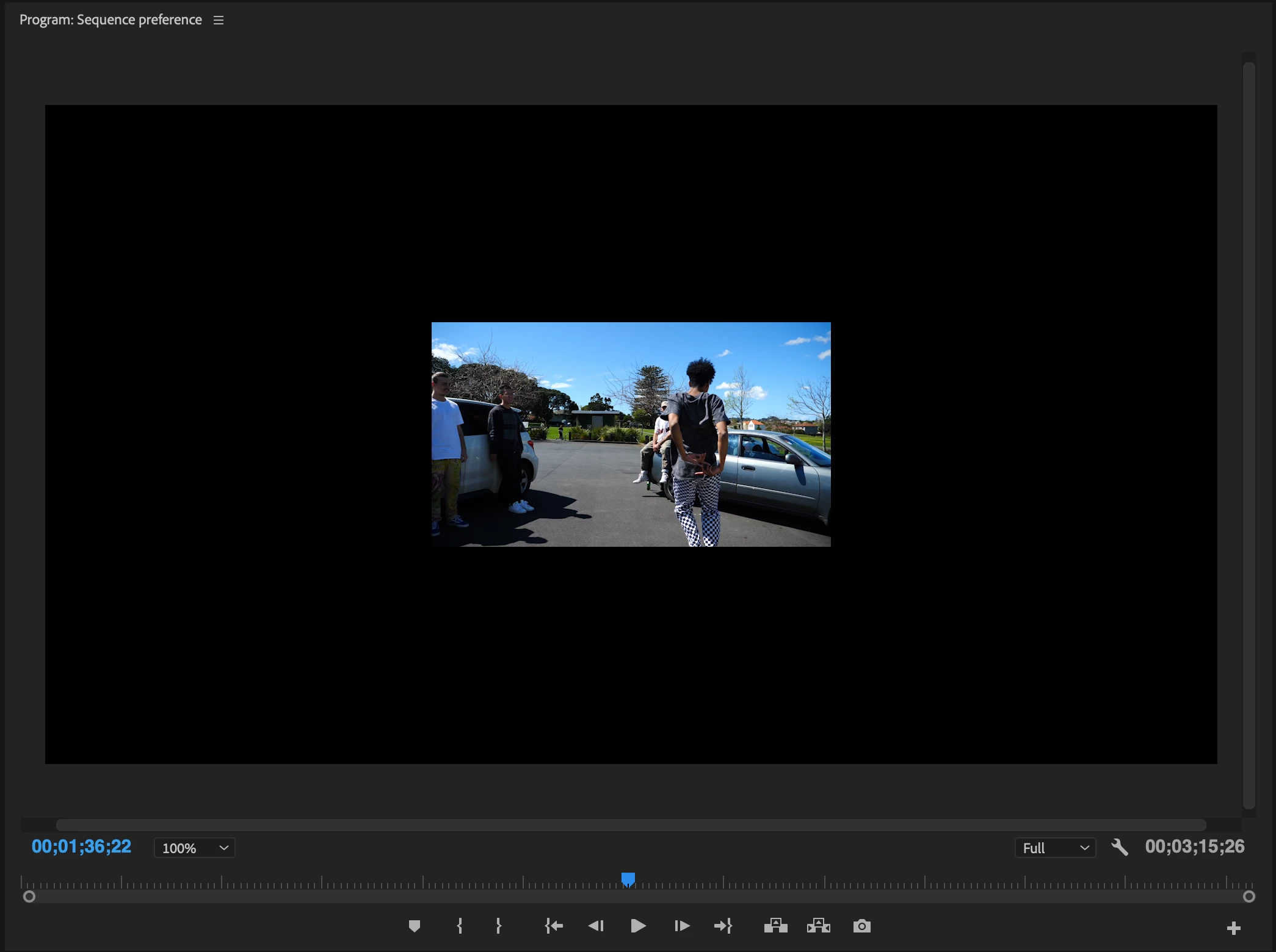
I'm quite new to video editing and have been working on a new project - I created the video under the wrong settings which set my aspect ratio at 720x480 and I clicked "set to frame size" as my footage was quite magnified and I was not aware that my project was on the wrong settings... after exporting at 1080p, I was left with a black frame around my tiny video. I checked the properties of the videos and all of them are at 1920x1080p and I have created a new sequence at the correct settings (1920x1080) and copy pasted all my work to the new sequence, however now my video is just super small and the problem still consists when I try to export. Is there a way to reset the video back its original quality without losing all my editing?
This topic has been closed for replies.
Correct answer Ann Bens

and copy pasted all my work to the new sequence,

If you dont want to start over:

Go into the effect controls of one clip and set the scale to 100%,

Select this clip in the timeline and copy,

Select all others: right click and Paste Attributes (motion).

4 replies

Ann Bens
Community Expert
Ann BensCommunity ExpertCorrect answer
Community Expert
October 21, 2018

and copy pasted all my work to the new sequence,

If you dont want to start over:

Go into the effect controls of one clip and set the scale to 100%,

Select this clip in the timeline and copy,

Select all others: right click and Paste Attributes (motion).

Participant
September 26, 2022

You just saved me soooo much work! Many thanks!

juanmario
Participating Frequently
October 21, 2018

dystopiantv  escribió

I created the video under the wrong settings which set my aspect ratio at 720x480 and I clicked "set to frame size"

the videos and all of them are at 1920x1080p and I have created a new sequence at the correct settings (1920x1080) and copy pasted all my work to the new sequence,

Do not proceed in this way, it is generating an increase in processing and a considerable loss of quality, Premiere will sequentially process your work, scaling 2 times its image.

In the original sequence, select the timeline panel, go to the menu Sequence> Sequence Settings and in Editing Mode, then change the value in Frame size, 1920 ---- 1080.

Also check the Pixel Aspect Ratio option, you will probably have to change Square Pixel (1.0).

And the Fields option, with the specifications of the original video, which can be, No Fields (progressive scan)., and ok.

If you do not need to uncheck "set to frame size".

Ann Bens
Community Expert
Community Expert
October 21, 2018

Start over by dragging a clip into an empty timeline.

R Neil Haugen
Legend
October 21, 2018

Yea ... right click on the clips in the sequence and select "set to frame size" I believe would clear this. And I think you could select a group and do several at once.

Neil

Everyone's mileage always varies ...