Inspiring
December 31, 2017
Answered

Encore CS6, Photoshop CC, Black DVD menu Highlights

  • December 31, 2017
  • 1 reply
  • 2536 views

I am using the latest version of Photoshop and Adobe Encore CD6 (because they bailed on it after this). Regardless, am having trouble creating dvd menus.

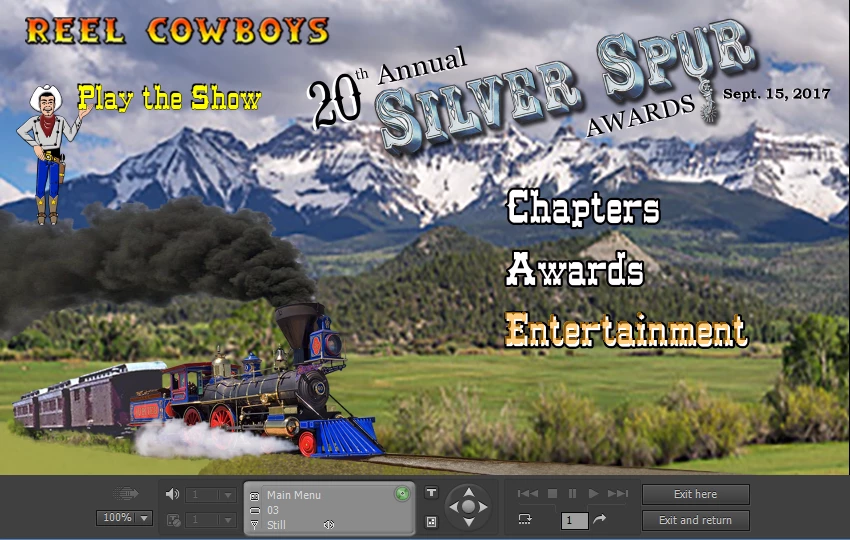
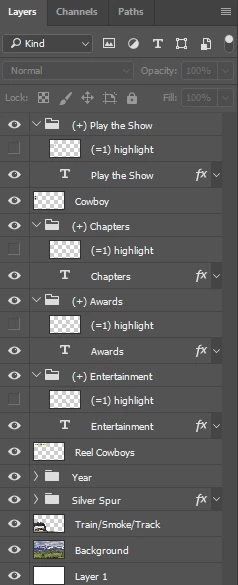
I create my menus in Photoshop and they work fine. I make sure to name the button layers as you see in the attachment. As you can see, I have no button highlights right now. Yet, when I preview the menu, you can see that the the buttons have this orange highlight. Where is the color for this highlight set in Encore?

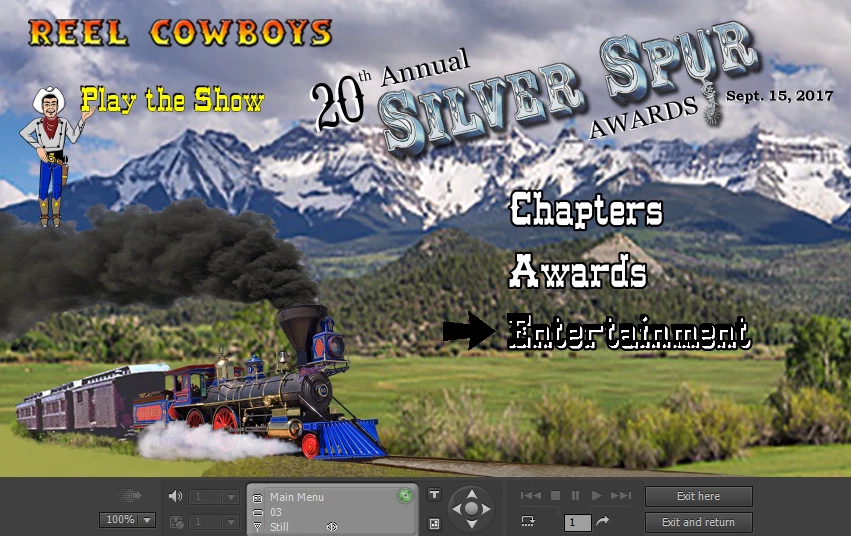
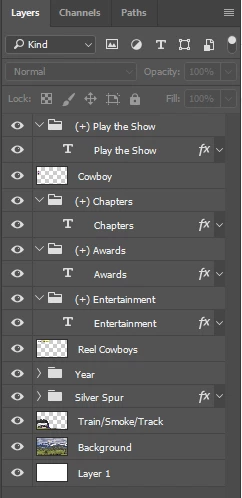
Next Question: When I set a highlight in Photoshop (see the 3rd attachment), I have a simple white arrow next to the buttons. Yet, in he preview option in Encore, it changes the words of the button to black (even though the highlight layer does not cover that area) and the white arrow is black (see the 4th attachment).

Ideas?
This topic has been closed for replies.
Correct answer Stan Jones

Highlights must be one color (8 bit) per type, but up to 3 colors (=1, =2, =3).

They do not have to be smart objects, but a variety of problems occur if they include more than just what you see. The button size is what it takes to hold all ogjects in the button group.

http://helpx.adobe.com/encore/using/button-subpictures-highlighting.html

1 reply

Stan Jones
Community Expert
Community Expert
December 31, 2017

See this:

http://help.adobe.com/en_US/encore/cs/using/WS59BED893-683B-492e-847C-254257E34581.html

However, you'll save a lot of headaches if you start your menu from an Encore library template.

You can add multiple layers to make the background, but you will get odd results in some circumstances if you don't leave the bottom layer named "Background."

Are you sure you didn't convert the text to a button in Encore? Do you get the same appearance if you add the arrow to the other buttons in PS?

Inspiring
December 31, 2017

I just re-did my menus. I did not convert the text to buttons in Encore. I just used the  naming conventions on specific layers.

What I did find out was this:

  • Highlights can only be in one color. PERIOD. If there is more than one color, it all turns black.
  • Highlights Must be smart objects or it all turns black.
  • Highlights cannot have any Photoshop effects on them or it all turns black.
Stan Jones
Community Expert
Stan JonesCommunity ExpertCorrect answer
Community Expert
December 31, 2017

Highlights must be one color (8 bit) per type, but up to 3 colors (=1, =2, =3).

They do not have to be smart objects, but a variety of problems occur if they include more than just what you see. The button size is what it takes to hold all ogjects in the button group.

http://helpx.adobe.com/encore/using/button-subpictures-highlighting.html