
Participating Frequently
April 28, 2017
Answered

Is there a limit on how many stills you can import as a sequence in Premiere Pro CC 2017?

  • April 28, 2017
  • 3 replies
  • 4791 views

I'm cutting two different GoPros filmed over the course of 3 months. Every minute the GoPro would take one still JPEG (4000x3000 / 4.7MB). Is there a cap on how many stills you can import as a sequence? Or is there a cap on how big a file size you can import as a sequence? I tried importing a whole day and the image sequence was missing parts of the day. Just as a safety measure I separated each day along with the time it was filmed at (am or pm) and that works much better. However, it is extremely daunting to do that to 3 months of footage. Any suggestions or help? Im running on MacOs 10.12.4 with 64GB of memory. Processor is 2.7 GHz 12-Core Intel Xeon E5. So processing power shouldn't really be the problem.
This topic has been closed for replies.
Correct answer Roei Tzoref
Upon import some stills were not importing. Thus many days were lost in transit. I was importing them the correct way (highlight the top image, and select image sequence, then click import).

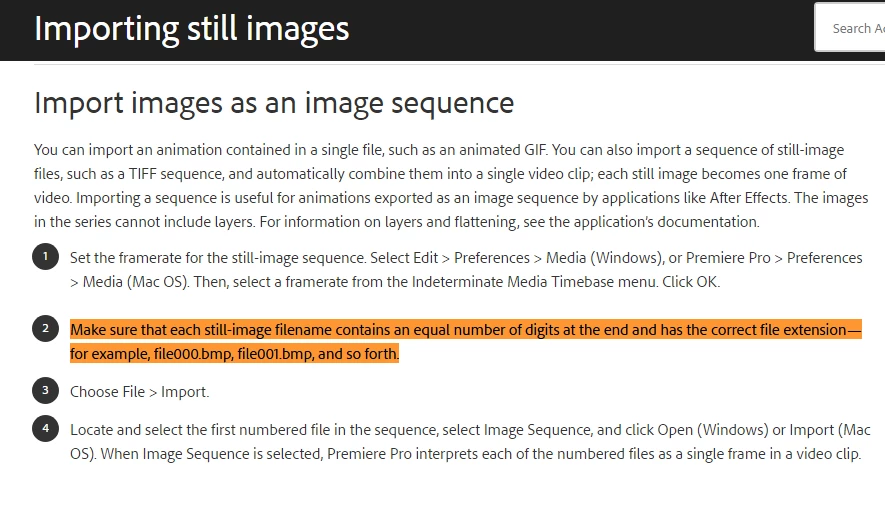
you can highlight any photo and click sequence, but premiere will only import as long as there is a number system and if there is a gap it will import the photos until that gap and stop. look here for some more information about the process:

Importing still images into Premiere Pro

3 replies

R Neil Haugen
Legend
April 29, 2017

Roei has some great comments. I went to test this, and ... surprisingly ... didn't find any option to import as an image sequence which I'm sure I've used before. Maybe I'm just imaging things! Huh.

Neil

Everyone's mileage always varies ...
Roei Tzoref
Legend
April 29, 2017
didn't find any option to import as an image sequence which I'm sure I've used before.

Hi Neil which software you referring to?

R Neil Haugen
Legend
April 29, 2017

PrPro ...

Everyone's mileage always varies ...
Roei Tzoref
Legend
April 29, 2017

I don't imagine there is a limit but bare in mind that if your photos file names have gaps in their sequential numbering in a folder, premiere will import the sequence up until that gap. You could easily batch rename them in bridge and so they are sequential. And another thing: if you don't need all that resolution, a good practice will be to down-res them before you import. Photoshop has an image processing feature that you can use from Photoshop or from bridge as well. I hear Lightroom has a batch convert feature the experts here recommend.

R Neil Haugen
Legend
April 29, 2017

Those are pretty big files ... but, are you importing them as single images or as an image sequence?

Neil

Everyone's mileage always varies ...
Participating Frequently
April 29, 2017

Image sequence. But I was encountering problems due to the difference in file numbers, or the difference in days,  I think. Example: one folder has approximately 5 different days (close to 40,000 stills). Upon import some stills were not importing. Thus many days were lost in transit. I was importing them the correct way (highlight the top image, and select image sequence, then click import). I want to keep that 4k resolution so I scale the image sequence within premier. I have since been seperating each day in parts (morning, afternoon, night...etc.) & that is too troublesome.

Roei Tzoref
Roei TzorefCorrect answer
Legend
April 29, 2017
Upon import some stills were not importing. Thus many days were lost in transit. I was importing them the correct way (highlight the top image, and select image sequence, then click import).

you can highlight any photo and click sequence, but premiere will only import as long as there is a number system and if there is a gap it will import the photos until that gap and stop. look here for some more information about the process:

Importing still images into Premiere Pro