I think I just have to wait and see how bad my GTX260 will perform before I buy a new card. I would like to know wich card to buy, though...that´s why I am interseted in knowing the difference in performance between the supported cards. But I´ll try to patient.
About the Mercury Engine supporting CUDA - i just found this post: http://forums.adobe.com/message/2583980#2583980
It seems that the Mercury Engine was not initially build for CUDA, but just for 64-bit...that might be the answer to why all CUDA cards are not supported. But tell us the story Adobe and Nvidia!!!!
Could one of your evangelists or some one else from Adobe and/or Nvidia (no offense to all you great guys who have heard something from someone who might know etc) not enlighten us here, in this forum, before we start some kind of conspiracy theory about Adobe and Nvidia? Put the (video)cards on the table (so to speak ;-) ) and tell us:
1. What is the main reason why all NVIDIA CUDA cards are not supported? Is it techincal? A time issue? Or what? Why?
2. When will we know if older less expensive Nvidia cards like GTX 260 will also be supported? We need to know so we can see if we need to buy new cards or just stick to the old ones long eneough to get support....is this not a valid wish?
3. When will we get an overview of how the supported cards perform compared to each other in preview, rendering etc.? We need to know so we can get excact the card that meets our needs. Roight now I don´t know if I just need a GTX285 or the Quadro CX. I need to know how much more performance I will gain from buying a much more expensive card. If I get fx. a 50% performance boost buying the CX I will buy it at once. Is it only 2% I think I will buy the GTX 285...otherwise i would be a fool with my money.
These are all questions that would be nice to get answers to before the shipping of CS5 - so we can make our choices whether to buy new videocards and if - which to buy - or we would like to wait untill our existing older Nvidia cards is working with the Mercury Engine. If we continue to not get any information about these questions this could develop into be a karma-killer for both companies....And you both have good karmas with me untill now!
I very much like Adobes products - been using allmost every one of them them for years. I have also had several Nvidia Cards over the years and have only tried the ATI cards a few times with bad experiences. So i stick to Adobe and Nvidia - no matter what - have no choice either;-) But I will be a very unhappy and dissapointet customer and user, if this story ends up looking like some kind of dirty deal between two companines. But I guess there is an explanation and it has to come from your comapines directly - not from a second source.
You could avoid all this by being more open about this issue and tell us more - and no more sales-talk - we allready want your products - they are all great - but we need help to find out which and when to buy what....please!

Now that the launch is done and this information is all public, I'm going to summarize all the bits of information that have been floating around into one distilled post:
The Mercury playback engine comprises of 3 areas (our chief weapons are surprise, surprise and fear... nevermind...):
- 64 bit support, and better memory management / frame cache management / sharing between the Adobe apps (ie Premiere and After Effects & the Media Encoder have a notion of shared memory now, and are aware of how much is being consumed by their peers);
- optimizations to multithreaded rendering, to the playback's pipeline, speed improvements with various media types, and all around general fine tuning
- CUDA acceleration of effects / transforms / pixel conversion routines.
Don't have a supported CUDA board? You still get two out of three. Might not seem as sexy on the cover, but CS5 is still a massive improvement over CS4 even without the hardware acceleration.
(Conversely: let me dispel the myth that you can drop in a CUDA supported board into any box and you magically get umpteen layers of RED 4K in realtime. All that CUDA does is free the CPU from the tasks of doing image processing - video footage however still needs to be decoded by the CPU. If you're looking to do high end 4K, do yourself a favor and don't shortchange yourself on a cruddy box. Get an i7, for cryin' out loud... but I digress)
Now, why the limited card selection?
One of the biggest themes was to improve stability and making Premiere truly earn the Pro moniker. To quote another engineer, "This was a decision about being Pro." By limiting the selection of cards, you have a guarantee that the product will do what it's supposed to, that your rendering accuracy will be as good as in software, and that these cards will play nice with 3rd party I/O vendors.
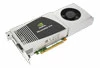
What's the difference between the level of functionality I get with the GTX 285 vs the Quadro boards?
The GTX is limited to 3 streams of realtime. Also, the Quadros come with more memory, so this helps if you're looking to do hi-res (eg RED) editing. Lastly, as a gaming card set, the GTX cards will downclock themselves if they're overheating, so your performance might drop if your cooling isn't the best. The Quadros OTOH have a fixed clock rate, assumingly they have better heat tolerance levels.
When will that selection expand?
TBD. All I will say is that we are looking at some of the next-gen Fermi cards, but they're still undergoing evaluation. Let's put it this way - the beta users group is still running so that they can help test the new card support going forward. Keep your ear to the ground, I'm sure there will be plenty of noise made when they're announced.
Can you add me to the beta list?
Nope. Not my domain, I'm afraid.
What's the scoop with ATI cards, and openCL? Why nVidia / CUDA only?
When the acceleration work began over a year & a half ago, openCL wasn't even a finalized specification. CUDA was a more mature technology, so that's what we went with. For the future? It'll be evaluated for CS 6.





 AdChoices