Known Participant
September 17, 2013
Frage

Premiere Pro CC Multicam - 2 camera angles being split into multiple tracks

  • September 17, 2013
  • 6 Antworten
  • 16809 Ansichten

I love CC's multicam feature, but keep having this problem:

In Pluraleyes, I would lay all my Cam 1 material on video track 1 (multiple clips), then Cam 2 on video track 2 (multiple clips), add my audio, and create a multicam track that kept all Cam 1 clips on track 1 and all Cam 2 clips on track 2.

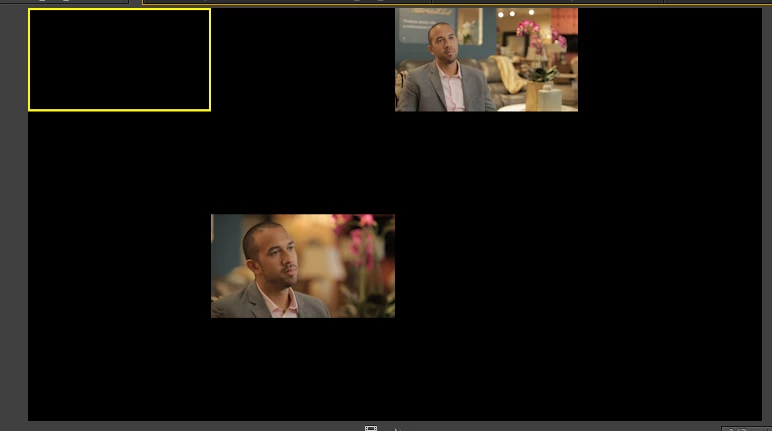
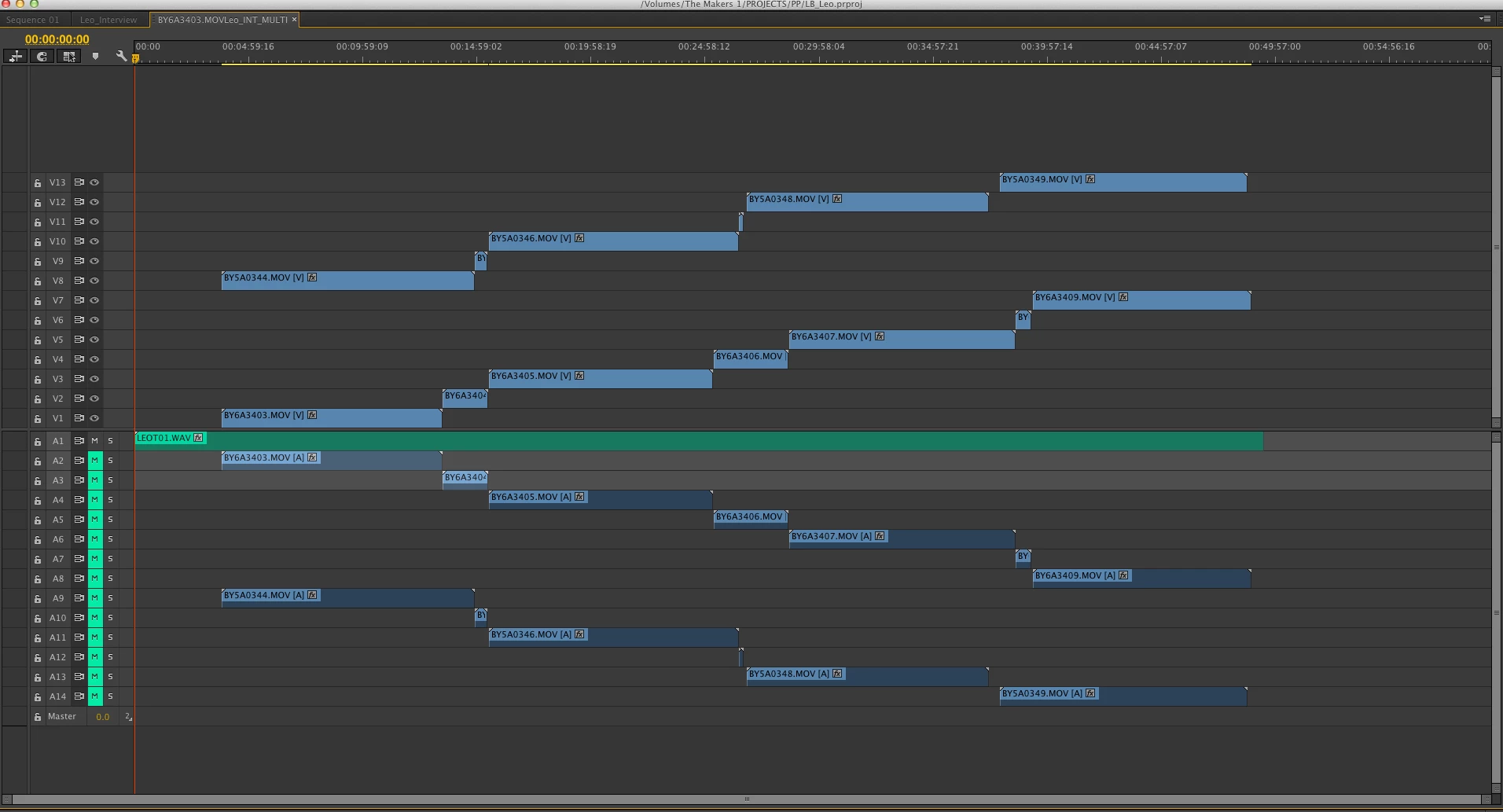
in Premiere Pro CC, multicam creation can only be exectued via the browser, not the timeline. So Premiere syncs everything up and throws each clip onto the next video track up, leaving you with a mountain of timeline media that reads out tiny and jumps all over the place when viewed in the multicam monitor (see picture).

What I'm after:

- the ability to create multicam sequences based on the timeline (lay out all clips from each cam on whichever video track I want, select all, then choose "create multicam sequence") so that the end result isn't 20 video tracks I have to manually collapse into 2 (time waster).

Help Adobe?

thanks

jesse
Dieses Thema wurde für Antworten geschlossen.

6 Antworten

ryancgreen
Participating Frequently
November 14, 2018

The only way I found to get around it is to use PluralEyes by Red Giant. Works as the PP one should. It treats camera files on the same track as the same camera.

Participating Frequently
October 7, 2015

I would love this to be a new feature. Every demo and tutorial I see completely forgoes this extremely important aspect of MC workflow - multiple files creating separate angles.

Participant
May 6, 2015

Just my 2 cents worth. It seems that this is still an issue, where multiple takes are each put onto separate video changes for a multicam sequence.

I don't see this as a massive issue though, because the footage doesn't overlap - so pushing the separate takes down onto 2 video tracks is quick - especially if you use some keyboard shortcuts:

1) use the select tool (V) to select a track to move

2) ALT+DownArrow will move the clip down to the track below it.

Even with a large number of takes, this is quick to do.

It would be ideal if Premiere could recognise when footage is all from the same camera and align them all on the same track - however, this is only a minor inconvenience.

R Neil Haugen
Legend
May 6, 2015

You listed a good workaround. And there are some major changes coming to Multi-Cam workflows in the next release that will make all this easier. Check with the Adobe blog pages to see what they've posted on this.

Neil

Everyone's mileage always varies ...
Participant
March 3, 2015

I know this is a rather old post, but have been having a play with multi cam for a while and watching a few videos so help this helps.

What I do to get rid of extra cameras that are generated with each new multicam process.

The process im mentioning is very briefly mentioned in this clip : Adobe Premiere Pro CC Tutorial | Performing Multi-Camera Editing - YouTube

Once I have made my multicam source file.

Drag to new sequence icon (similar to what is done with a clip and want to make a quick sequence from clips properties.)

You will have the green nested footage (this will have multicam enabled by default.

Ctrl + Double Left click the green bar. This reveals all the clips and audio.

Arrange the clips onto which ever video layer you want (each representing a Camera)

Double click the the sequence created to reset the sequence to have the green bar for editing but with only 2-3 cameras as desired and not the 12 you dread.

First time poster, sorry if not overly clear.

Participant
September 19, 2014

Yeah - this is terrible that Premiere can't put all clips from the same camera on the same track. FCP would actually do this, and that version 7 is how many years old?

I'm working on a golf shoot. 9 camera hitting start and stop all day on different part of the course. We're talking 700-800 clips. All timecode is synced. Unbelievable that I can't just select them all and hope to get them on a single track. I hope this becomes an option. It can't be that difficult to implement.

R Neil Haugen
Legend
September 19, 2014

On Adobe's main site, there's a page for wish-requests & bug reporting ... go there, and please file this as a feature request. It's been talked of numerous times, and yea, sounds a lot 'swifter' to use than the current one. Request away, we users do get them to do things for us every once & a while. (They're really quite nice people ...  )

Neil

Everyone's mileage always varies ...
Participant
November 28, 2014

I did go there and log it as a bug!

There's no way this process could be a convenient way to synchronize clips. Yes it's great and fast to sync but you have to painfully go through your sequence moving clips down to only 2 or 3 tracks instead of 100+!

Please adobe fix this asap, it is quiet a huge part of what I do while editing!

Legend
September 17, 2013
in Premiere Pro CC, multicam creation can only be exectued via the browser, not the timeline.

That is not true.  The original (and still best, I think) method of creating a multicam sequence still works just fine.

1. Create a sequence and add your clips.

2. Manually sync all clips.

3. Create a second sequence, and nest the first into it.

4. Right click that nested sequence and Enable Multicam.

Known Participant
September 17, 2013

You're a funny guy Jim. While we're at it let's go back to editing reel to reel, riding donkeys and sending telegrams...

Anyone out there with an actual fix for this feature?

Legend
September 18, 2013

Not trying to be funny.

You may not like it, but that is the fix.  PP treats every clip as a new angle, nothing you can do about that.