


Inspiring
August 9, 2017
Answered

Premiere Pro Exporting as AVI Help

  • August 9, 2017
  • 2 replies
  • 8961 views

So the only way I can get it to export in full resolution is by checking "Match Sequence Settings" but I want to export as an AVI. When I choose AVI, it doesn't let me change the resolution. (see output and source info  when in AVI in picture ---\/)
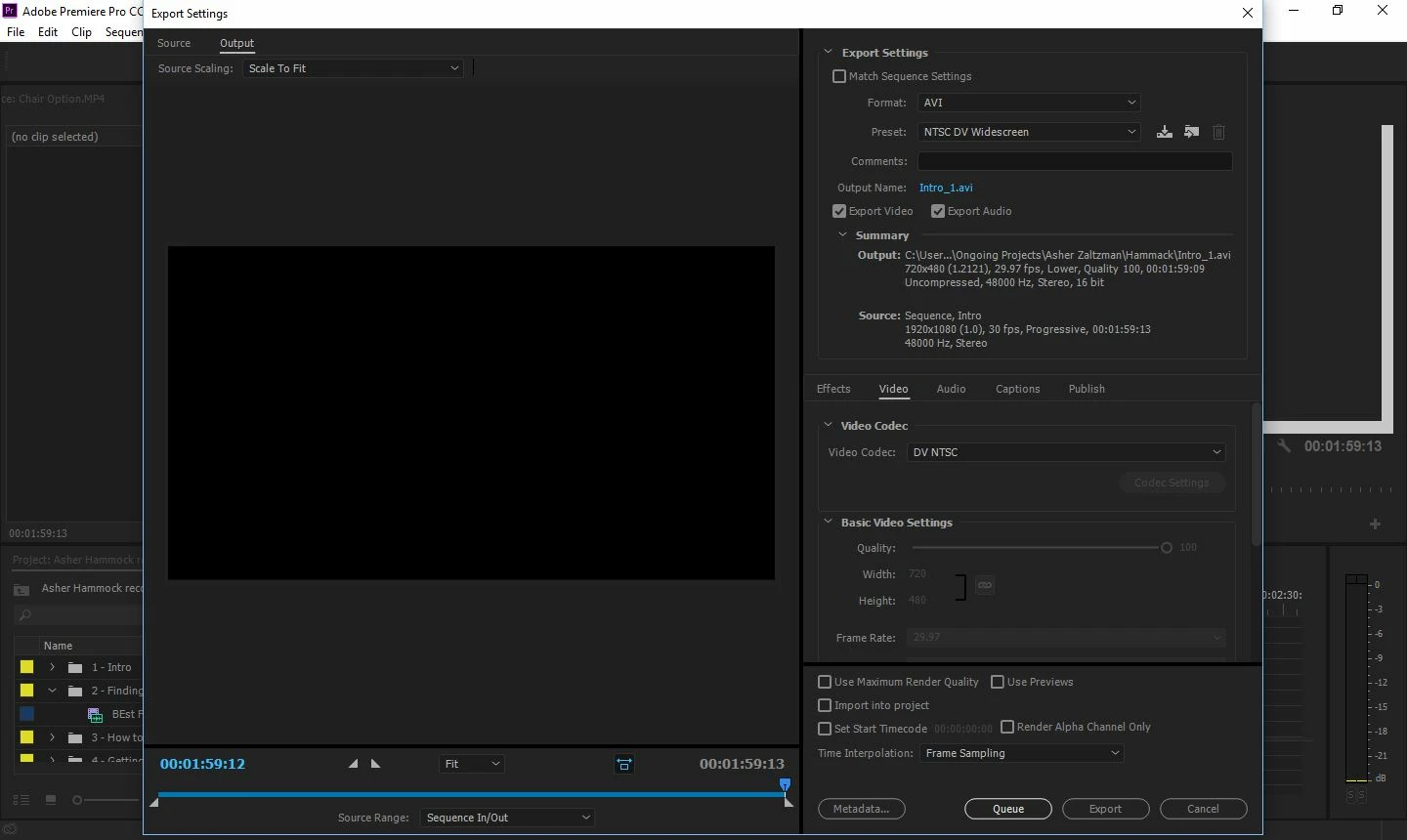
I can't find the solution in the Sequence Settings --^
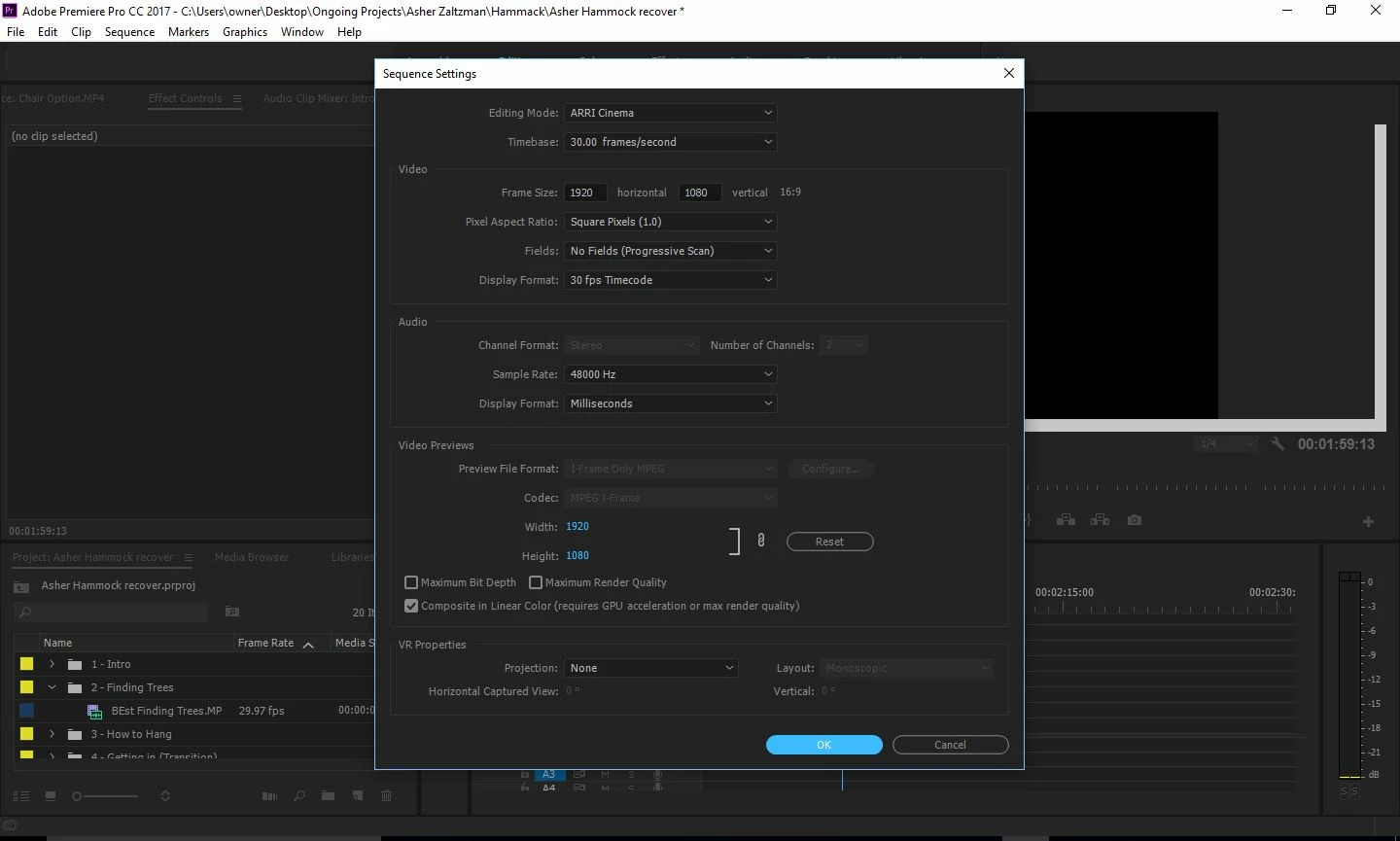
So how can I change the export resolution or change the sequence settings to AVI?

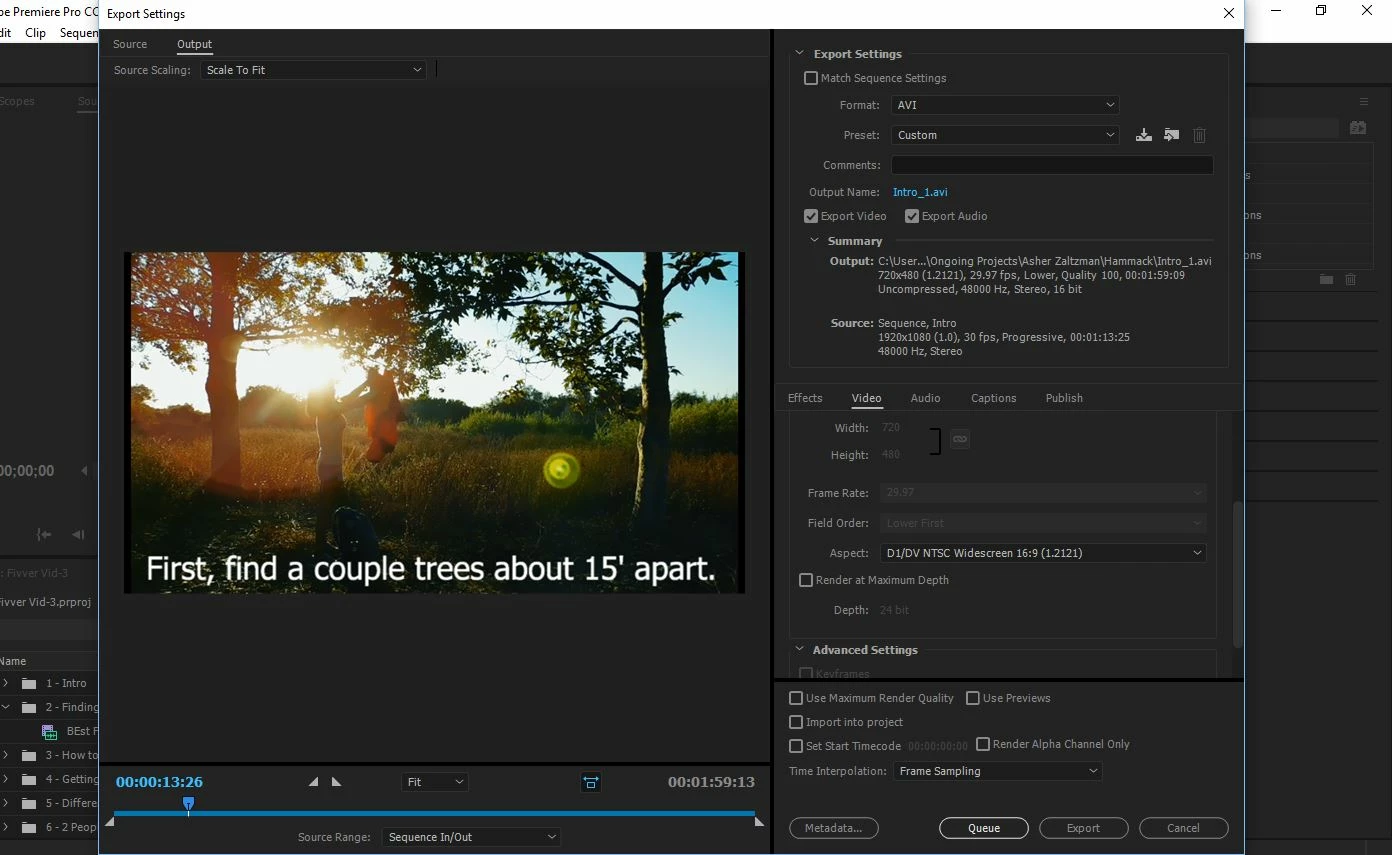
I'm also having a problem finding the right aspect (pic below), but I have a feeling the solution to both problems are in the same place.
This topic has been closed for replies.
Correct answer excited_artwork5DC2

Oh, my goodness. I changed the AVI setting to AVI (uncompressed) and now it's letting me change the resolution. Thank you guys.

2 replies

R Neil Haugen
Legend
August 9, 2017

Rather curious ... why the AVI?

Neil

Everyone's mileage always varies ...
Inspiring
August 9, 2017

A very particular client on what seems to be a very particular software. This isn't the only video I'll be doing for him so I want to know how to export it in AVI instead of converting.

R Neil Haugen
Legend
August 9, 2017

Paying clients ... well, normally, they're pretty close to the Almighty, right? "You want AVI ... hmmm ... for that check ... I'll give you AVI" ...

Neil

Everyone's mileage always varies ...
clipsandhandles
Participating Frequently
August 9, 2017

In your second screenshot ,where it says aspect ratio , change it to square pixels . This should allow you to change the dimensions of your video to 1920 by 1080.

Let me know if you're ok for frame rate.

excited_artwork5DC2AuthorCorrect answer
Inspiring
August 9, 2017

Oh, my goodness. I changed the AVI setting to AVI (uncompressed) and now it's letting me change the resolution. Thank you guys.