
Badiniben
Known Participant
September 18, 2019
Answered

Program viewer is blank.

  • September 18, 2019
  • 3 replies
  • 965 views

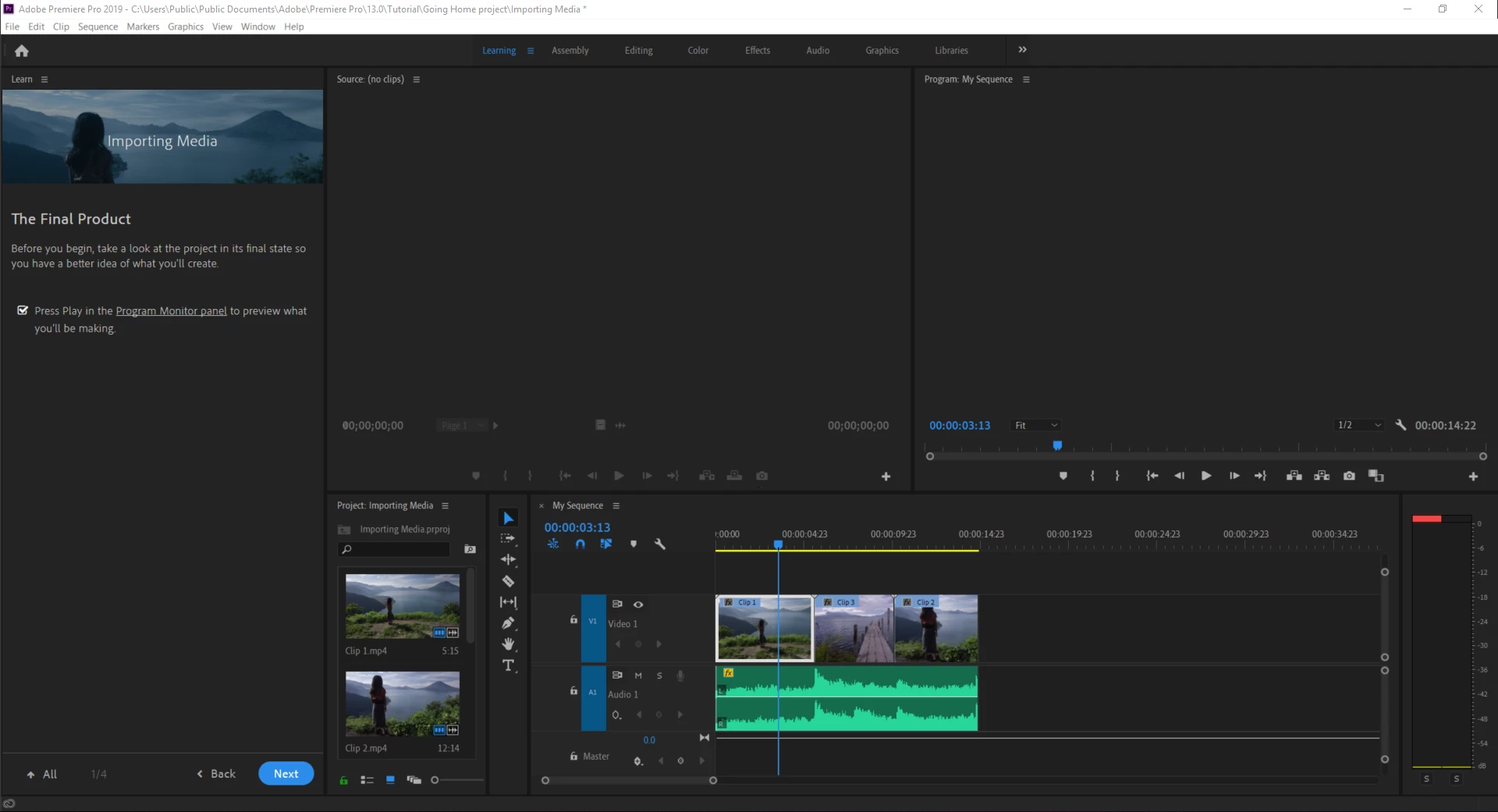
I recently got a new laptop and installed premiere pro on it. I launched it and noticed that I wasn't able to playback video, sound works fine. but I cannot see my program in any tab (Learning, Assembly, ...)  Any tips would be greatly appreciated.
    This topic has been closed for replies.
    Correct answer Peru Bob

     Try resetting the preferences:

    FAQ: How to reset preferences in Premiere Pro?

    If that doesn't work, try resetting the Workspaces:

    Reset a workspace

    Reset the current workspace to return to its original, saved layout of panels.

    1. Do one of the following:
      • Click the Workspace menu icon and select Reset to Saved Layout
      • Choose Window Workspace Reset to Saved Layout.

    from here:

    https://helpx.adobe.com/premiere-pro/using/workspaces.html


    If that doesn’t work ,try updating or rolling back your graphics driver directly from the video card manufacturer’s site.

    3 replies

    Peru Bob
    Community Expert
    Peru BobCommunity ExpertCorrect answer
    Community Expert
    September 18, 2019

     Try resetting the preferences:

    FAQ: How to reset preferences in Premiere Pro?

    If that doesn't work, try resetting the Workspaces:

    Reset a workspace

    Reset the current workspace to return to its original, saved layout of panels.

    1. Do one of the following:
      • Click the Workspace menu icon and select Reset to Saved Layout
      • Choose Window Workspace Reset to Saved Layout.

    from here:

    https://helpx.adobe.com/premiere-pro/using/workspaces.html


    If that doesn’t work ,try updating or rolling back your graphics driver directly from the video card manufacturer’s site.

    Badiniben
    BadinibenAuthor
    Known Participant
    September 18, 2019
    Wow, Resetting the preferences worked! Thank you so much!
    September 18, 2019

    Select the Sequence Timeline window, go to File > New > HD Bars & Tone, click OK, drag that into your Timeline from the Project Window, and see if you can see that in the Program viewer. If you can't see Bars & Tone, there's a problem. 

    Badiniben
    BadinibenAuthor
    Known Participant
    September 18, 2019
    Looks like there is a problem. I get the tone sound, but cannot see the bars in the viewer.
    Richard van den Boogaard
    Community Expert
    Community Expert
    September 18, 2019

    Seems that some video codecs are missing on your system.

    Can you confirm playback of these video files in other players?

    What kind of video files are you using?

    Badiniben
    BadinibenAuthor
    Known Participant
    September 18, 2019
    Hey, So i just launched some of the Learning files, and i can work with them in the sequence timeline.. I have exported it and viewed it on windows media player.