Participant
October 13, 2017
Answered

Speed up video with Maintaned Pitch Audio requires silly rendering

  • October 13, 2017
  • 2 replies
  • 1704 views

Hi,

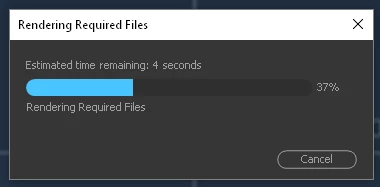
I have a problem that makes me mad. If I have video that I wanted to make it faster with example 125%, with ticked Maintain Audio Pitch. After that if I cut video or shrink it or move segment it requires Audio rendering every time. For every cut sometimes it needs even more than 10 s rendering time. Even when I just open 4 h long project and want to start working on it it takes 15 min to render before I'm able to do anything ...

How to solve the problem? Thank you in advance.
This topic has been closed for replies.
Correct answer Bill Engeler

I've run into this problem. The solution is to export the sound as a wav file, then import it and replace the original in the timeline.

2 replies

Bill EngelerCorrect answer
Inspiring
October 14, 2017

I've run into this problem. The solution is to export the sound as a wav file, then import it and replace the original in the timeline.

Legend
October 14, 2017

That's really no different than rerendering every time a new speed change is made.

Inspiring
October 16, 2017

Not really. A re-render is needed every time a cut is made in the shot. Since retiming is usually done on long-duration takes, you can see the problem.

Legend
October 13, 2017

I think the only 'solution' here might be to not do what you're doing.  Keep the speed intact, or let the pitch change.