
corneliusl92952068
Participant
October 12, 2019
Question

Updated to Catalina and Premiere Pro is broken now

  • October 12, 2019
  • 7 replies
  • 1208 views

Hello everyone, 


After having updated to the new IOS Catalina, Premiere is acting extremely buggy. 

For example, when trying to change the location of my project by clicking "Browse," I am simply unable to. 

See Screenshot. 
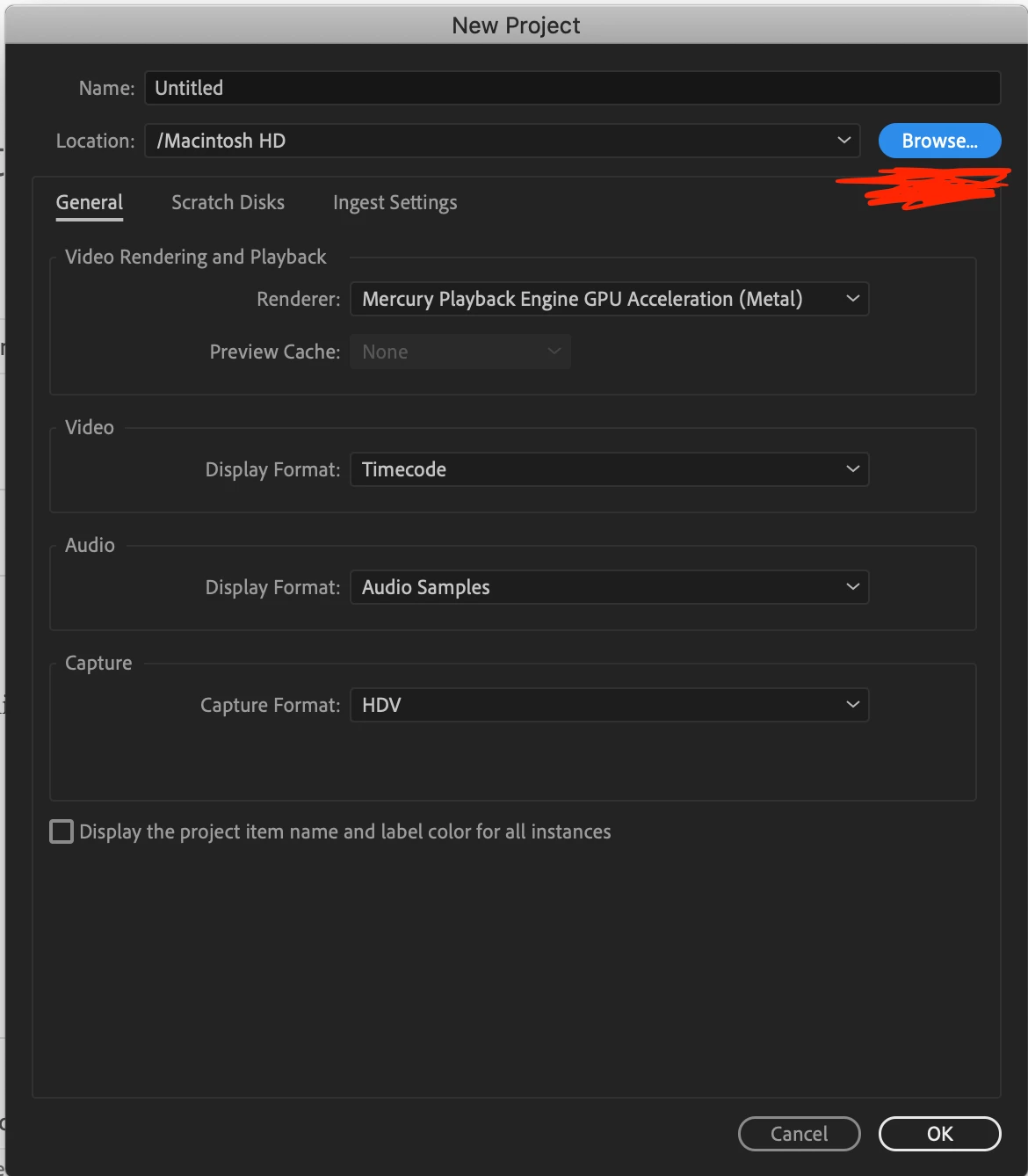
 

And if i simply create the project to the current location, I am not even able to double click into the "Import Media" box to import my media. 


This is killing me as i dont want to downgrade to Mojave as I think it will just be more of a hassle and I'll break something even more. 


Anyone know what I should do?

This topic has been closed for replies.

7 replies

Kevin-Monahan
Community Manager
Community Manager
October 17, 2019
Kevin Monahan - Sr. Community and Engagement Strategist – Adobe Pro Video and Audio
Participant
February 4, 2020

Repaired permissions as to instructions and still not working?  Please help.

Participant
October 15, 2019

I just lost all my project files since updated to Catalina on October 10. Anybody experienced the same? One week of work down the drain. People at Apple do not have any reply on my issues. Scary - what do I do?

horstroberts
Participant
October 15, 2019

Premier crashes on trying to open for me too after upgrading to Catalina.  I've cleared the preferences. Uninstalled and reinstalled the software.  Eiii please help.  I have a Mac Book pro.  


Inspiring
October 12, 2019

As Ann Bens says, start by trashing your preferences. Premiere is running on my Mac with Catalina without issue, but your mileage may vary.


MtD

corneliusl92952068
Participant
October 13, 2019
I have a brand new macbook. I tried trashing the preferences, but still nothing.
Ann Bens
Community Expert
Community Expert
October 12, 2019

Start with trashing preferences: FAQ: How to reset (trash) preferences. 


Honestly I think its way to soon to upgrade to a new OS. Give it a few months first to settle down.


corneliusl92952068
Participant
October 13, 2019
Thank you, but that didnt work. Do you have any other suggestions?
John T Smith
Community Expert
Community Expert
October 12, 2019

10-11-19 https://community.adobe.com/t5/Get-Started/Do-NOT-quot-upgrade-quot-to-Catalina/td-p/10663646
-and https://www.imore.com/how-downgrade-macos
Mac 64bit warning - You should never upgrade your OS until the program vendors say their programs will work
-including all of the helper programs that are installed with a Cloud subscription